



Solitaire review
 Analysis by Appsdrops
I tend to think of a solitaire game as something you open for a few quiet minutes, not an app that needs a whole plan around it. Mouse Games’ Solitaire fits that role well: it brings the familiar card-table routine to a phone and keeps the focus on the game itself. I found it most useful in the small pauses of a day, when I wanted a calm activity that I could stop without losing track of anything important.
A familiar card game that suits short breaks
This is a card game built around solitaire, also known as patience. The appeal is its simplicity: cards, a puzzle to work through, and no need to arrange a match with another person. That makes it easy to pick up while waiting for a kettle to boil, sitting through a commute, or winding down before bed. It does not ask for the kind of attention or time commitment that a longer strategy game usually does.
The game comes from Mouse Games and is free to download. Its average rating is 4.5 from around 233,000 ratings, and it has passed 10 million installs. Those figures suggest that this is a well-established choice among Android solitaire games, though popularity alone does not determine whether its particular style suits you. I would judge it instead by the straightforward question: do you want a familiar solo card game on your phone, without turning a short break into a complicated session?
Its history also gives it some staying power. Released in January 2017, it is currently at version 5.9 and supports Android 4.0 or later. The age of the release may be reassuring to someone looking for a simple, long-running title rather than a brand-new game built around constant novelty. At the same time, players who expect a modern card app to offer a wide collection of modes or elaborate social features should be careful not to assume that from the name alone.
Sharing a phone without sharing a game plan
Solitaire can work nicely on a household phone or tablet because a round is personal and self-contained. One person can play, hand the device over, and let someone else start fresh. There is no teammate to coordinate with and no opponent waiting for a turn, so it is less awkward to share casually than a competitive game with a live match in progress. For a family, that makes it a low-pressure option for taking turns with the device, provided everyone is comfortable using the same app.
That shared-device convenience is also a reason to be realistic about boundaries. A game on a common device does not automatically mean each person has a separate area, separate history, or separate preferences. I would avoid treating a shared copy as a private account space. If keeping play distinct matters in your household, agree on a simple handoff routine: finish or leave the current round, then let the next person begin their own. This is ordinary device coordination, not a special family feature.
For a parent or caregiver, the practical question is less about competition and more about whether a quiet card puzzle is appropriate for the person using it. The app’s content rating is Everyone, which makes the age context easy to understand. Still, the rating does not replace normal supervision of a shared phone, especially when the device itself contains other apps, notifications, or personal information. I would consider the game’s simple premise suitable for a broad range of ages, while keeping device rules separate from the game.
Small habits that make shared use smoother
A useful approach is to decide when the phone is being used for a quick solo round and when it needs to be free for someone else. Solitaire is a natural fit for that arrangement because play does not depend on another person being online at the same time. If one household member is waiting for a turn, there is no need to interrupt an opponent or rush through a shared match. A clear handoff avoids the familiar friction of someone picking up a device and discovering another person’s game still open.
There is also a subtle trade-off between a common device and personal concentration. A household phone may be convenient, but interruptions, messages, and someone asking for the device can break the calm that makes solitaire appealing. I would choose a quieter moment or use a personal device if I wanted a longer, more focused session. For a brief pause, though, the interruptions are less of a problem because the activity is easy to fit around everyday life.
One practical tip is to use a round as a short mental reset rather than as something to keep playing automatically. Solitaire’s familiar pattern makes it easy to say, “I’ll play one hand while I wait,” and then put the phone down when the original task is ready. That works better for me than opening a sprawling game with several menus or ongoing objectives. The benefit is not that every round will be quick; it is that the basic activity is easy to understand and return to.
What to expect from the play experience
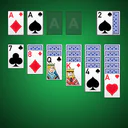
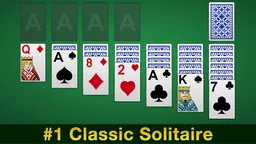
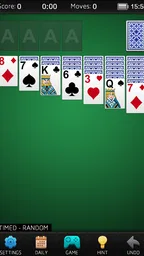
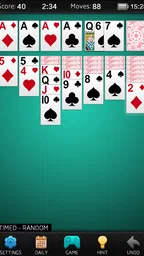
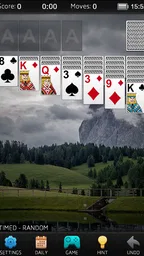
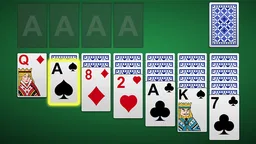
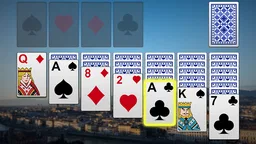
The main strength here is the recognizable solitaire routine. If you already know the card game, you can focus on choices rather than learning a new ruleset. If you are new to it, the basic premise is still approachable because the play is built around arranging cards and looking for the next useful move. That makes it a gentler introduction to mobile gaming than a title that requires fast reactions, precise timing, or a long tutorial.
Solitaire is not, however, a substitute for a richer card collection. People who enjoy switching between several games, playing against friends, or pursuing a layered progression system may prefer a different app designed around those goals. This one is best approached as a focused version of a familiar pastime. I would not choose it when I wanted social competition or a large menu of activities; I would choose it when I wanted one dependable kind of card puzzle.
Compared with playing a physical deck, the phone version is convenient because the game is already at hand and does not require finding a table or sorting cards. The physical version can be nicer when you want a screen-free break, enjoy handling the cards, or are playing alongside another person in the room. Compared with more elaborate mobile card games, this app’s narrower focus is the point: less to learn and organize, but also less variety for someone who tires of one format.
For a better session, I would give each move a moment instead of tapping through quickly. Solitaire rewards looking at the cards already available before committing to a move; a choice that seems productive can sometimes leave fewer useful options afterward. That small habit makes the game feel more like a puzzle and less like a sequence of automatic taps. It is a general way to get more satisfaction from this particular style of play, especially if you are using it to slow down for a few minutes.
Free access, age context, and sensible expectations
The app is free, which lowers the barrier to trying it as a personal pastime or a casual option on a shared device. I would still approach any free mobile game with the same sensible attention I give other apps: check what appears on your screen and follow the household’s usual rules for installing and using software. The free price does not, by itself, tell you how every part of the experience is presented, so it is better to make a decision based on what you see when using the app.
The Everyone rating is helpful for families deciding whether the game’s general content is suitable, but age suitability and account privacy are different questions. A family member may be old enough to play while still needing guidance about using a shared device responsibly. If the phone belongs to a parent, for example, the adult remains responsible for the device and its settings; Solitaire does not change that arrangement. I would treat it as a simple game that can be offered to different ages, not as a tool for managing children’s screen time or profiles.
Its Android requirements are also broad enough to make it a candidate for older devices that cannot run every newer game. The minimum operating system is Android 4.0, which is useful context if you are checking compatibility for a spare phone at home. I would still make the final check in the app store on the device itself, since that is the practical place to confirm whether it can be installed there.
Who will enjoy it, and who should pass
I would recommend Solitaire to someone who likes the classic card puzzle, wants a quiet activity with no opponent to coordinate, or needs something easy to open during a short wait. It also makes sense for a household that wants a simple game people can take turns using, as long as everyone understands that a shared device is not necessarily a separate personal space for each player. Its familiar format gives it an immediate advantage for anyone who already knows patience.
I would skip it if your main reason for downloading a card game is to challenge friends, discover several different card formats, or build toward a deep set of unlocks and goals. It is also not the right choice if what you really want is a screen-free activity: a physical deck or a printed puzzle would serve that better. These are not flaws so much as limits of a focused solitaire game, and they matter when deciding whether this is the right kind of break for you.
My household verdict is that Mouse Games’ Solitaire is a sensible pick for quiet, individual play and uncomplicated turn-taking. It earns its place through familiarity and convenience rather than breadth. The app has a 4.5 average and around 44,000 written reviews, but I would still base the choice on your own habits: if you want one recognizable card game for spare moments, it is easy to see the appeal; if you need privacy boundaries, social play, or lots of variety, choose an option built around those needs instead.
Overall, I see Solitaire as a straightforward companion for brief pauses, not a game that needs to dominate your attention. Its Everyone rating, free access, and long-running presence make it approachable for many Android users, while its narrow focus keeps expectations in check. For a shared household device, a little coordination is enough to make casual use comfortable. For a player who wants more than a familiar solo card puzzle, another kind of game will be a better fit.
What we like
- Familiar rules make it easy to start playing.
- A relaxing pace suits short breaks.
- Games work well with one-handed controls.
- Daily challenges add a reason to return.
- Undo options help correct accidental moves.
What could be better
- Some deals can feel repetitive over time.
- Hints may reduce the satisfaction of solving a game.
- Ads can interrupt play in the free version.
- Small cards may be difficult to read on compact screens.
- Winning often depends on the initial card layout.







