

Disney Solitaire review
 Analysis by Appsdrops
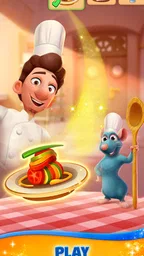
I enjoy solitaire most when it gives me a little puzzle to focus on without asking for a long, uninterrupted session. Disney Solitaire brings that familiar card-game rhythm together with Disney-themed presentation, making it an easy game to pick up for a short break. My first impression is that the appeal is less about reinventing solitaire and more about giving each challenge a light, storybook feel. That works well if you like card games and want a warmer, more characterful alternative to a plain deck.
Familiar card play with a Disney frame
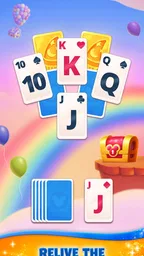
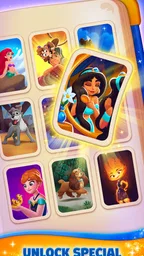
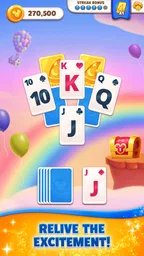
This is a free card game from SuperPlay, aimed at players who want a straightforward way into solitaire rather than a complicated strategy game. Its central idea is easy to understand: work through card challenges and earn progress toward Disney-themed memories. That gives each round a bit more context than simply clearing a layout, while keeping the basic pleasure of spotting useful moves and planning a few cards ahead.
The distinction matters because the Disney theme is not, by itself, a reason to expect a deep narrative adventure. I would approach it as solitaire first, with themed rewards adding a sense of destination. If you want a relaxed card game that feels more inviting than a barebones solitaire app, that combination is appealing. If you are looking for a substantial story, extensive character interactions, or a different kind of Disney game, this may not scratch that itch.
It is rated for Everyone, so it can suit a broad range of players and makes sense as a casual game to share with younger family members. Still, the best fit depends on what each person enjoys: the card challenges are the main activity, and the Disney framing is the extra motivation. I would recommend it to someone who already likes solitaire or is curious about learning through short, approachable rounds, rather than to someone who wants constant action.
Why the themed progression helps
In ordinary solitaire, a win can feel satisfying but self-contained. Here, the promise of unlocking themed memories gives a session a longer arc. That can be useful on days when I want a reason to play one more hand, but it also changes the feel of the game: progress becomes part of the reward, not just the satisfaction of solving the current layout.
A practical way to enjoy that loop is to treat each round as a small, complete activity. For example, if I have a few minutes while waiting for a ride or taking a break, I can play a challenge and stop when the moment is over. The broader collection goal can wait. This is a healthier fit than feeling obliged to keep playing until a particular reward appears, especially in a game designed to make small sessions tempting.
Making progress without turning it into a chore
Progress systems can make casual games feel lively, but they can also introduce pressure. I find it useful to separate the two questions a player may have: “Do I enjoy this round?” and “Am I advancing quickly enough?” The first is the important one. If the card puzzle itself remains enjoyable, the themed milestones are a bonus. If the only reason to continue is fear of falling behind, it is a good moment to put the game down.
One non-obvious tip is to pay attention to whether you are playing for the puzzle or for the unlock. That distinction helps you decide when to stop, and it prevents a relaxing pastime from becoming a checklist. Another is to use the game as a short reset between tasks rather than leaving it open as a default distraction. Solitaire is naturally easy to dip into, but a visible progression goal can make “just one round” stretch longer than intended.
I would also judge the experience over several sessions, not one unusually easy or frustrating challenge. Card layouts can feel different in difficulty, and a single outcome does not tell you whether the overall rhythm suits you. If a round is not going your way, taking a break is often a better choice than spending money in the hope of changing the mood of the session.
Spending, purchases, and what can be said fairly
The game is free to download, with in-app purchases listed from $0.99 to $149.99 per item. That is important context for anyone deciding whether to install it: you can begin without paying, but optional purchases are part of the product. I would set a personal spending boundary before playing, particularly if the Disney collectibles or steady progress make it easy to want more.
Those purchase prices do not, on their own, establish what a purchase contains or whether it is worthwhile. I would not assume that paying is required to enjoy the core card game, nor would I assume that every player can make the same progress without paying. The sensible approach is to check each purchase carefully in the app store before confirming it, and to avoid buying anything simply because a moment feels frustrating.
For families, it is worth discussing purchases before handing over a device. An Everyone age rating describes the intended content category, but it does not make spending decisions automatic or remove the need for household boundaries. If a child is playing, I would use the device’s purchase controls and agree on whether any spending is allowed. That is more useful than relying on the theme or the game’s casual tone to make the decision for you.
Fairness and the limits of comparison
As a competitive game, this is not the kind of solitaire I would choose to test myself against a field of opponents. Its appeal is personal progress through card challenges and themed unlocks, not a head-to-head contest. That makes “fairness” a slightly different question: I would focus on whether the challenge feels enjoyable and whether purchases are clearly presented, rather than expecting tournament-style balance.
Compared with a traditional solitaire app, the Disney version offers a stronger sense of theme and a progression goal beyond completing a hand. A plain solitaire game may be better if you want the cleanest possible interface or prefer to focus only on card decisions. Compared with other themed casual card games, this one has the advantage of a recognizable Disney identity, but that familiarity will matter less to players who do not care about the characters or collectible presentation.
I would not treat popularity as proof that every player will find the experience fair or satisfying. The game has a 4.8 average rating, around 883,000 ratings, and more than 10 million installs, which suggests that many people have chosen to try it. Those figures are useful context, but they cannot tell you whether the purchase balance, progression pace, or card challenges will suit your own preferences.
Device fit and version context
The current version is 1.26.3, and the listed minimum operating system is 7.1. Before installing, I would check that the device meets that requirement and has enough room for another game. The release date is April 16, 2025, so this is a relatively recent entry in the category, but that does not guarantee that every device will feel equally smooth or that the experience will remain unchanged over time.
One useful habit is to check the version shown in the app store when troubleshooting. If a feature or screen behaves differently from what you remember, confirming that the app is up to date is a sensible first step. I would also avoid assuming that progress carries between devices unless the game itself makes that clear; players who switch phones should check the available account or backup options before relying on a transfer.
Who I would recommend it to
I would recommend it to Disney fans who enjoy solitaire, casual players looking for a compact puzzle, and families who want a card game with an approachable presentation. It is especially suited to someone who likes having a small goal attached to each session, but is comfortable treating that goal as optional rather than urgent.
I would skip it if you want a completely unadorned solitaire experience, dislike progression systems, or are trying to avoid games with in-app purchases altogether. It may also be a poor match if you want a competitive card game or a story-driven Disney adventure. In those cases, a basic solitaire app or a different type of Disney game would be a more honest fit than trying to make this one serve a purpose it is not built around.
There are a few details I would want to see for myself before making a stronger judgment: how the challenge pacing feels over time, how clearly optional purchases are presented in play, and whether the game remains enjoyable when I ignore collection goals. Those are the right questions to answer through personal use, rather than guessing from the theme or purchase range. I would also encourage anyone who is sensitive to spending prompts to review the game’s purchase screens carefully and stop if they feel pressured.
My trust verdict
My overall view is positive but measured. Disney Solitaire has a clear, appealing role: a familiar card pastime made more inviting by Disney-themed progress. Its free entry point and broad age rating make it approachable, while the in-app purchase range means it is worth setting expectations before playing. I like the idea most when the cards themselves are the reason to return and the unlocks stay an enjoyable extra.
For a friend who already likes solitaire and enjoys Disney, I would say it is worth trying, especially for short breaks and low-pressure play. I would not promise that purchases are necessary or that progress will always feel effortless; those judgments depend on the experience a player has in the game. Go in for the card puzzles, keep spending deliberate, and let the themed rewards add a little charm rather than dictate how long you play.
What we like
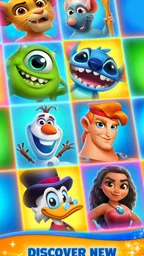
- Disney-themed cards and familiar characters give each round a playful look.
- The basic solitaire rules are easy for newcomers to learn.
- Short rounds make it convenient to play during brief breaks.
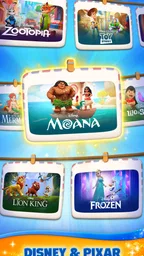
- Progression adds new themed content as you complete puzzles.
- Touch controls make moving cards straightforward on mobile.
What could be better
- Energy limits can interrupt longer play sessions.
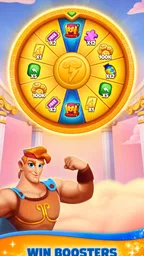
- Boosters may make some difficult levels feel less skill-based.
- Progress can feel repetitive if you prefer varied game modes.
- Optional purchases may appeal to players seeking faster progress.
- Frequent animations can slow down play for some users.







