

FreeCell Solitaire: Card Games review
 Analysis by Appsdrops
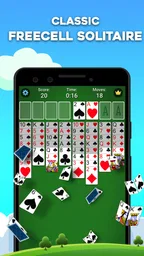
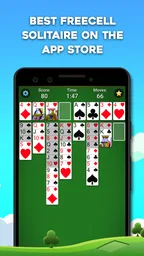
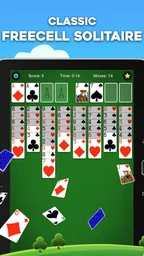
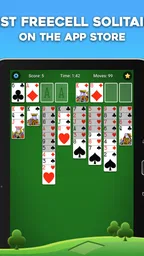
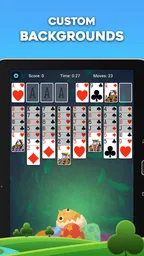
Some solitaire games lean heavily on luck, but FreeCell Solitaire: Card Games puts the focus on planning. Its defining appeal is right there in the name: FreeCell gives you room to move cards around and think through a deal instead of simply hoping the next draw solves everything. I find that makes each hand feel like a small puzzle, whether I have a few minutes to spare or want to settle in for a longer session.
A solitaire game built around planning
Developed by MobilityWare, this free card game brings the familiar FreeCell format to Android and iOS. The basic goal is to arrange cards into their foundation piles, building each suit in order. What gives the game its character is the way you manage the cards already on the table. You need to consider which moves open up useful cards, which ones block a sequence, and how much flexibility you want to preserve for later.
That emphasis on decisions is what separates FreeCell from a more luck-driven solitaire experience. A move can look helpful in the moment but leave you with fewer options a few turns later. I like that tension: the game is easy to understand at a glance, yet it rewards taking a breath and looking across the whole layout before committing.
The store summary presents it as a classic solitaire card game, and that description fits the central experience. This is a straightforward choice if you want FreeCell Solitaire without needing to learn a complicated premise. The card-playing challenge is the main event, so the appeal comes from reading the board and making a sequence of sensible moves.
Why the free cells matter
Free cells act as temporary places to hold cards, and using them well is the heart of the strategy. They can help you uncover a card you need or rearrange part of a sequence, but each space you occupy reduces your room to maneuver. I find myself treating these spaces like a limited resource: useful when spent thoughtfully, but easy to fill too quickly if I move cards without a plan.
This creates a pleasing rhythm. First I scan the layout for cards that can be moved directly. Then I look for a move that exposes something valuable, rather than making a change just because it is available. As the board shifts, the best plan can change, so a successful run feels less like following a fixed recipe and more like adapting to a puzzle as it develops.
The key strength is the constant balance between making progress and preserving options. That balance gives ordinary card movements a purpose. Instead of moving a card simply to clear a spot, I’m asking what that move will make possible next and whether I’m giving up too much flexibility in return.
How a hand plays out
In practice, a round is a series of small choices rather than one dramatic gamble. I check what is accessible, decide whether a free cell is worth using, and look for ways to reveal or build on the cards that are already available. A move that seems minor can set up a better chain later, while a rushed sequence can leave the layout awkward to work with.
That makes the game welcoming to newcomers while still giving experienced solitaire players something to chew on. The rules are simple enough to pick up, but the challenge comes from applying them well. When I’m learning, I can focus on understanding the flow of cards; once that feels familiar, I can pay more attention to the consequences of each decision.
FreeCell also suits short sessions because the central activity is easy to return to. I don’t need to remember a story or rebuild a complicated strategy from an earlier play session. I can open the game, focus on the current arrangement, and enjoy the process of working through it. That directness is a real advantage for a casual card game.
At the same time, it doesn’t feel limited to quick play. A particularly tricky layout can encourage me to slow down, reconsider an earlier choice, and search for a better route. The game’s puzzle-like quality comes from that back-and-forth between action and reflection: I make a move, see how the board changes, and adjust my thinking.
Best moments to play
This is a good fit for a quiet break when I want something more engaging than passive scrolling but less demanding than a large, involved game. The rules don’t ask for a long introduction, and the card layout gives me an immediate problem to solve. It works especially well when I’m in the mood to concentrate lightly and enjoy a steady stream of small decisions.
It can also suit players who like familiar card games but want more control over the outcome. If the appeal of solitaire is the process of organizing cards and spotting patterns, FreeCell makes that process central. There is a satisfying sense of progress in turning a crowded arrangement into orderly foundations, and the result feels earned because it depends on the choices made along the way.
I’d also recommend it to anyone who enjoys revisiting a classic format on a phone or tablet. The concept is easy to recognize, and the strategic focus gives it lasting appeal without requiring a complicated theme. It’s the kind of game I can play for a quick hand, then come back to later when I want another compact mental challenge.
Where the tradeoffs show
The same deliberate style that makes FreeCell rewarding may not suit everyone. If you want a fast, action-heavy game or prefer card games driven mostly by chance, this can feel quiet and methodical. Much of the satisfaction comes from thinking ahead, and players who dislike pausing to consider a move may find that pace less exciting.
There can also be moments when a layout seems difficult to untangle. That is part of the puzzle, but it means progress may depend on stepping back and reconsidering the board rather than tapping through moves quickly. I see this as a fair tradeoff for the strategic focus, though it’s worth keeping in mind if you prefer games that constantly provide a clear next action.
The game is free to download, with in-app purchases listed at prices ranging from $1.99 to $29.99 per item. Those purchases are a practical consideration for anyone who prefers to keep mobile games entirely free of optional spending. The core appeal, though, remains the card puzzle itself: planning moves, using the free cells carefully, and working toward the foundations.
Its broad audience is reflected in its reach: the game has more than 10 million installs and an average rating of 4.6 from around 343,000 ratings. It is rated for Everyone, and the listed minimum operating-system requirement is version 8.0. The game was released on September 15, 2011, and its current version is 7.2.1.5121.
Who will get the most from it
FreeCell Solitaire: Card Games is best suited to people who enjoy patient, thoughtful card play. If you like finding a route through a puzzle, weighing the cost of a move, and making a little progress with each decision, the game’s central mechanic should feel satisfying. It’s also a natural pick for fans of classic solitaire who want a format where planning takes center stage.
Players looking for a simple game to dip into can appreciate its familiar structure, while strategy-minded players can spend more time examining the consequences of each move. The strongest match is someone who values control and problem-solving over spectacle. I wouldn’t choose it for high-energy competition, but I would reach for it when I want a calm card game that still asks me to think.
Overall, MobilityWare’s FreeCell is appealing because it makes careful planning feel rewarding without making the basic idea hard to grasp. The free cells give every hand a clear strategic question: how can I use temporary space to unlock progress without giving away too many options? If that kind of decision-making sounds enjoyable, this classic card game is an easy one to try. Its measured pace and puzzle-first design are exactly what make it a dependable choice for a thoughtful solitaire session.
What we like
- Undo makes it easy to recover from an accidental move.
- Hints can help when you are unsure which card to play.
- Readable cards make suits and ranks easy to distinguish.
- Daily challenges add goals beyond standard FreeCell games.
- Statistics let you track your wins and play history.
What could be better
- Some deals may require careful planning and repeated moves.
- Hints can reveal only one possible move at a time.
- A shuffled deal may feel less satisfying than a fixed challenge.
- Frequent play can become repetitive for experienced players.
- Ads may interrupt the experience depending on the version.







