
Jigsawcard Solitaire Puzzle review
 Analysis by Appsdrops
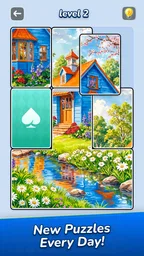
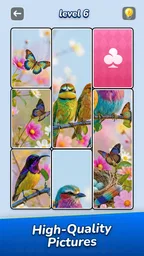
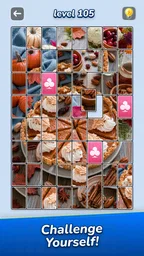
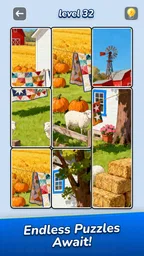
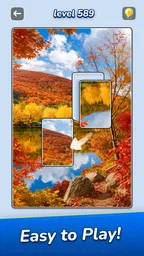
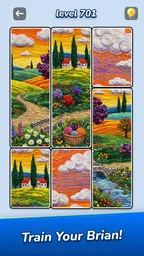
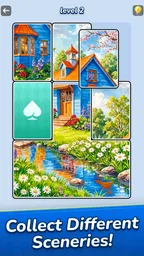
What caught my attention about Jigsawcard Solitaire Puzzle is how it frames a familiar puzzle habit in a slightly different way: instead of building a picture from a loose scatter of pieces, I’m working with photo cards that slide, match, and snap into place. That gives the game a clear, tactile idea to build its mood around. It suits a quiet break when I want something visual and focused, rather than a story-heavy game or a fast test of reflexes.
Photo cards make the first impression
At its heart, this is a puzzle game from Oakever Games, aimed at people who enjoy noticing how an image fits together. The card-based presentation gives the familiar jigsaw goal a tidier feel: I’m not simply hunting for one oddly shaped piece among many, but reading the image and deciding how the cards should move into a coherent whole. That makes the central appeal easy to grasp without asking me to learn a complicated set of rules first.
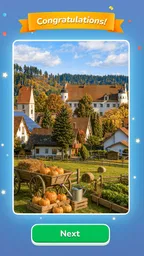
The photo focus also gives each challenge a visual destination. In a traditional jigsaw app, the pleasure often comes from assembling an image piece by piece; here, the card format puts more emphasis on arranging and matching what I can see. I find that distinction useful for short sessions, because the task feels like a sequence of small visual decisions rather than an open-ended project that needs a long stretch of attention.
The presentation is best understood as a calm puzzle setting, not a narrative world with characters or a plot to follow. That is a sensible choice for this kind of game: the photographs supply the visual interest, while the mechanics stay in front. If you want a strong fictional setting or a sense of progression driven by a story, this may feel spare. If you would rather concentrate on an image and let the puzzle itself provide the structure, that restraint is a strength.
A visual language built around recognition
The core pleasure depends on looking closely. A photo can offer broad color areas that are easy to identify, but it can also contain similar tones and details that make placement less obvious. I’d approach a difficult-looking image by first scanning for standout shapes, edges, or contrasting colors, then using those as anchors before worrying about less distinctive areas. That is a more reliable method than moving cards at random, and it makes the act of solving feel deliberate.
There is a useful trade-off in making photographs the focus. Realistic images can be more inviting than abstract patterns, especially when I want the finished arrangement to feel recognizable. Yet a photo with repeated colors or busy details can be harder to read than a simple illustration. Players who prefer clean, high-contrast shapes may find some images less immediately legible, while people who enjoy studying a picture may appreciate that extra visual search.
The game’s store summary describes HD puzzle challenges, which fits the role of detailed imagery in the experience. I would still treat screen size as part of the practical decision: a larger display can make fine visual distinctions easier to inspect, while a phone is more convenient for a quick session. Either way, taking a moment to look over the whole picture before making moves can help establish a mental map and reduce unnecessary backtracking.
Quiet pacing for small pockets of time
The slide-and-match premise suggests a measured rhythm rather than frantic play. That makes it a natural fit for a short pause between errands, a quiet evening wind-down, or a few minutes while waiting for an appointment. I like puzzle games that let me return my attention to the real world without losing the thread immediately, and the compact visual task here seems suited to that kind of stop-and-start routine.
Sound can shape whether that calm rhythm works, but I wouldn’t choose this game on the assumption that audio is its main attraction. Its identity comes from handling photo cards and watching an image come together. If you usually play mobile puzzles in shared spaces, on public transport, or while listening to something else, the visual task is the part to focus on. For a more immersive audio-led mood, a game designed around music, ambience, or a dramatic setting would be a better match.
One practical tip is to decide before starting whether you want a relaxed session or a more attentive one. When I’m tired, I’d stick to careful observation and avoid rushing through placements; when I have more focus, I can compare several candidate positions and check the image as a whole. This simple change in approach makes the same basic mechanic work for different moods without pretending that the game is a demanding strategy challenge.
Where the mechanics fit—and where they may not
Compared with a standard digital jigsaw, the card arrangement gives the puzzle a more ordered, move-based feel. Compared with classic solitaire, the photo is the point of attention rather than a card game’s usual ranking and sequencing. That middle ground is the game’s most distinctive appeal: it borrows the visual satisfaction of assembling an image while presenting the task through cards. If you like both picture puzzles and compact card-based play, that blend is worth trying.
It is less suited to someone who wants the open table and irregular piece shapes of a conventional jigsaw. Those games can reward a different kind of spatial reasoning, especially when sorting edges and fitting shapes. It is also not the obvious pick for a player seeking competitive matches, action, or a deep set of tactical choices. The appeal here is quieter and more focused: inspect, decide, move, and see whether the photo makes more sense.
For a useful workflow, I’d divide the image mentally into a few broad zones instead of trying to solve every card at once. Start with the most recognizable portion, then use its colors and boundaries to judge nearby cards. If the arrangement stops making sense, pause and compare the overall picture rather than continuing to make speculative moves. This helps keep the puzzle from turning into guesswork, particularly when several cards share similar tones.
That visual method also reveals a limitation: anyone who finds detailed image comparison tiring may not enjoy repeated sessions. The game’s central activity is precisely that kind of looking and matching, so it cannot offer much relief from it without changing what makes it distinctive. I’d skip it if I wanted a puzzle that relies more on words, numbers, or spatial shapes than photographs.
Who I’d recommend it to
I’d recommend it to casual puzzle fans who want a self-contained visual task, especially people who enjoy finishing an image but prefer a card-based presentation to a loose pile of jigsaw pieces. It can also suit someone who wants an easy game to pick up during small gaps in the day, provided they enjoy paying attention to picture details. The experience is direct enough to make sense as a first step into this particular blend of cards and image puzzles.
I would point a young player or a family looking for broadly suitable content toward its Everyone age rating, while keeping in mind that the main activity is still a focused puzzle rather than a shared party game. It is free to download, so it is accessible to try without an upfront purchase. The game is at version 1.5.24, and its average rating is 4.6 from around 451,000 ratings; those figures show substantial interest, though they cannot tell me whether its particular puzzle style will suit your taste.
Its reach is notable too: it has over 10 million installs, with about 5,100 written reviews. I see that as a sign that the format has found a broad audience, not a guarantee that every player will enjoy it. The real deciding question is whether arranging photo cards sounds satisfying to you. If your favorite part of a puzzle is watching a recognizable scene emerge, the idea has a clear pull; if you mainly want novelty in the rules or a layered story, the numbers should not sway you.
A measured recommendation
Jigsawcard Solitaire Puzzle has a coherent mood because its image-led design and unhurried puzzle premise point in the same direction. The photos give the eye something to study, and the card format keeps the task organized. I find that combination more appealing for a short, attentive break than for a long, high-energy gaming session. The game’s strongest quality is not complexity but the small satisfaction of making an image read more clearly through careful choices.
There are clear reasons to choose another option. Pick a conventional jigsaw if you want to sort oddly shaped pieces, a traditional solitaire game if you want card sequencing to be the challenge, or a richer adventure puzzle if atmosphere and narrative matter most. This one occupies its own narrower space between those familiar alternatives, and that focus is both its identity and its limitation.
Overall, I’d suggest giving it a try if you like photographs, patient observation, and puzzles that can fit into ordinary downtime. I’d go in expecting a calm visual routine, not a dramatic world or a deep strategic system. For the right player, that modest promise is exactly the point: a focused way to spend a few spare minutes making a picture fall into place.
What we like
- Solitaire-style rules are easy to learn.
- Jigsaw assembly adds a fresh twist to card play.
- Short rounds suit quick breaks.
- Puzzle goals give each hand a clear purpose.
- The game is approachable for casual players.
What could be better
- The core card mechanics may feel repetitive over time.
- Random card deals can make some puzzles feel luck-based.
- Players seeking traditional solitaire may dislike the jigsaw twist.
- Progress may depend on completing many similar rounds.
- Small screen controls may feel cramped on some phones.







