

CubeAway - 3DPuzzle review
 Analysis by Appsdrops
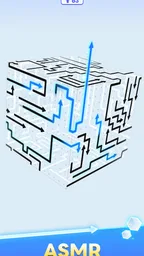
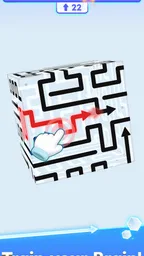
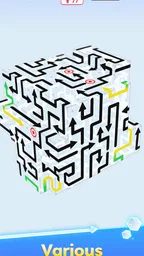
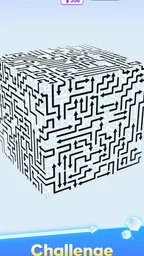
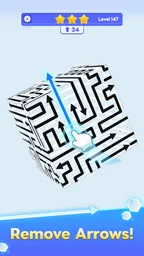
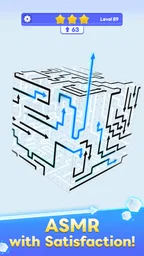
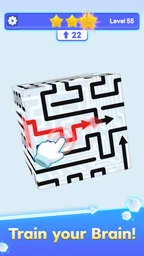
I find the appeal of CubeAway easiest to understand when I think of it as a small spatial puzzle rather than a race for a high score. The board is a six-sided cube covered with arrows, and the goal is to work through the arrangement until none remain. That simple premise makes the game approachable at first glance, but the changing directions ask you to inspect the shape carefully rather than tap at random. My overall impression is that CubeAway suits players who enjoy quiet visual problem-solving, especially when they want something more deliberate than a quick reflex game.
Reading the cube and finding your way around
The central challenge is understanding the cube as a three-dimensional object. You are not simply clearing a flat grid: arrows sit across its six sides, so deciding what to remove means keeping the shape and its visible directions in mind. I like that the objective can be understood without a long explanation. You can look at the puzzle, identify an arrow, and begin forming a plan.
That clarity does not mean every move is immediately obvious. The useful habit is to pause before acting and scan the whole visible arrangement, rather than focusing only on the first arrow that catches your eye. I found that this makes the game feel more like untangling a small spatial problem than following a memorized sequence. When I got stuck, changing my viewpoint mentally—asking how an arrow relates to the cube’s edges and other visible arrows—was more helpful than clicking faster.
This is a particularly good fit for players who like visual logic but do not want a word-heavy puzzle. The arrows carry the main information, and the cube gives the challenge its character. It may be less comfortable for someone who finds dense directional symbols tiring to interpret, or who prefers puzzles with written clues, numbers, or a clear step-by-step trail. Here, the player has to do the organizing.
Navigation also depends on being comfortable with the way a three-dimensional shape is presented on a screen. A flat matching game usually keeps every relevant tile in one plane; CubeAway asks you to reason about a solid object. That gives it more spatial personality than a standard grid puzzle, but it can also make a quick glance less reliable. I recommend taking a second to orient yourself before committing to a move, particularly when the arrow arrangement looks crowded.
A useful way to approach each puzzle
Rather than treating the board as a list of individual arrows, I would divide the task into small visual checks: notice the direction of the arrows, consider how the cube’s sides relate, then choose a move that makes the remaining arrangement easier to read. This is not a hidden mechanic; it is a practical way to reduce the feeling of visual clutter. It also helps distinguish a genuine planning mistake from a moment when you simply lost track of which side you were considering.
The game’s puzzle format rewards patience more than speed. If you tend to tap as soon as you see a possible move, try slowing down and tracing the arrow’s direction with your eyes first. That small change is useful for accuracy and makes the experience more satisfying for me, because the solution feels reasoned out instead of accidental.
How it feels across different abilities and settings
For motor comfort, a puzzle built around inspection has an obvious advantage over a fast action game: the main challenge is deciding what to do, not reacting instantly. I can imagine it working well for short, unhurried sessions when a player wants to solve at their own pace. Still, the task involves selecting individual arrows, so anyone who finds precise screen interactions difficult should consider whether that style of play feels comfortable on their device. I would not assume that a slower puzzle automatically removes all motor demands.
Sensory preferences matter too. The visual focus is the arrows and the cube, so players who enjoy scanning shapes may find the presentation easy to settle into. On the other hand, anyone sensitive to busy directional patterns may find that repeated inspection takes effort. I would approach it as a game to try in a calm moment first, rather than assuming its simple premise will suit every visual preference.
A practical everyday use is a short break between tasks. I would open it while waiting for a meal, sitting through a quiet commute, or taking a pause from reading—not because every puzzle can be finished in a fixed amount of time, but because its basic goal is easy to pick back up. It is less suited to moments when you need to keep your attention divided between the screen and something important happening around you. Spatial reasoning suffers when you only glance at the cube, and distracted play can turn a thoughtful puzzle into frustrating trial and error.
That makes the game a different kind of companion from a word puzzle you can partly solve in your head while looking away. Here, the visual arrangement is the work. If you are in a noisy or interrupted setting, I would wait until you can give the cube a little attention. If you want a game that tolerates constant interruptions, a turn-based word or number puzzle may be a better match.
What the game offers—and what it asks of you
CubeAway is a free puzzle game from GOODROID,Inc., and its audience is broad: its age rating is Everyone. It has a 4.4 average from around 231,000 ratings, with over five million installs, which suggests that many players have tried this compact arrow-clearing idea. I would treat those figures as useful context, not as a guarantee that the visual style or spatial challenge will fit your particular needs.
The game is currently at version 1.7.0 and requires Android 7.0 or later. That makes the operating-system requirement worth checking before you decide whether to install it. There are in-app purchases, with items ranging from $0.99 to $98.99, so the free entry point should not be mistaken for a promise that every optional purchase is inexpensive. I would start by playing without spending and judge whether the core puzzle loop is enough for you.
One important trade-off is that a simple central rule can make a puzzle easy to enter but does not necessarily make it effortless to read. The arrows are both the instructions and the problem. Players who enjoy mentally rotating shapes may find that elegant; players who need stronger visual separation or more explicit guidance may prefer a puzzle whose board is organized in a flat, familiar layout.
Another useful distinction is between this and a conventional match-three or tile-clearing game. Those alternatives often emphasize patterns, combinations, or repeated quick decisions. CubeAway’s identity comes from the six-sided object and the need to reason about directions. If you are bored by flat grids but still want a calm puzzle, that difference is a real reason to give it a try. If you mainly want rapid rewards, colorful chains, or a social competition, a more action-oriented option in the puzzle category is likely to suit you better.
Who should try it, and who may want another puzzle
I would recommend CubeAway to people who enjoy spatial puzzles, like studying a board before making a move, and prefer a focused challenge over reflex-based play. It is also a reasonable choice for someone looking for a low-commitment game to test during a quiet break, provided they are comfortable interpreting arrows arranged on a three-dimensional shape.
I would be more cautious about recommending it to players who dislike directional symbols, struggle to keep track of a shape while looking at a screen, or want a puzzle that can be played almost entirely by touch without careful visual attention. It is also not my first pick for a person seeking a narrative, a broad variety of puzzle formats, or a game built around speed. The specific appeal here is the cube; if that does not interest you, the core loop may feel narrow rather than refreshingly focused.
For a more accessible-feeling alternative in the everyday sense—not a claim about formal accessibility—look for a puzzle with a flat board and clearly separated pieces if that better matches your visual or motor comfort. Conversely, if you find flat matching games too predictable and enjoy mentally mapping directions, CubeAway offers a distinct change of pace. The right choice depends less on whether you are “good at puzzles” and more on whether this particular way of seeing a puzzle feels comfortable.
My inclusive verdict
I appreciate that CubeAway’s objective is immediately understandable and that its slower, observation-led nature avoids making quick reactions the whole point. Those qualities can make it welcoming to players who want a measured puzzle rather than an intense game. At the same time, the arrows and cube are not neutral design choices: the challenge relies on visual scanning and spatial interpretation, so the same simplicity that helps one player get started may create friction for another.
My advice is to try it when you can focus on the board, begin with a deliberate scan instead of rapid taps, and see whether the cube’s directional logic feels satisfying rather than tiring. The game is best when you enjoy working out how the visible arrows relate to the shape. If you do, this is a distinctive little puzzle from GOODROID,Inc. If not, a flatter, less spatial puzzle is a perfectly sensible alternative. It is an inviting idea, but its inclusive appeal depends on whether its visual language works for you.
What we like
- Simple tap controls make the puzzle easy to learn.,3D views add a spatial challenge to each level.
- Short stages suit quick play sessions.
- Undo options can help recover from mistaken moves.
- The game offers a relaxing alternative to fast-paced titles.
What could be better
- Some puzzles may feel repetitive over time.
- Later stages can require careful trial and error.
- Small cube details may be hard to see on compact screens.
- Ads may interrupt the flow of play.
- Progress can feel slow without optional purchases.







