
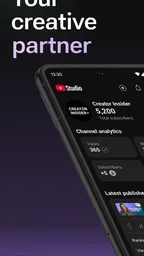
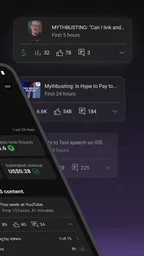
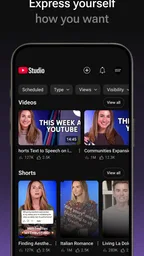
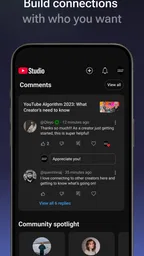
YouTube Studio review
 Analysis by Appsdrops
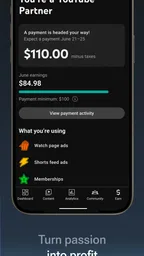
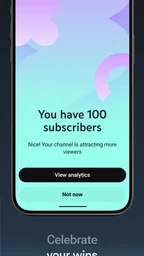
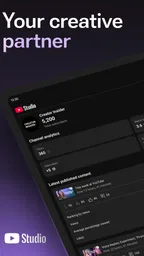
If you run a YouTube channel, the key question is whether you need to keep up with it between editing sessions, not whether you can replace your whole desktop workflow with a phone. I see YouTube Studio as a practical companion for checking channel activity and handling routine management while away from a computer. It is a free app from Google LLC in the video-player and editing space, though its main purpose is channel administration rather than making videos.
Decide what you need to manage on the go
Before installing it, think about the tasks you actually want to do from your phone. If you mostly want to watch videos, the regular YouTube app is the more natural choice. If you want to make edits to footage, a dedicated mobile editor is better suited to that job. Studio is for creators who want a channel-focused view of their work and activity.
That distinction matters because “manage a channel” can mean very different things. For one creator, it means checking how a recent upload is doing. For another, it means keeping track of comments and tending to details while juggling a day job. The app is most useful when those small tasks are valuable enough to handle promptly, but not so involved that you need a larger screen.
I would also consider how often you publish. Someone uploading occasionally may be comfortable doing everything during a planned desktop session. A creator who posts more regularly, or who wants to stay aware of audience activity, has a stronger reason to keep Studio close at hand. Its role is not to turn every spare moment into work; it is to make channel upkeep more accessible when a quick check genuinely helps.
The app has a Teen content rating, so it is intended for an audience comfortable with that age classification. It is free to install, which makes trying it an easy decision for an existing creator, though free does not mean every task becomes effortless. Your time, attention, and comfort working on a small screen still matter.
A useful companion, not a video editor
The biggest expectation to set correctly is that this is not a substitute for a full editing setup. Its category places it among video players and editors, but the value I would look for here is channel management, not a mobile timeline for assembling a finished production. If your immediate goal is trimming footage, balancing audio, or building a polished sequence, choose a tool designed around editing first.
That narrower purpose is a strength when you already have a production process. You can think of Studio as the channel-side stop: a place to attend to the work around a video rather than create the video itself. Keeping those jobs separate can make a creator’s routine clearer, especially when a phone is being used both to capture ideas and to keep up with publishing.
Where Studio earns a place on my phone
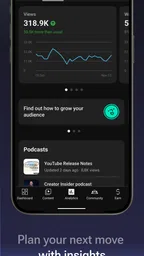
The strongest case for the app is the gap between noticing something and being able to respond to it. When I am away from my desk, a channel-focused app is more useful than opening a general video app and trying to navigate from watching into creator tasks. That purpose-built orientation is especially valuable for short, deliberate visits: check what needs attention, handle the task that fits a phone, then move on.
One practical workflow is to make Studio part of a post-upload routine without treating it as a replacement for careful review. After publishing, I would use a quick check-in to see whether anything about the upload needs attention and to keep an eye on the conversation around it. The useful insight is to separate monitoring from creative judgment: the phone can help me stay informed, while decisions that require comparing lots of details can wait until I have a larger screen and more time.
It can also help creators who divide their day into small blocks. Imagine uploading a video before leaving home, then having only a few minutes between errands later. Rather than opening a laptop for a brief channel check, I can use the mobile app for the immediate management task and reserve the more involved review for later. That is a genuine convenience, provided I am disciplined about not letting every notification or update interrupt the day.
Another less obvious benefit is continuity. When channel work is available on the same device I carry, I can capture a task while it is fresh instead of relying on memory until I return to my computer. My advice is to use mobile access for clear, bounded actions, not to make every channel decision on the move. A quick response can be helpful; a rushed decision about a video’s direction may not be.
The app’s audience is substantial: it has more than one hundred million installs, and its average rating is 4.3 from roughly 2.4 million ratings, with about 37,000 written reviews. Those figures suggest that it is widely used, but they do not tell me whether it suits a particular creator’s workflow. The meaningful test is whether the management tasks you perform often are comfortable on your phone.
Where another kind of tool may fit better
If your priority is watching videos, the regular YouTube experience is the sensible alternative. Studio is not the app I would open for casual viewing, recommendations, or a relaxed session with a playlist. Choosing the right app for the job avoids the frustration of expecting a creator dashboard to behave like an entertainment player.
For production, a dedicated mobile video editor is a better fit. Editors are built around shaping footage and preparing a finished piece; Studio’s appeal is what happens around the channel. A creator who needs detailed control over a project, precise visual adjustments, or a comfortable way to work through a long edit will likely prefer an editing app or desktop software. Studio can still complement that workflow after the creative work is done.
There is also a case for doing channel work in a desktop browser or on a computer. A larger display is easier when I need to compare information, think through a complicated change, or spend a sustained block of time on creator work. The phone is convenient, but convenience and clarity are not the same thing. If I am uncertain about a decision, or if a task involves several related details, I would rather slow down and use the wider workspace.
Compared with general-purpose creator tools, Studio is also a more focused choice. A broad social-media manager may make sense for someone coordinating several platforms, while this app is the more direct option when the task is specifically about a YouTube channel. I would not choose a multi-platform tool merely because it has more destinations, nor would I expect Studio to organize every part of a creator’s wider online presence.
Small-screen trade-offs and a sensible workflow
The main friction is the phone itself. Short checks are comfortable; long sessions can become tiring, and small controls or compact layouts are less forgiving when I am moving quickly. I recommend treating the app as a companion for brief management windows, then switching to a computer whenever the task demands careful comparison or extended concentration.
A useful habit is to decide in advance what counts as a mobile task. For example, I might use Studio to stay aware of channel activity and deal with a straightforward item, while saving a broader review of a video’s performance or a major channel decision for a dedicated session. This boundary keeps the app useful instead of making it a reason to repeatedly check the phone.
Another trade-off is that mobile convenience can blur the line between work and downtime. Creators who feel compelled to monitor every development may find that having channel tools within reach increases distraction. If that sounds familiar, the better approach may be to check at planned times rather than keep the app open throughout the day. Studio supports access; it does not decide how much attention your channel deserves.
The app was released on June 26, 2014, and is developed by Google LLC. That history and broad adoption make it a familiar option for creators, but my recommendation still depends on the job at hand: it is most persuasive when you already use YouTube as a creator and want a portable way to keep up with channel management.
Switching is easy; changing habits takes thought
Trying Studio is a low-commitment choice because it is free. The real cost of switching is not a purchase; it is learning where the mobile app fits into your existing routine. If you currently handle everything at a computer, start with one or two small tasks that are genuinely easier to do on a phone. Keep the rest of your workflow unchanged until mobile management proves useful rather than simply adding another place to check.
If you already use creator tools on your phone, think of Studio as a focused addition rather than an automatic replacement. A video editor still has a role in making videos, and a desktop workspace remains valuable for longer sessions. The cleanest setup is often a combination: use the right tool for production, Studio for channel-side tasks that benefit from mobility, and a computer for decisions that deserve more room.
That approach also answers the common concern about whether the app is worth installing if you are not a full-time creator. It can be worthwhile for a small or occasional channel if you value convenient access, but it is not essential simply because you upload a video now and then. If you rarely need to manage anything between desktop sessions, staying with your current routine may be perfectly reasonable.
My recommendation for YouTube creators
I recommend YouTube Studio to people who actively manage a YouTube channel and want a convenient way to handle brief, channel-focused tasks away from a computer. Its strongest quality is not replacing every creator tool; it is making routine oversight more accessible. For a creator who likes to stay organized without waiting to get back to a desk, that can make the day feel more manageable.
I would skip it if you only want to watch videos, need a serious mobile editing workspace, or prefer to keep channel work confined to planned desktop sessions. Those are not failures of the app; they are signs that a different category of tool matches your priorities better. For everyone else, I would try it with a narrow goal, such as fitting one quick channel check into an existing routine, and judge it by whether that saves effort without adding distraction.
In short, Studio makes the most sense as a practical companion to a creator’s broader workflow. It is free, widely adopted, and built specifically around channel management, but the best results come from respecting its limits: use the phone for convenient upkeep, and turn to an editor or computer when the work calls for deeper focus.
What we like
- Manage video details and visibility from a phone
- Review comments and respond to viewers on the go
- Track channel analytics with clear performance summaries
- Get notifications about important channel activity
- Switch between multiple YouTube channels easily
What could be better
- Some advanced editing tasks require YouTube on a computer
- Analytics may take time to update after publishing
- Certain metrics are unavailable for smaller channels
- Frequent notifications can become distracting
- Some features may vary by account or region





