






MX Player review
 Analysis by Appsdrops
MX Player is a video player I would consider when my main goal is to watch files already on my device, rather than discover or stream new shows. Its appeal is practical: it puts playback controls, hardware acceleration, and subtitle support at the center of the experience. That makes it useful for downloaded films, personal recordings, and videos with separate subtitle files, while also giving it a narrower purpose than a full streaming service.
What you get without paying
MX Player is a free video-player app from Amazon Mobile LLC, in the Video Players & Editors category. Its age rating is Everyone, and the current version is 3.4.3. The app has a 4.2 average from around 14 million ratings and over one billion installs, a scale that suggests it has become a familiar option for people who keep videos on their phones.
There are in-app purchases, with items priced from $0.49 to $239.99 each. Those figures describe a broad range of optional purchases, not a single price for using the basic player. I would not treat the highest listed item as the cost of simply opening and watching a video: the app itself is free, while any purchase should be judged by what that specific item offers in the app.
That distinction matters if you are comparing it with a paid player. You can start with MX Player without paying an upfront price, then decide whether the free experience meets your needs before considering an in-app purchase. If you are sensitive to extra prompts or prefer a clearly defined one-time cost, check the purchase details shown in the app store before buying anything. The available price range alone does not explain what each item includes.
Where its playback tools earn their place
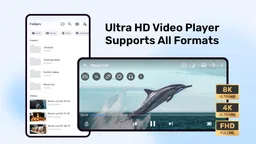
The strongest reason I would install MX Player is to make local video playback less fussy. Hardware acceleration can help the app use a device’s playback capabilities, while subtitle support matters when a video’s dialogue is hard to follow, when you are watching in a second language, or when you need to keep the sound low. These are practical strengths, not reasons to expect the app to supply movies or television episodes.
Subtitles are especially valuable when a video and its captions do not arrive as one neat package. Before settling in, I would check that the video and subtitle files are together and named sensibly, then test the captions for timing and readability. That small bit of preparation can save the annoying mid-film search through folders. If a subtitle track is unavailable or poorly synchronized, the player cannot make the underlying file better simply by supporting captions.
Hardware acceleration is also a useful option to keep in mind when a video stutters or playback feels unusually demanding. I would try the available playback modes rather than assume one setting suits every file and device. A change that helps one video may not improve another, and playback still depends on the phone and the file itself. This is a sensible troubleshooting step, not a guarantee that every format will run perfectly.
For everyday use, the workflow is straightforward in concept: keep a video on the device, open it in the player, and use the playback controls while watching. That suits a commute where reception is unreliable, a flight after downloading a file elsewhere, or a family recording you want to replay without searching a streaming catalog. It also suits someone who already has a collection of videos and wants a dedicated way to watch them.
A useful fit for a mixed video folder
One non-obvious advantage of a dedicated player is that it can make a personal video library feel less like a pile of files. I would use it for a mix of downloaded lessons, travel clips, and films rather than opening each item through whatever app happens to handle it by default. When captions are needed, checking them at the start of a viewing session is quicker than discovering the issue after settling in.
There is a trade-off, though: a player is only as organized as the files and folders it works with. If your videos are scattered across storage locations, have unclear names, or depend on separate subtitle files, a little housekeeping may still be necessary. MX Player can improve the watching part of the process, but it should not be mistaken for a complete media-library management system.
Compared with a phone’s built-in video player, MX Player is worth trying when you want more attention paid to playback and subtitles. The built-in option may be perfectly adequate for occasional clips, and it can be the simpler choice if it already opens your files reliably. Compared with a streaming app, MX Player serves a different purpose: it plays videos you bring to it rather than centering the experience on a catalog of licensed content.
Limits to consider before relying on it
Its focus on local playback is both its strength and its boundary. If you want recommendations, a searchable library of shows, or one place to stream subscriptions, this is not the tool I would choose. It does not replace the services that provide the content. Likewise, if you only watch short clips now and then, the extra playback features may not change your routine enough to justify installing another app.
Compatibility can be a practical source of frustration. A player cannot guarantee smooth results for every file, because both the device and the video matter. If a file refuses to play or behaves poorly, I would first test another video and try a different playback mode where available; that helps distinguish a one-file problem from a broader device issue. Subtitle files can bring their own mismatch or timing problems, so support should not be confused with automatic perfection.
The range of in-app purchase prices is another reason to make decisions slowly. Free access gives you a chance to see whether playback fits your habits, but a listed purchase price does not tell you by itself whether that item is useful to you. I would avoid paying for anything until its purpose is clear in the purchase screen and I know it addresses a real need. If you want a completely predictable cost, a player with a clearly stated single purchase may be easier to evaluate.
MX Player was released on July 18, 2011, and the minimum operating-system requirement is 7.0. That makes checking device compatibility a sensible first step, especially if you use an older phone or tablet. The app’s broad adoption is reassuring as a sign of familiarity, but popularity alone cannot tell you whether it will handle a particular file or suit your device.
Who is most likely to benefit
I would recommend trying it if you regularly watch downloaded videos, rely on subtitles, or want a dedicated player rather than a basic default app. It is also a reasonable choice for someone who travels and prepares videos in advance, since playback of files already on the device does not depend on finding a stream at the moment you want to watch. For a student reviewing recorded lessons, for example, captions can make quiet study easier, while hardware acceleration gives another playback approach to try if a clip runs poorly.
I would skip it if your viewing is almost entirely through streaming services, if the built-in player already handles your files without trouble, or if you expect the app to organize and provide a video catalog for you. It may also be a poor fit if you dislike evaluating optional in-app purchases and would rather pay one clearly defined amount for a particular set of features. In those cases, a simpler built-in player or a service focused on streaming may be more convenient.
For a realistic routine, imagine downloading a film before a train ride, placing its subtitle file beside it, and checking the captions before leaving home. MX Player is useful in that situation because it is built around watching a file you already have, with subtitles and hardware acceleration among the tools worth having at hand. The best result still depends on preparing the files and checking that your device plays them well.
My verdict is that MX Player offers good value when you need a capable local video player and the free access covers your needs. I would install it to test a few of my own videos before spending anything, paying attention to subtitle handling and whether playback feels reliable on my device. If those basics work, it can be a handy everyday player; if what you really want is streaming, effortless file organization, or a purchase with one simple price, I would choose a different kind of app.
What we like
- Supports a wide range of video and subtitle formats.
- Subtitle controls let you adjust timing and appearance.
- Gesture controls make volume and brightness easy to change.
- Background playback is useful for listening to video audio.
- Hardware acceleration can improve playback on supported devices.
What could be better
- Some features may require an internet connection.
- The free version includes advertisements.
- Advanced playback options can take time to learn.
- Hardware decoding may not work well with every device.
- Some codecs may require additional installation or support.





