
XTranslate - Photo, Voice, PDF review
 Analysis by Appsdrops
I would try XTranslate when I needed to make sense of a phrase in a photo, a short voice clip, or a document without juggling several separate tools. It is a translation app in the tools category from FALCON GAME, and its appeal is the range of material it can handle: text is only one part of the picture. That makes it especially useful when the words I need are already sitting in front of me, rather than neatly typed into a message.
My recommendation comes with a practical caveat: translation is a starting point for understanding, not a guarantee that every sentence will preserve tone or context. XTranslate is most appealing for quick, everyday help—checking a notice, getting the gist of a menu, or understanding a spoken request. For a legal document, medical instructions, or carefully polished writing, I would still check the result with a fluent speaker or a qualified professional.
What to expect from a translator built around real-world material
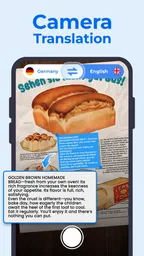
The name XTranslate signals a broad toolkit, but I would approach it as a collection of ways into a translation task rather than as a specialist language course. If the source is printed, a photo-based workflow can save the effort of typing unfamiliar words. If someone says something aloud, voice translation can help bridge a quick conversation. For content already on a screen or in a file, text and document options offer another route.
That flexibility matters because the awkward part of translation is often getting the source into the app. A conventional text translator works well when I can copy and paste a clean sentence. It is less convenient when I am standing beside a sign, looking at a paper handout, or trying to follow a brief spoken question. XTranslate’s mix of input types is therefore its clearest practical distinction from a basic text-only alternative.
The app is free to install, with in-app purchases ranging from $2.49 to $99.99 per item. I would treat that as a reason to explore the basic experience before deciding whether to spend anything, rather than assuming every useful action requires payment. Its average rating is 4.7 from around 146,000 ratings, and it has over 10 million installs; those figures suggest broad interest, but they do not tell me whether a particular translation will suit my situation.
It is rated for Everyone, so it is broadly accessible as an app, but that age rating is not a judgment about translation accuracy or suitability for important decisions. The current version is 2.1.49, and the listed minimum operating system is Android 8.0. If you use iOS, check compatibility in the relevant app store before planning a workflow around it; platform availability and requirements can differ.
Before you begin: keep the first test simple
For a first try, I would choose a short, low-stakes phrase with a clear meaning. A printed sign or a simple sentence is better than a full page of small text, slang, or handwriting. This makes it easier to tell whether the app has understood the source correctly, and it avoids mistaking a bad photo or unclear speech for a bad translation.
Think about what you actually need from the result. If the goal is to find a station entrance, the general meaning may be enough. If the wording affects a reservation, payment, or formal request, the exact phrasing matters more. In that case, use the translation to orient yourself, then verify the important detail through a trusted person or a more authoritative source.
Getting started without turning setup into a project
After installing, I would go straight to one input method that matches the task in front of me instead of exploring every option at once. For a photo, frame the printed words clearly and avoid glare, shadows, or a tilted angle. For voice, move somewhere quieter if possible and speak in a normal, steady way. For a document, begin with a short or familiar file so you can judge whether the result is readable and useful.
When the app asks for access needed to use a chosen feature, consider the task before granting it. A photo workflow naturally involves selecting or capturing an image; voice translation involves audio input. I would allow only what is needed for the action I am trying, and revisit device settings if I later want to change that choice. This is a sensible habit with any translator that handles more than typed text.
One useful first-session trick is to keep the original visible while checking the output. With a photographed menu, for example, compare the translated item with its position on the page instead of relying on a result in isolation. With a document, preserve the original file and use the translation as a reading aid. This small habit helps catch a missed heading or a line that was interpreted without its surrounding context.
Your first meaningful result: translate a short notice
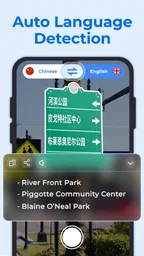
Imagine arriving at a hotel and finding a short notice beside the lift in a language you do not read. I would open the photo option, make sure the whole notice is in focus, and translate only after checking that the image is legible. Then I would read the result for the main instruction and look back at the original for details such as a time, floor, or exception. That gives you a concrete win without asking the app to solve a complicated conversation on your first attempt.
If the notice contains several paragraphs, break the job into smaller checks where possible. A dense image can make text recognition harder, and a long translation gives you more places to miss a crucial phrase. Cropping tightly around the relevant section, when the workflow allows it, is a practical way to reduce visual clutter. If the app does not offer the adjustment you need, taking a clearer, closer photo is the straightforward alternative.
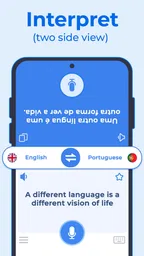
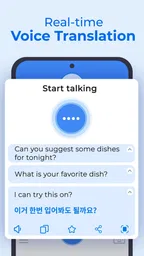
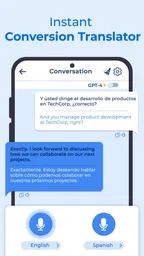
For spoken translation, I would use a short exchange rather than trying to translate a fast conversation all at once. Ask one clear question, pause for the response, and handle the next sentence separately. That rhythm is less natural than an interpreter, but it makes it easier to notice when the source was misheard. Names, street addresses, numbers, and local expressions deserve an extra check because a plausible-looking translation can still carry the wrong detail.
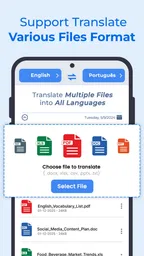
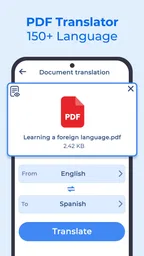
With a PDF or other document, start by translating a page whose layout you understand. Headings, columns, footnotes, and tables can be harder to follow after translation than a plain paragraph. I would use the result to locate the section I need, then compare important passages with the original. That approach is particularly helpful for travel paperwork or general instructions, but not enough on its own for contracts or official forms.
Where confusion can creep in
The biggest source of disappointment is expecting a translation to infer context that was never included. A single word may have several meanings, while a sign or conversation often supplies clues through nearby words, tone, or local knowledge. When the result sounds oddly formal, vague, or inconsistent with the situation, try a longer sentence or a clearer source rather than accepting the first output as definitive.
Photo translation has its own trade-off: convenience depends on image quality. Tiny print, curved pages, low contrast, glare, and decorative lettering can all make the source difficult to read. If a result contains a strange phrase, check whether the original text was captured accurately before judging the translation. A sharper image of a smaller area can be more useful than a snapshot of the entire page.
Voice translation is most comfortable for brief, deliberate exchanges. Background noise, overlapping speakers, or a strong accent can make speech harder to interpret, and a translation app cannot replace the back-and-forth of a human conversation when precision matters. I would avoid relying on it as the sole channel for emergencies or sensitive discussions. If both people can see the translated text, reviewing it together may help catch misunderstandings before acting on them.
Documents introduce a different kind of friction. A translation can communicate the general meaning while making the structure less clear, especially where a page uses tables, labels, or small print. Keep the source alongside the translated version, and do not assume that formatting carries over perfectly. For a document you must submit or sign, a human review is the safer choice.
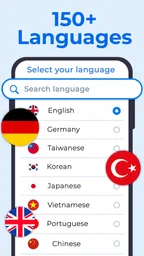
Another point worth checking early is whether the language and input method you need are available in your version of the app. Language coverage can vary across translation tools and features, so do a small test with your intended language pair before depending on it for a trip or meeting. If the result is not suitable, a familiar text translator may be a better fallback for a simple sentence, while a person who knows the language is preferable for nuance.
How it fits beside other translation choices
Compared with a basic text translator, XTranslate is appealing when the source is not ready to paste. The photo, voice, and file-oriented options can reduce steps for someone handling mixed material during a day out or at work. A dedicated document tool may be preferable when layout fidelity is the priority, and a human translator remains the better choice when wording has legal, medical, or commercial consequences.
I would also separate quick comprehension from polished communication. If I only need to understand the gist of a menu or notice, an app is a reasonable first stop. If I need to send a gracious message, negotiate a sensitive issue, or avoid sounding abrupt, I would draft carefully and ask a fluent speaker to review it. Translation tools can help me move faster, but they do not automatically make my intent culturally appropriate.
There are around 1,300 written reviews alongside the larger rating count, which gives prospective users another place to look for recent experiences. I would still weigh those comments against my own test: the best translator for a person depends on the languages, source material, and stakes they face. A high average is encouraging, but it cannot substitute for checking whether the app handles your particular use case.
Who will get the most from it
I can see XTranslate working well for travelers, multilingual households, and anyone who regularly encounters short foreign-language text. It is especially convenient for a person who switches between reading a sign, listening to a phrase, and checking a file, because those tasks can be approached in one place rather than through separate single-purpose apps. Its free entry point also makes a low-stakes trial easy, though the purchase options are worth keeping in mind.
I would skip it as my main solution if I needed certified translations, dependable interpretation in a high-pressure conversation, or carefully preserved document formatting. It is also not the right shortcut when I cannot verify a consequential result. In those situations, a professional service, a qualified interpreter, or a fluent human reader is a better match than any quick translation app.
My practical advice is to install it, test one short photo or sentence in the language you care about, and compare the output against what you already know. If that first result is clear enough for your everyday needs, try a voice clip or a page from a document next. That gradual approach gives you a realistic sense of where the app helps and where you should switch to a more reliable source.
Overall, XTranslate is a useful translation tool for turning everyday text, speech, and documents into something easier to understand. I like the range of starting points, especially when typing is the most inconvenient part of the job. I would keep expectations grounded, verify important details, and use it as a practical assistant rather than an authority. For a first-time user, one clear, low-risk test is the best way to find out whether it belongs in your travel or daily toolkit.
What we like
- Translates text from photos without manual typing
- Voice input makes spoken phrases easy to translate
- PDF translation helps with longer documents
- Supports multiple languages for varied travel needs
- Simple tools suit quick everyday translations
What could be better
- Translation accuracy can vary by language and context
- Photo results may suffer when text is blurry
- Voice translation depends on clear speech
- PDF processing may be less convenient for complex layouts
- Some features may require an internet connection





