
World TV - All TV Channels review
 Analysis by Appsdrops
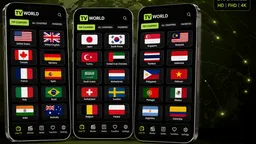
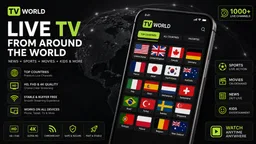
World TV - All TV Channels is best understood as a way to bring public IPTV playlists and your own video files into one viewing routine. I’d consider it when I want to explore live television from different places or play a personal video without switching between separate apps. The key trade-off is right in that setup: the app can organize viewing, but live streams depend on both the playlist and a steady internet connection.
When the network becomes part of the viewing experience
As an events-category app, World TV is aimed at watching rather than finding event tickets or managing a calendar. DiabloDevs has made the viewing idea broad: global and local live channels sit alongside personal videos. That combination may suit someone who keeps a few public IPTV playlists for browsing and also wants a convenient place to open their own clips.
In practice, a live channel is only as dependable as the stream behind it. A channel may load smoothly one moment and stall later if the connection weakens or the playlist’s source has trouble. I would treat the app as a viewer for available streams, not as a guarantee that every listed channel will always be reachable. If a particular match, concert, or news bulletin is essential, I’d keep a more reliable broadcaster’s service as a backup.
The app is free, which makes it relatively easy to try without committing to a subscription. It has a 4.5 average from around 980 ratings, while the much smaller number of written reviews means I would not treat the score as a detailed guide to how it behaves on every device or network. It has passed 50,000 installs, so it has attracted a meaningful audience, but my decision would still come down to whether my playlists work well and whether the app fits my viewing habits.
Good for browsing, less suited to must-not-miss streams
The strongest use case is flexible viewing: opening a public playlist, sampling a channel, then switching to a video already on the device. That is different from relying on a single broadcaster’s app, where the channel selection and programme information may be more curated. World TV’s approach gives the viewer more choice over sources, but that freedom also means more responsibility for choosing a useful playlist.
A practical tip is to test a playlist before you need it. Open a few channels at a quiet moment and note which ones start promptly and stay stable. If you plan to watch something live later, this small check can reveal whether the source is dependable on your home connection. It also avoids mistaking a broken playlist entry for a problem with the app itself.
Why it fits some mobile routines
On a phone, the appeal is convenience: live television and personal videos can be part of the same app rather than two separate viewing destinations. I can imagine checking a local channel while waiting for an appointment, or opening a saved video during a break. Those situations work best when the phone has a strong Wi-Fi or mobile-data connection and the screen is comfortable enough for the length of the programme.
Mobile viewing also exposes the limits of live IPTV more quickly than watching at home. A train journey, crowded public space, or patchy signal can interrupt playback just when a stream seems settled. I would not choose this as my only option for a long journey unless I had already confirmed how my chosen content behaves in that setting. The app’s emphasis on live sources makes connection quality central, rather than a minor technical detail.
For a quick, casual check-in, the flexibility may outweigh that uncertainty. For a long film or a scheduled event, a dedicated service with a known catalogue and dependable delivery may be the calmer choice. The distinction is less about which app is universally better and more about whether I want to browse available sources or press play on something I know will be there.
Using personal videos alongside live channels
The inclusion of your own videos gives World TV a useful second role. If I have a personal clip I want to watch, I can use the same viewing destination I use for public streams. That can simplify a routine, especially when I move between casual live viewing and files I already have. It does not, by itself, tell me that the app stores, syncs, or backs up those videos, so I would continue to manage important copies separately.
A useful workflow is to keep the two kinds of viewing mentally distinct: use a playlist when exploring live channels, and use a known personal file when the connection is unreliable or I simply want something familiar. The latter avoids depending on an IPTV source, though it should not be confused with an advertised offline mode. I would test how my own files open before travelling, rather than assume every format or location will behave identically.
What to do when a stream fails
When a channel does not start, I would troubleshoot in stages rather than immediately reinstalling the app. First, try another channel from the same playlist. If that works, the individual stream is a more likely issue than the whole app. If several channels fail, check the connection and try again on a different network when practical. This simple comparison helps separate a source problem from a broader connectivity problem.
If playback stops partway through, returning to the channel or choosing another entry can be a reasonable recovery attempt, but I would not assume that the stream will resume at exactly the same point. Live television is different from a video file: the programme continues while the connection is interrupted. For a live event, that can mean missing part of the action, so a stable connection matters most before settling in.
Playlist quality is another source of friction. Public playlists can contain entries that are unavailable or inconsistent, and browsing a broad selection may involve some trial and error. My practical advice is to rely on a small set of channels that you have personally tested rather than expecting every entry to be equally reliable. That makes the experience less like channel surfing through a polished cable guide and more like maintaining a useful collection of sources.
Keeping mobile data in mind
Live video can use a substantial amount of mobile data over time, so I would avoid leaving a stream running on cellular service without considering my plan. Watching on Wi-Fi is the safer routine for longer sessions. If I do use mobile data, I’d keep the session intentional: choose the programme, check the signal, and stop playback when I’m finished rather than letting it continue in the background.
There is also a practical distinction between a short channel check and settling in for a full programme. A brief look while out may be worthwhile, but repeated browsing through streams can consume data without delivering much viewing. Choosing a known channel before opening the app, when possible, can make mobile use more purposeful. That advice is about managing the demands of streaming, not a special data-saving feature.
At home, a reliable Wi-Fi connection makes the app’s central idea easier to enjoy. On a shared or congested network, another person’s video call or download may affect playback, so a stream that works well at one time may behave differently later. I would judge it over several ordinary sessions, not from one successful test alone.
Who should choose it—and who may prefer another option
World TV is a reasonable fit for curious viewers who already use public IPTV playlists, want to explore channels beyond a single local broadcaster, or like having personal videos close at hand. It may also appeal to someone who values flexibility more than a curated programme guide. The audience rating is Everyone, and the app is currently version 1.0.1, so it is presented as a broadly accessible viewing app rather than a specialist tool for a narrow age group.
I would steer away from it if I wanted guaranteed access to a particular channel, a carefully managed schedule, or a polished catalogue where every programme is easy to identify and play. A broadcaster’s own app is often a better fit for its specific live coverage, while a mainstream streaming service is more suitable when I want a dependable, organised library. World TV’s advantage is the open-ended playlist approach; its corresponding limitation is that source quality and availability are not all under one roof.
Before making it part of a regular routine, I’d check that the playlists I actually care about work on my device and connection. The minimum operating system is Android 7.0, so compatibility is another straightforward point to check before installing. Since the app is free, trying it with a few low-stakes channels is a sensible way to decide whether its flexible style is worth keeping.
A connectivity-led verdict
I see World TV - All TV Channels as a practical option for people who are comfortable working with public IPTV playlists and understand that live playback depends on the network and the source. Its mix of live channels and personal videos gives it a distinct everyday role, especially for casual browsing and quick viewing on a dependable connection. DiabloDevs has kept the basic proposition easy to grasp, but the experience still asks the viewer to do some testing and selection.
My recommendation is to treat it as a flexible companion, not a guaranteed replacement for a trusted broadcaster. Try your preferred channels over both Wi-Fi and the mobile connection you expect to use, keep a backup for important live events, and be deliberate about cellular viewing. If that balance sounds acceptable, the free app is worth exploring; if you need predictable access above all else, a dedicated service is likely the better match.
What we like
- Browse a broad selection of channels from one app
- Simple layout makes channel discovery straightforward
- Useful for watching international broadcasts
- No cable box is needed to access streams
- Convenient for casual viewing on a mobile device
What could be better
- Channel availability may vary by region
- Some streams may be unavailable or unreliable
- Video playback can use substantial mobile data
- The app may include advertisements
- A stable internet connection is needed for streaming





