

All Invitation Card Maker App review
 Analysis by Appsdrops
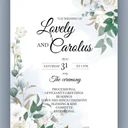
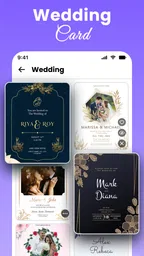
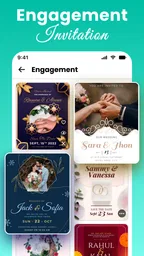
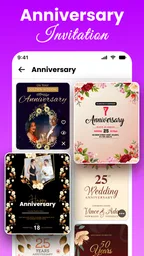
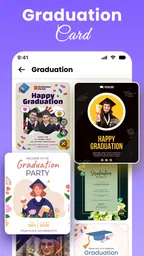
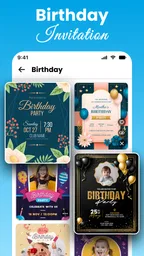
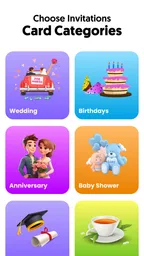
For a party invitation, the hard part is often not choosing the words but making a design that looks considered without turning the task into an evening project. All Invitation Card Maker is aimed at that quick, visual job: putting together an invite for a wedding, birthday, or other gathering and sharing it with guests. I see its appeal most clearly when I need something more personal than a plain message but do not want to start from a blank design canvas.
It is an event-planning app from Fast Video Downloader & Story Saver - DevBay, and its focus is narrower than a full event organizer. It is about the invitation itself, not managing a guest list, tracking replies, or coordinating the day. That boundary is useful to know before downloading: it can help with the first impression you send, while the practical follow-up will still happen in your usual messaging or planning tools.
Where a connection matters in the invitation process
Designing an invitation on a phone tends to happen in small bursts: while commuting, during a lunch break, or after someone in the family decides on a date. In those moments, connectivity can affect how smoothly an app feels, particularly when visual content needs to load or a finished design has to be shared. I would approach this app with a reliable connection for the parts that involve browsing and sending, rather than assuming every step works equally well without one.
That matters because invitation-making is often collaborative even when only one person is using the editor. A host may need to check the venue spelling, confirm the start time, or ask a relative whether the wording feels right. A sensible workflow is to gather those details before opening the design, then make the invitation in one focused session. It reduces the chance of switching between apps repeatedly and losing track of which version contains the latest information.
The app’s purpose suggests a practical distinction between creating a design and distributing it. I would treat the finished card as something to review carefully before sending: confirm names, date, time, and location, then share it through the channel guests already use. This is especially helpful for events where a typo can cause real confusion. A polished image is attractive, but accurate details are what make it useful.
People who expect the app to handle the whole event should keep their expectations modest. Its invitation-making focus is different from a dedicated event service that collects responses or organizes attendees. For a small birthday or casual gathering, that separation may be no problem; for a wedding with many guests and changing details, I would pair the card with a separate method for updates and replies.
A good fit for quick decisions on a phone
On a mobile device, the value of a card maker is less about elaborate design theory and more about whether a person can finish a decent-looking invite without needing a laptop. This app is aimed at people who want a visual result for a social occasion and prefer a guided, phone-based task to building a layout from scratch. It may suit a parent preparing a birthday invitation, a couple making a simple announcement, or a friend organizing a get-together.
One useful tip is to write the final copy outside the design first, even if only in a notes app. Keep the essential details together and decide how the event should be described before arranging them visually. On a small screen, it is easy to focus on appearance and overlook a missing address or an unclear time. Preparing the text first makes the creative step faster and the final check more reliable.
For an everyday scenario, imagine a family settling on a weekend birthday gathering after dinner. The organizer can collect the date, time, and location in one message, make a card when there is a quiet moment, and share the finished invite in the family chat. The main advantage is having a single visual announcement that is easier to notice than a string of separate details. The trade-off is that any later change still needs to be communicated clearly, so I would send an update in plain text rather than assume everyone will notice a revised image.
That distinction also helps avoid a common planning headache: multiple versions circulating among guests. If the venue or timing changes, label the new message as the current version and state what changed. A card is good for presentation, but it is not automatically a reliable record of revisions. For events with several adjustments, keeping a simple text-based source of truth alongside the design is the safer approach.
When something interrupts the flow
Connectivity problems are most annoying when they arrive halfway through a task. If a design element takes time to appear, or sharing does not proceed as expected, I would avoid repeatedly tapping controls or starting over immediately. First check whether the connection is stable, then reopen or retry the specific action. That cautious approach can prevent duplicate sends and saves time if the issue is simply a temporary interruption.
For a time-sensitive invitation, I would also keep a plain-text fallback ready. A short message with the event details can reach people even if the designed card is taking longer than expected to prepare or distribute. This is not as visually appealing, but it protects the important information. The card can follow once the design and connection are behaving normally.
It is worth separating a design problem from a delivery problem. If the card looks right but a guest says they have not received it, verify the message in the app or channel used to share it before making another copy. If the wording or layout itself needs correction, go back to the design step and check the full card again. Treating those as separate tasks makes recovery less confusing, especially when several people are helping organize an event.
I would not choose a mobile invitation app as the only communication method for a formal event with strict timing or frequent changes. In that case, use the card for the announcement and a dependable direct channel for corrections. Likewise, if an invitation needs extensive custom typography, precise print preparation, or detailed layout control, a full design program on a larger screen is likely a better fit than a quick phone-first workflow.
Sharing thoughtfully and keeping the task light
Invitations can include personal details such as a home address, a child’s name, or information about a private celebration. Before sharing, I would check the recipient group and avoid sending a card to a broad audience when the event is meant to be small. This is a practical habit regardless of which design tool is used, and it is especially easy to overlook when a finished card is forwarded from one chat to another.
For data-conscious use, I would prepare only what the invitation needs. A clear date, location, and contact detail are usually more useful than adding extra personal information simply to fill space. If guests need directions or special instructions, those can be sent separately to the people who need them. This keeps the card readable and limits how much private information travels with an image.
There is also a sensible balance between speed and polish. A quick invite is not improved by spending too long adjusting small details that guests may barely notice. I would prioritize legibility, a clear event name, and accurate logistics over decorative choices. If the card is difficult to read on a phone preview, simplify it before sharing; guests are more likely to see it on mobile than on a large screen.
Compared with writing a group message, a designed invitation gives the event a more deliberate feel and gathers its details in one visual item. Compared with broad graphic-design tools, a dedicated invitation maker has a more focused job and can feel less intimidating for someone who does not make graphics regularly. The compromise is flexibility: a general design tool may be preferable when the event requires a very particular style or when the invitation must match other printed materials precisely.
Who should try it, and who may prefer another tool
The app has an average rating of 4.2 from around 3,200 ratings, and it has been installed over five million times. Those figures suggest that many people have turned to it for invitation work, but they do not tell me whether its particular workflow will suit every user. I would judge it by the kind of card you need and how much control you expect, rather than by popularity alone.
It is free to download, with in-app purchases ranging from $1.49 to $49.99 per item. That makes it reasonable to try for a straightforward occasion, but I would check any purchase prompt carefully before committing. If you only need one simple invitation, avoid paying for extras until you know they solve a real problem for your design. The app is rated for Everyone, and its current version is 4.0.4, with Android 7.0 or later required.
The app was released on May 14, 2025, and the developer is Fast Video Downloader & Story Saver - DevBay. I would consider it for casual hosts who want an invitation that feels more intentional than a bare text, and for people who prefer composing on a phone. I would skip it if the main need is guest-list management, response tracking, complex print production, or uninterrupted work in places where connectivity is unreliable.
My overall take is that All Invitation Card Maker makes the most sense as one small part of planning an event: create a clear visual announcement, review every detail, then distribute it through a channel guests already check. Its usefulness depends less on elaborate planning features and more on whether a quick card is the right format for your occasion. For a birthday or informal gathering, that can be exactly enough; for a large event, treat it as the invitation-design step and keep a separate, dependable way to manage changes.
What we like
- Create invitations for birthdays weddings and other events.
- Choose from a range of editable card templates.
- Add personal text to make each invitation your own.
- Save finished designs for easy access later.
- Share invitations digitally with guests.
What could be better
- Some templates and design options may require payment.
- The free version may display ads.
- A large template library can take time to browse.
- Design quality may vary between templates.
- Some guests may prefer a printed invitation.





