
Wedding Invitation Card Maker review
 Analysis by Appsdrops
When a wedding date is set, the invitation is one of those small jobs that suddenly feels urgent: it needs to look considered, say the right things, and be ready to share. I find Wedding Invitation Card Maker most useful as a focused starting point for that task, especially when I want to put together an invitation or anniversary card on a phone rather than begin with a blank design tool. It is a free events app from Galaxy studio apps, and its purpose is clear from the first decision a user makes: create a card for a celebration, then shape it around the occasion.
Getting from an idea to a card
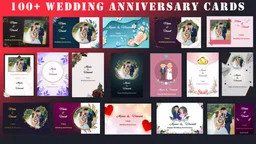
The appeal is practical rather than complicated. Instead of opening a general-purpose graphics editor and building a layout from scratch, I would use this app when I want the invitation itself to be the focus. That narrower scope can save time for someone who already knows the event details and mainly needs a presentable design. It is also suited to anniversary cards, so it can serve a smaller, repeatable purpose after the wedding planning is over.
The app has an average rating of 4.4 from around 31,000 ratings, and it has been installed over five million times. Those figures suggest that it has reached a broad audience, but they do not tell me whether a particular design will suit my taste or whether every workflow will feel smooth on my device. I would treat them as context, not as a substitute for checking the actual card-making process.
My first practical tip is to prepare the wording before opening a design app. Decide on the names, date, venue, and any essential instructions in advance, then check spelling and punctuation before settling on a layout. With invitations, a beautiful card that needs repeated edits can become more work than a simple one with accurate details. Keeping the text ready also makes it easier to compare designs fairly rather than choosing a card first and then trying to squeeze in a long message.
Speed depends on the decisions, not just the app
I would expect a focused card-making app to feel faster than a general design tool when the goal is simply an invitation, because there is less reason to build every element from zero. Still, perceived speed depends heavily on how much customization you want. If you are happy to choose a design and make modest adjustments, the task should be more direct than creating a full layout in a broad graphics editor. If you keep changing the wording, style, and arrangement, the decision-making—not necessarily the app—will take the time.
A useful workflow is to make one draft, pause, and review it as a guest would see it on a phone. Check whether the event details are easy to find at a glance, whether the wording feels warm rather than crowded, and whether the card still makes sense without your verbal explanation. This quick review can prevent the common mistake of polishing decorative choices while overlooking a missing or hard-to-read detail.
For a last-minute anniversary greeting, the app’s narrower purpose may be an advantage: I can focus on making a card for the occasion instead of learning a larger design environment. For a formal wedding invitation with exact typography, a tightly controlled brand style, or unusual layout requirements, I would allow more time and compare the result with a dedicated design tool. A fast route to a finished card is valuable only if the finished card matches the event.
Where busy moments create friction
The demanding moment is not necessarily opening the app; it is juggling many versions of an invitation while details are still changing. A couple may need to revise the venue, adjust the schedule, or prepare slightly different wording for separate groups. I would keep a clear naming or note-taking habit outside the design itself, so it is obvious which draft is current. That is a simple safeguard against sending an attractive but outdated card.
Another trade-off appears when the card must work for several audiences. A design that feels right for close friends may be too casual for older relatives or formal guests. Rather than trying to make a single card carry every tone, decide whether one broadly appropriate version is enough or whether separate versions are worth the extra effort. The app is best approached as a way to make the card, not as a substitute for deciding who it is for.
I would also check the final text at the size recipients are likely to view it. A line that looks balanced while editing can become difficult to scan when shared or viewed on a smaller display. Prioritize the names, occasion, date, and location; keep optional wording secondary. That hierarchy is particularly helpful for guests who will glance at the invitation quickly and need the essential details without searching through decorative copy.
Reliability and sensible ways to protect your work
I cannot judge reliability from an install count alone, so I would use a cautious workflow for anything tied to a real event. Save or otherwise preserve important wording separately while composing, and review the completed card before sharing it. That way, if you need to revisit the design or correct a detail, you are not relying on memory for the exact text. For a wedding invitation, the practical cost of a typo is higher than the small effort of keeping a clean copy of the details.
Stability also matters most when you are making changes close to a deadline. I would avoid leaving the only version of a card unfinished while switching between many tasks, and I would check the result after each meaningful revision. This is not a claim that the app is unstable; it is a sensible habit for any mobile design workflow, where interruptions and last-minute edits are part of real event planning.
The app is free to install, with in-app purchases ranging from $0.99 to $99.99 per item. I would look carefully at any purchase prompt and decide whether the available design options meet my needs before spending. The wide range means it is especially sensible to treat optional purchases as a decision point rather than assuming that every element needed for a good card is included at no cost. If you are only making one invitation, set a budget first and avoid paying for extras you will not use.
Device fit and the limits of a phone workflow
Wedding Invitation Card Maker is rated Everyone, and its minimum operating system is Android 8.0. That makes the compatibility requirement clear for Android users, though a suitable operating system does not guarantee the same experience on every device. I would keep the app updated to its current version, 3.1.1.1, and make sure the phone has enough working space for normal use. I would not assume that an older or heavily loaded device will feel as responsive as a newer one.
On a phone, the main constraint is often the size of the editing surface. It is convenient to work wherever you are, but fine alignment and close proofreading can be less comfortable on a small screen. If the card has several lines of important text, zoom in or review it carefully before sending. For someone who enjoys detailed visual control, a larger screen and a full design editor may be a better fit.
Resource demands are difficult to judge without testing a specific device, so I would not choose this app on the assumption that it is especially light or demanding. A sensible way to assess fit is to try a simple draft on your own phone before committing to a large batch of cards. If it responds comfortably and the editing view is easy to inspect, that is more meaningful for your use than a general expectation about performance.
How it compares with the usual alternatives
The main alternative is a general graphic-design app. Those tools can be better when you need unusual dimensions, precise control, or a design that must match other printed or digital materials. Their flexibility can also mean more choices and more setup. This app makes more sense when the job is specifically a wedding invitation or anniversary card and you would rather begin with that purpose in mind than assemble a complete design system yourself.
A second alternative is using a ready-made card from a messaging or social platform. That can be faster for a casual greeting, but it may not give the invitation the same sense of being prepared for a particular event. I would choose this app when the card itself is part of the presentation and I want to give the details a more deliberate treatment. For a quick note with no need for a designed card, a simple message is probably enough.
There is also the option of commissioning a custom design or using a print-focused service. Those routes may be preferable when the invitation has strict production requirements or needs a highly distinctive visual identity. A phone app is more appealing when convenience and direct control matter more than bespoke polish. The right choice depends on whether your priority is speed, precise customization, or a professional print workflow.
Who will get the most from it
I would recommend giving it a try if you are planning a wedding or anniversary, want a card-making workflow on Android, and are comfortable making a few design decisions yourself. It is especially useful for someone who has the wording ready and wants to turn it into an invitation without starting with a blank canvas. Its free entry point also makes it easy to explore before deciding whether any optional purchase is worthwhile.
It is less suitable if you need exact control over every design detail, have complex print specifications, or want a collaborative planning tool rather than a card maker. It may also be the wrong choice if you only need to send a plain event reminder; in that case, a message can be simpler and clearer. The app’s value comes from making a designed card, so it is worth using when that presentation adds something for your guests.
With over five million installs, Wedding Invitation Card Maker is a familiar option in the mobile events space, but I would still judge it by the card I can make on my own device. Its strongest case is a focused, approachable route to a wedding or anniversary design; its main trade-offs are the limits of editing on a phone, the need to proofread carefully, and the possibility of optional in-app spending. If those fit your plans, I would use it for a draft, check the details at viewing size, and share only after confirming that the final version is both readable and correct.
What we like
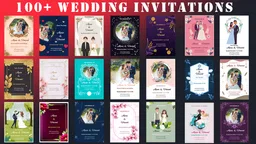
- Ready-made designs make it easy to create an invitation without design skills.
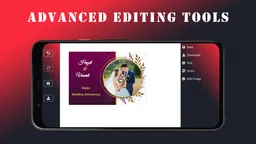
- Text and color options help match the card to your wedding theme.
- Digital invitations can be shared quickly with guests.
- A preview helps check the layout before sharing or saving.
- The simple editing process suits users who need a card quickly.
What could be better
- Some designs or editing options may require in-app purchases.
- Ad interruptions can slow down the card-making process.
- Limited font choices may restrict more distinctive designs.
- Small text can be difficult to read on some invitation templates.
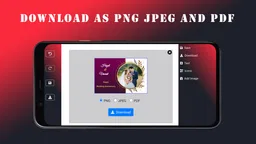
- Export quality may vary depending on the selected design and device.





