


StubHub - Live Event Tickets review
 Analysis by Appsdrops
When I’m choosing an event-ticket app, I care less about a crowded feature list than about whether it helps me find a suitable event, compare ticket options, and feel prepared before I head out. StubHub - Live Event Tickets is built around that practical job: it is an events app from StubHub for browsing and buying tickets. I’d consider it when I have a particular concert, game, or other live event in mind, but I wouldn’t treat it as a guarantee that every event or price will suit me.
What matters when choosing a ticket app
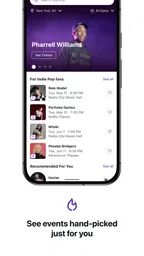
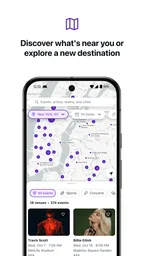
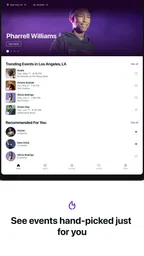
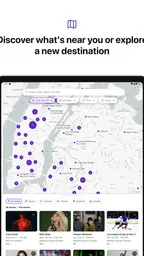
The first decision is whether I’m searching broadly or already know what I want to attend. For broad discovery, an event app can be useful if it makes nearby or relevant options easy to find. For a specific date and venue, the more important questions are whether I can locate the event, compare available choices, and complete the purchase without losing track of the details. StubHub’s straightforward focus on event tickets makes it most compelling for the second kind of task.
I would also think about how flexible my plans are. If I’m set on one event, I can focus on the available listings and decide whether one meets my needs. If I’m open to several events, I have more room to compare dates, artists, teams, or venues rather than settling for the first result. That flexibility matters because ticket availability and the options presented can change; I’d check the details in the app again before making a final decision.
For a familiar example, imagine a friend asks me on Friday whether I want to go to a game the following week. I can use StubHub to look for that event, review the choices shown, and discuss the options with my friend before buying. My practical tip is to agree on the date and the kind of seats or price range you’re comfortable with first. That keeps a quick shared search from turning into a rushed purchase neither person is happy with.
A simple way to judge the options
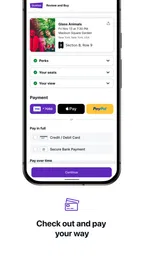
I’d compare listings using the details that actually affect the outing: the event, date, venue, and the ticket choice being offered. I’d also pause before checkout to review the full purchase summary, including any additional charges shown there. A ticket that looks acceptable at a glance may feel different once the complete total is visible, so I wouldn’t make a decision based on an early screen alone.
There is a useful distinction between discovering an event and choosing a ticket. Search results can help me find something worth considering, but they don’t make the decision for me. I still need to judge whether the date works, whether the event is right for my group, and whether the available option feels worth the cost. Treating the app as a decision aid rather than a recommendation engine keeps expectations realistic.
Where StubHub fits best
The strongest case for StubHub is convenience when I want a dedicated place to look for live-event tickets. Instead of beginning with a venue’s event calendar, a general search engine, and several separate ticket pages, I can start in one app and see what is available for the event I have in mind. That focused purpose is helpful when I’m trying to make a plan quickly, particularly if the rest of the group is waiting for an answer.
It is also a reasonable option for someone who attends different kinds of events rather than following only one team or performer. StubHub sits in the broader events-ticketing category, and the developer is StubHub. The app is free to download, which makes it easy to try before deciding whether it belongs in my regular planning routine. Free access to an app should not be confused with free tickets, of course; the purchase itself is a separate decision.
There is a substantial audience around it: the app has more than 10 million installs and an average rating of 4.3 from about 104,000 ratings, alongside roughly 25,000 written reviews. Those figures suggest that many people use and assess it, but I wouldn’t take popularity as proof that every transaction will be effortless. I’d still read the event and ticket details carefully, because the right choice depends on the specific listing and my own plans.
One less obvious strength is that a single event search can help a group move from vague interest to a concrete discussion. I can share the event name and date with friends, agree on what matters to us, then return to the available choices rather than debating ticket types in the abstract. The app is most useful in that workflow when everyone has already settled the basics; it is less useful if the group has not decided what event, date, or budget it is aiming for.
Another practical point is to separate the event decision from the purchase decision. I might first confirm that the date works for everyone, then compare the available ticket choices, and only then move toward checkout. That order reduces the chance of buying before a companion has checked their schedule. It is a small habit, but it matters when an event is time-specific and several people are coordinating.
Trade-offs to keep in mind
A ticket marketplace is not automatically the best place to start for every event. If I already know the venue and want its official event information, the venue’s own channel may be a more direct reference. If I’m following a particular performer or sports team, its official app or site may be better for updates and context, while StubHub is more focused on ticket shopping. I would use the source that best answers the question I have, rather than expecting one app to do everything.
There can also be friction in comparing options when the event matters more than the ticket details to me. If I just want the cheapest acceptable way in, I still need to inspect the choices and the final total instead of assuming that the first suitable result is the best value. If I care about a particular location or experience, I may need to spend more time checking what each option actually represents. The app can present choices, but my priorities determine which one makes sense.
Plans that are uncertain are another reason to slow down. Before buying, I’d make sure the date is firm and that the group has agreed on the event. I’d also look over the purchase conditions displayed during checkout and keep the confirmation details accessible afterward. That advice is not unique to StubHub; it is simply sensible whenever a purchase is tied to a specific live event.
How it compares with other ways to buy
Compared with going straight to a venue or organizer, StubHub offers a ticket-shopping starting point that is not limited to checking one venue’s own calendar. The trade-off is that official event pages can be preferable when I want information directly from the organizer. I would use those pages to verify event context when needed, and use a marketplace when comparing the ticket choices available there is my main task.
Compared with a general event-discovery app, StubHub is a more natural fit once I’m ready to look for tickets. A discovery service may be more useful if I want ideas for what to do, while a ticket-focused app helps when I have an event in mind and want to explore ways to attend. These are different jobs, so there is no need to force one app to replace the other.
Compared with a team- or artist-specific app, StubHub has broader appeal for someone whose plans span multiple kinds of events. The specialized option may be a better home for following one favorite act or team, while StubHub makes more sense as a general ticket-shopping tool. I would not switch away from a source I already trust for event updates simply because I install another ticket app; I’d use each for the part of the task it handles best.
What changes if you switch
If I already buy tickets through a venue or another service, trying StubHub does not require me to change my whole routine. I can keep using my usual source for event announcements and open StubHub when I want to compare ticket options. The main adjustment is remembering to check the details and complete cost before committing, rather than assuming that two services present identical choices in the same way.
For someone new to ticket apps, the learning curve is likely to be less about mastering the interface and more about making a careful purchase decision. I’d begin with a known event, check the date and venue, compare the available choices, and review the complete total at checkout. This gives a clearer sense of whether the app suits my habits than browsing without a real plan.
The app is listed for everyone and is free, with a minimum operating-system requirement of version 10. Its current version is 106.9.7, and it was released on March 9, 2011. I would check compatibility in the app store before installing, particularly on an older device, and keep the app updated so I’m using the current release available to me.
My recommendation
I’d recommend StubHub to someone who wants a dedicated way to search for tickets across live events and is comfortable comparing options before buying. It is especially useful when a group has agreed on an event and needs to turn that plan into a ticket decision. I also see a good fit for people who attend different kinds of events and prefer not to begin every search from scratch.
I’d be less enthusiastic if someone mainly wants event inspiration, relies on one venue’s direct information, or expects a ticket app to settle every question about value and suitability. In those cases, an event-discovery service, an official venue channel, or a specialist team or artist app may be the better first stop. StubHub can still be part of the process, but it does not need to replace every other source.
Overall, I see it as a practical ticket-shopping option rather than a universal event planner. Its broad reach and focused purpose make it worth considering, while careful comparison remains essential. I’d use it with a clear event and a firm plan, take a moment to inspect the full purchase details, and choose it when its available ticket options fit the occasion I actually want.
What we like
- Compare ticket options across many live events in one app.
- Mobile tickets can make entry more convenient.
- Event filters help narrow down listings by date and location.
- Order details are easy to access from the app.
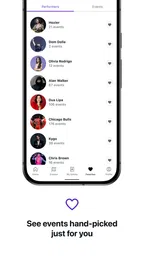
- Ticket alerts can help track events you care about.
What could be better
- Ticket prices may include substantial fees at checkout.
- Popular events can sell out quickly.
- Resale prices may exceed the original ticket price.
- Refunds and exchanges depend on the event and seller terms.
- Availability and ticket details can change before purchase.




