
Wikipedia review
 Analysis by Appsdrops
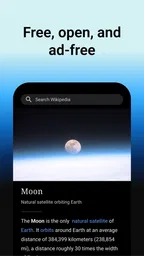
When I need to get oriented on a subject quickly, I often want more than a search result or a single definition. I want a clear starting point, useful context, and a way to follow the topic wherever it leads. The official Wikipedia app is built for that kind of reading: it puts the world’s largest source of information into a mobile reference experience, free to use and straightforward to explore.
From a question to a useful starting point
My usual workflow begins with a question, a name, or a subject I have just encountered. The app gives me a practical place to begin: I look up the topic and read its article, moving from an initial overview toward the details that matter to me. That makes Wikipedia useful for everyday curiosity as well as for getting a first grasp of an unfamiliar subject.
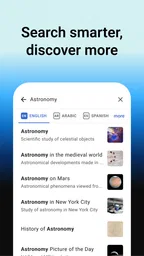
The important thing is that an article rarely has to be the end of the journey. A topic can point toward people, events, places, ideas, and related subjects, giving me options for what to read next. I can follow that trail at my own pace, whether I need one quick explanation or want to spend longer building a broader picture.
That open-ended quality is the app’s strongest practical advantage. Instead of treating reference reading as a task with one fixed answer, it lets me move from a broad question into connected material. For a student beginning research, a reader checking a name, or someone simply exploring a new interest, that makes the first step feel approachable.
Finding the thread
Once I have an article in front of me, I decide how deeply to read. Sometimes the opening gives me enough background to understand a conversation or follow a news story. Other times, a detail catches my attention and sends me further into the subject. The experience works best when I treat the app as a map for exploration rather than a single-purpose answer box.
Because Wikipedia covers a vast range of subjects, the app can fit into many different moments. I might open it to identify a historical figure, understand a scientific term, or get context about a place. The common thread is simple: I arrive with a question and use the article as a starting point for making sense of it.
Reading at my own pace
Reference apps can feel intimidating when they assume the reader already knows where to begin. Wikipedia’s familiar article-based format helps reduce that hurdle. I can start with the topic I recognize, take in the explanation, and then choose whether to continue. That flexibility is especially helpful on a phone, where I may be reading for a moment between other activities rather than settling in for a long session.
The app is free, and its focus is clear: access Wikipedia as a mobile reference. It does not need a complicated pitch to explain its purpose. For readers who want a broad library of articles close at hand, the core appeal is the ability to move from question to context without turning the experience into a formal research project.
Following an article into the next step
A useful reading session often involves a handoff. I begin with one topic, encounter a term or person I do not know, and decide whether that new subject deserves attention. Wikipedia’s connected subject matter makes that transition feel natural: the first article can lead me toward another, and that next article can add background that changes how I understand the original question.
This chain is valuable for learning because context rarely arrives all at once. A brief answer may tell me what something is, while related reading helps explain why it matters or how it connects to a larger subject. The app supports that exploratory style by making the article itself the center of the experience. I can keep following my curiosity without needing to plan every step in advance.
From quick lookup to deeper reading
Not every session needs to become an extended research trail. If I only want a basic explanation, I can read enough to get oriented and move on. If I want more, I can continue into related topics and assemble a wider understanding. That range makes the app useful across different levels of attention: a quick check can be worthwhile, but so can a longer stretch of reading.
For school or work, I find the app most useful at the beginning of a task. It can help me learn the vocabulary around a subject, identify people and events that belong in the picture, and decide what questions to investigate next. It is a launchpad for understanding, not a reason to stop thinking critically or to treat one article as the final word.
That distinction matters. A reference article can orient me, but I still need to consider what the task requires and whether I should consult further material. Wikipedia works well as a first handoff: it turns an unfamiliar subject into something more navigable, then leaves me better prepared to continue elsewhere if the situation calls for it.
Where the experience can lose momentum
The same freedom that makes Wikipedia engaging can also make a reading session wander. I might open the app to answer one small question and end up several topics away, with the original task forgotten. That is part of the fun when I am exploring, but it can be a distraction when I am trying to finish something quickly. I get the best results when I decide whether I am browsing for interest or looking for a specific piece of context.
Another point of friction is that a large reference library does not automatically make every article equally suited to every reader or purpose. Some topics are easier to approach than others, and a first explanation may not provide all the depth I need. When that happens, I treat the article as a starting point and look for the next useful step instead of expecting one page to settle every question.
There is also a difference between understanding a subject and merely collecting facts about it. Following a chain of articles can fill in background, but I still need to pause and connect the ideas. The app gives me material to explore; the quality of my outcome depends on how thoughtfully I use it. For casual learning, that can be as simple as asking what a new detail changes about my original understanding.
A familiar reference in a mobile format
Wikipedia is developed by the Wikimedia Foundation and sits in the books and reference space. It has an average rating of 4.4 from around 695,000 ratings, with roughly 16,000 written reviews and over 50 million installs. Those figures reflect how widely the app is used, but what matters to me in practice is its clear role: a free mobile companion for reading and exploring Wikipedia.
The app was released on January 13, 2012, and its current version is identified as 50616-r-2026-11-03. It supports Android 7.0 and later, and carries an Everyone 10+ content rating. These details make it easier to judge whether it fits a device and household, while the everyday experience remains centered on finding an article and following the subject wherever it leads.
Who will get the most from it
I would recommend the app to curious readers who like to learn in small bursts, students who want an initial overview, and anyone who regularly encounters unfamiliar names or concepts. It is particularly handy when the goal is to get enough context to ask a better next question. That first step can make a topic feel far less distant.
Readers who need tightly guided lessons or a single definitive answer may find the open-ended reference style less focused. Wikipedia invites exploration rather than walking me through a fixed course. Once I understand that, the experience makes sense: I choose a subject, read what I need, and decide whether to stop, continue, or hand the question off to another source.
In the end, Wikipedia succeeds as a convenient gateway to broad reference reading. I like that it makes curiosity easy to act on, whether I have a minute or want to follow a longer trail of ideas. Its main friction comes from that same freedom: it is easy to drift, and a starting article may not be the complete answer for every purpose. Used as a way to get oriented and discover what to explore next, it is a dependable, free app that earns a place on a reader’s phone.
What we like
- Free access to a vast range of reference articles
- Available in many languages for a global audience
- Articles include citations for checking source material
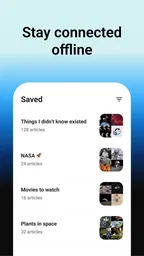
- Reading lists help save articles for later
- Offline access is available for saved content
What could be better
- Article quality and detail vary by topic
- Some articles may contain outdated information
- Coverage can be uneven across languages
- Editing tools may feel complex to new contributors
- The app requires internet access to browse uncached pages





