
Amazon Kindle: Reading App review
 Analysis by Appsdrops
I find reading apps easiest to judge after the first burst of enthusiasm has passed. A new screen, a borrowed reading goal, or one absorbing book can make almost any digital library feel essential for a week. What matters more is whether opening it still feels natural when I have a few spare minutes, whether my books remain easy to manage, and whether the screen suits the way I actually read. Amazon Kindle: Reading App makes a strong case for staying installed, especially if you already read ebooks or buy them through Amazon, but it is not automatically the best home for every reader.
Why the first week feels easy
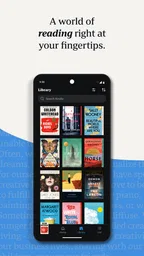
The app is a Books & Reference reader from Amazon Mobile LLC, and its basic appeal is immediate: it gives me a place to read digital books on a phone or tablet instead of carrying a separate device. That convenience changes small moments. I can read a few pages while waiting for an appointment, continue a chapter during a commute, or pick up a book at home without first finding the paperback I left in another room.
Kindle has a clear advantage when I want a familiar reading environment across more than one situation. A phone is handy when I am out; a larger screen can feel more comfortable at home. The value is not that a phone suddenly becomes a perfect book-shaped object. It is that the book is often within reach, and a short reading window does not have to go unused.
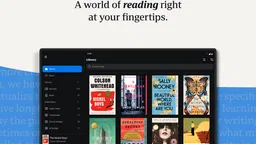
The first-week experience also benefits from a large ecosystem. The service is described as offering millions of ebooks, so readers who like browsing across genres may find more to explore than they would in a small, personally curated collection. The app itself is free to install, though in-app purchases range from $1.99 to $11.99 per item. I would treat that distinction seriously: having the reader costs nothing, but building a library can still involve spending.
That makes it worth deciding how you want to get books before filling your virtual shelves. If you already own ebooks in Amazon’s ecosystem, the app can become a convenient reading surface. If you are starting from scratch, browsing and buying can make the experience feel less like opening a book and more like shopping for one. I recommend choosing a title you genuinely want to read first, rather than letting an endless catalogue turn your first session into an evening of comparison.
Make the screen serve the book
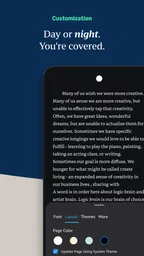
On a phone, small adjustments can make the difference between a useful reading habit and a brief experiment. I suggest testing the text size and brightness in the place where you expect to read most. A setting that looks comfortable in a bright room may feel too intense at night, while very large text can mean more frequent page changes. The right balance depends on your device and eyesight, so it is better to adjust while reading a real chapter than to chase a supposedly ideal setup.
Another practical tip is to use the app for a specific routine, not simply because it is there. I might open it during a regular waiting period or read a few pages before bed. That turns convenience into a cue. Without one, the app can sit beside social feeds and other distractions, and the fact that a book is available does not guarantee that I will choose it.
What keeps it useful month after month
After the novelty fades, Kindle’s strongest recurring value is continuity. A digital book does not depend on remembering which bag contains it, and a reading session can fit around an unpredictable day. For someone who alternates between home and travel, that convenience is more persuasive than the sheer size of the catalogue. I am more likely to keep reading when I do not have to plan around a physical copy.
The app also suits readers who move through several books at once. I may want a novel for quiet evenings and a practical reference title for occasional consultation. Keeping both in the same reading app can reduce the friction of switching interests. It is particularly useful for people who read in short bursts, since even a few minutes can be spent in a book already at hand.
There is a trade-off, though: a deep catalogue can make choosing harder. If I browse whenever I open the app, I can spend more time considering the next purchase than reading the book I already have. A useful personal rule is to finish, pause, or deliberately abandon a current title before shopping for several replacements. That small boundary keeps the library from becoming a pile of good intentions.
For comparison, a physical book offers a more focused experience and does not require me to read on a device I may also use for messages and entertainment. A dedicated ebook reader can be a better choice for someone who reads for long stretches and wants a device devoted to that purpose. Other ebook apps may suit readers whose collections are spread across different stores or who prefer another ecosystem. Kindle is most compelling when its convenience and Amazon-connected library match how you already find books.
Keeping a library manageable
One less obvious habit that helps is treating the app as a reading shelf rather than a storage challenge. I try to keep a clear idea of what I am currently reading and what I genuinely intend to start next. That makes returning to the app less overwhelming. A large collection is only useful if I can make a decision without turning every spare moment into a search session.
It is also worth thinking about the device you use most. Reading on a phone is excellent for portability, but notifications and the temptation to switch apps can interrupt concentration. I find it helps to begin a session with a modest goal, such as finishing a section, and to put the phone into a quieter state if the surroundings allow it. If interruptions are the main reason you stop reading, a separate reading device or a paper book may be a better long-term fit.
Kindle has a 4.8 average from around 4.9 million ratings, and it has been installed over 100 million times. Those figures suggest broad appeal, but they do not tell me whether a particular reader will enjoy reading on a phone. The app is rated Teen, a relevant point for households deciding whether it suits a younger reader; parents should still consider the books being accessed and the device’s wider use.
Where the routine can wear thin
The main fatigue point is not complicated: reading on the same device used for everything else can make it harder to settle in. A notification can break a paragraph’s rhythm, and a quick check of something unrelated can turn a planned reading break into screen time of another kind. If you regularly struggle to concentrate on a phone, Kindle cannot remove that underlying distraction. In that case, paper or a dedicated reader may help more than another adjustment inside an app.
There is also a buying-versus-reading tension. A broad selection is valuable when I know what I want, but it can encourage constant browsing. The app is free, yet individual in-app purchases add up if I buy impulsively. I would set a simple spending boundary and use a shortlist before purchasing. That does not make the catalogue less appealing; it helps ensure that the books I acquire are books I expect to read.
Another limitation is fit. Readers who prefer print’s physical feel, lend books frequently, or want one library that is independent of a particular retailer may find a different format or service more suitable. Kindle makes the most sense when convenience outweighs those preferences. I would not recommend it as a replacement for every kind of reading, especially for someone who has already tried phone reading and found the screen tiring or distracting.
Maintenance is fairly light in the everyday sense: the app does not require a complicated ritual to open a book and read. The more meaningful upkeep is personal. I need to keep my reading choices intentional, avoid letting a growing collection become clutter, and decide whether the phone is a helpful reading device or a source of interruptions. If I skip those decisions, the app can remain installed while my reading habit quietly disappears.
Does it earn a lasting place?
For me, Amazon Kindle earns its space when I use it as a dependable way to continue books in the small gaps of daily life. A realistic example is a reader who takes a train, reads a chapter on the way home, and returns to the same book later without needing to carry a paperback everywhere. The benefit is modest but repeatable: fewer barriers between wanting to read and actually starting.
It is a strong choice for people who value portability, already use Amazon for ebooks, or want a broad digital selection available from a phone. It is less convincing for readers who buy books faster than they finish them, dislike screens for long reading sessions, or want a distraction-free device. If you are uncertain, I would begin with one book you are excited about and build a routine around it before spending on a larger library.
Overall, the app’s lasting value comes from access and convenience, not from novelty. It can make reading easier to fit into a busy week, but it cannot create the habit by itself. I would keep it installed if it helps me return to books regularly; if it becomes another place to browse, shop, and get interrupted, I would change the routine or choose a format that better matches the way I read.
What we like
- Syncs your reading progress across compatible Kindle devices and apps.
- Adjustable fonts and layouts make reading more comfortable.
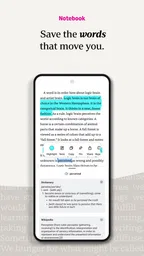
- Built-in dictionary and search tools help clarify unfamiliar passages.
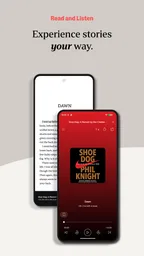
- Whispersync can keep audiobooks and ebooks in sync where available.
- Sample chapters let you preview many books before buying.
What could be better
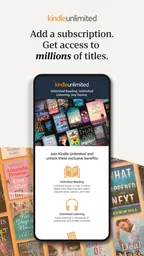
- Many ebooks require a separate purchase or Kindle Unlimited subscription.
- Some titles and features vary by country or region.
- The app does not support purchasing ebooks directly on iOS.
- Audiobook access may require a separate Audible purchase.
- Reading requires a compatible device with enough battery life.





