


Google Play Books & Audiobooks review
 Analysis by Appsdrops
I like reading apps that stay out of the way, but books and audiobooks make a phone’s connection matter in several different moments: finding a title, getting it ready, and actually reading or listening. Google Play Books brings those activities together in one Android and iOS app. In my experience, it works best for readers who want a straightforward place to browse and enjoy digital books, while its reliance on an internet connection for some tasks is worth considering before a commute or trip.
Where a connection changes the experience
Google Play Books is a free Books & Reference app from Google LLC, with a 4.7 average from around 3.3 million ratings and over one billion installs. Those figures suggest a familiar, widely used service, but the more useful question is how it fits the way you read. I find it most convenient when I already know what I want to read or listen to and can move from browsing to enjoying a book without switching between separate reading and audio apps.
A network connection is naturally useful when exploring the catalog and choosing new material. This is the part of the experience that benefits most from being online: you can look around, compare options, and decide what suits your mood. I would do that selection at home or during a break with a reliable connection, rather than waiting until the start of a journey to search for something to read.
That distinction helps set expectations. The app is not simply a shelf that behaves identically in every situation; the experience of discovering and acquiring books is connected to the service. Once you have picked a title, it is sensible to check that it is ready on your device before relying on it somewhere with uncertain reception. I would not assume that every book is available in every offline situation without checking the particular title and app behavior first.
Buying and reading also deserve separate consideration. Google Play Books is free to install, but that does not mean every book or audiobook is free. In-app purchases range from very small amounts to substantial per-item prices, so I recommend checking the price of a specific title before committing. If you mainly want a no-cost reading app, treat the app’s free download and the cost of its catalog as two different things.
Choose and prepare titles before you need them
My practical routine would be to browse while connected, choose a book, then open it before heading out. That last step is a simple way to catch a sign-in, loading, or availability issue while there is still time to resolve it. It is especially useful if the book is part of a planned trip or a regular reading slot, rather than something you are casually browsing at home.
For audiobooks, preparation matters even more because listening often lasts longer than a quick reading session. I would check the title in advance and make sure the app is in the state I expect before putting on headphones. This is not a promise that every listening task will work without a network; it is a low-effort habit that avoids discovering a connection problem at the moment you want to press play.
Reading and listening in changing mobile settings
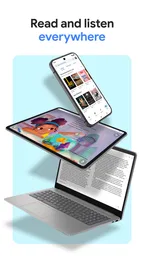
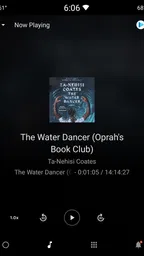
On a phone, Google Play Books makes sense for the small gaps in a day: a few pages while waiting, a chapter during lunch, or an audiobook when your hands are occupied. The app’s combined book and audio focus is useful if your habits change by context. I might read when I have a quiet seat and listen while walking, rather than maintaining separate apps simply because the format changes.
A realistic example is a commuter who reads during the ride in and listens on the way home. The key is to make the choice before boarding: browsing for a new title underground or in a weak-signal area is a less dependable plan than opening a previously selected book. If your journey has patchy reception, prepare ahead and avoid treating the app as a live catalog that will always be reachable at the exact moment you want it.
It can also suit people who read in short bursts and do not want to carry a separate e-reader for every spare moment. A phone is already at hand, so the barrier to opening a book is low. The trade-off is that reading shares space with notifications, calls, and other distractions. If you find that interruptions break your concentration, a dedicated e-reader or a paper book may be a calmer choice even if this app is more convenient to carry.
For focused reading, I suggest choosing a quiet moment and silencing distractions using the phone’s own controls. That advice is particularly relevant for longer sessions: convenience does not automatically make a phone as restful as a dedicated reading device. For audio, headphones and a safe listening setting matter more than keeping the app open to explore new titles while moving around.
What to do when loading or playback stalls
When a title does not open or audio does not start, I would first separate a connection issue from a title or app issue. Check whether other online activities work, then reopen the book or audiobook and give the app another try. If the connection is weak, moving to a more reliable network before browsing or starting a new title is usually the most sensible next step.
Before a planned offline stretch, I would not wait until the last minute to test a title. Open it while connected, confirm that it behaves as expected, and leave enough time to choose an alternative if it does not. This is a useful fallback habit for travel, elevators, transit tunnels, or any place where reception can change quickly. It is more reliable than assuming that a title you viewed earlier will necessarily be ready later.
If the problem persists even with a stable connection, restarting the app and checking that it is up to date are reasonable general troubleshooting steps. I would avoid repeatedly tapping purchase or playback controls when the app is slow, since a delayed response can make it unclear whether an action has completed. Pause, check the current state, and try again only when you know what happened.
The recovery experience is therefore partly about planning, not just fixing. A reader who keeps one familiar title ready and chooses the next one before leaving has less to troubleshoot than someone who depends on fresh browsing in a dead zone. If uninterrupted access is critical for work, study, or travel, I would test the exact book and device setup ahead of time rather than relying on assumptions about connectivity.
Keeping mobile data use intentional
If you watch your mobile data, the easiest principle is to do browsing and title preparation over a trusted Wi-Fi connection when practical. Catalog exploration involves network activity, while reading or listening to an already prepared title may behave differently depending on the title and app state. Since that behavior can vary, I would check how a specific book works on my device instead of making broad assumptions about data use.
Audio deserves particular attention in a data-conscious routine because listening sessions can be lengthy. I would avoid starting an unfamiliar audiobook on mobile data simply to see whether it suits me. First use a short connected preview or another available sampling option if offered in the app, then make a deliberate choice about when and how to listen. This keeps browsing from turning into an unplanned long session.
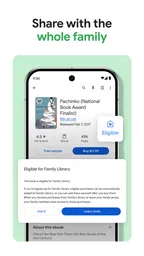
It also helps to distinguish the cost of a title from the cost of connectivity. A book purchase is a separate decision from any mobile data used to discover or access it. Google Play Books is rated Teen, and its per-item purchases can vary widely, so I would review both the title’s price and the household’s purchase settings before handing the phone to a younger reader. The age rating is a useful guide, but it does not replace checking whether a particular book is appropriate.
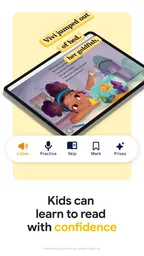
For parents, the same practical approach applies: look at the individual title, make purchase expectations clear, and use the device’s available account controls. For students, it can be convenient to keep reading material on a phone, but I would still check in advance that the specific book is accessible in the place where it will be needed. A school building with weak reception is not the ideal moment to find out that preparation was incomplete.
How it compares with other ways to read
Compared with a general-purpose ebook reader, Google Play Books has an advantage when you want books and audiobooks in one app on a device you already carry. It is also more suited to browsing a digital catalog than a paper book, which is always available without a battery or network. Those alternatives solve different problems: a paper book is dependable in any coverage area, while a dedicated reader may be better for long, distraction-free sessions.
Compared with an audiobook-focused service, the appeal here is the combination of reading and listening rather than a single-format experience. If nearly all your reading is audio, a service centered on listening may better match your routine. Likewise, readers whose main concern is uninterrupted access in places with poor connectivity should favor a setup they have tested carefully, whether that is a prepared digital title or a physical book.
Google Play Books is not the right fit for someone expecting every title to be included at no cost, or for someone who wants a reading device entirely separate from phone distractions. It is also a less comfortable choice if you routinely decide what to read only after entering an area without reliable internet. In those situations, planning ahead or choosing a different format matters more than the convenience of keeping everything on a phone.
A useful choice when you plan around reception
Google Play Books has been available since December 6, 2010, and its broad adoption makes it a familiar option for people who want digital reading and listening in one place. I would recommend it to someone who reads in varied settings, appreciates browsing on a phone, and is willing to prepare for stretches with poor reception. The app costs nothing to install, but individual purchases are a separate expense, so I would always check a title before buying.
My main connectivity advice is simple: discover books while connected, choose the next title before travel, and open it in advance when uninterrupted access matters. That workflow cannot remove every network-related surprise, but it makes the app more dependable in everyday use. If you want an easy way to shift between reading and audio and do not mind a little preparation, it is a practical option. If you need a distraction-free device or expect everything to work without checking connectivity, another reading format may suit you better.
For me, the strongest reason to keep Google Play Books around is that it makes a phone a useful reading and listening companion without forcing every session into the same format. Its main limitation is not a deal-breaker, but a reminder to plan: the app feels most convenient when I make choices before reception becomes uncertain. With that habit, it is a solid everyday option rather than a service I would depend on blindly.
What we like
- Adjustable font size and page color make reading more comfortable.
- Offline downloads let you read and listen without an internet connection.
- Bookmarks and reading progress sync across supported devices.
- Audiobook playback includes a sleep timer and speed controls.
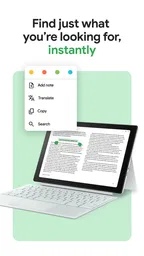
- You can upload your own EPUB and PDF files to your library.
What could be better
- Some titles may not be available in every country.
- Audiobooks can take up substantial storage space.
- The app offers limited tools for editing or annotating documents.
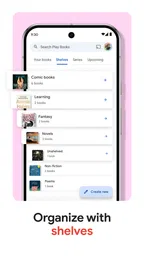
- Library organization can feel basic for users with many titles.
- Audiobook purchases are not included with ebook purchases.





