
JW Library review
 Analysis by Appsdrops
I judge a reading app less by how many books it contains than by how quickly it lets me get back to the passage I need. JW Library is built around that kind of focused use: reading the Bible, looking up related material, and studying at a pace that suits you. In my experience, its appeal is not just the breadth of its library but the way it brings reading and study together without asking you to treat them as separate activities.
It is a free Books & Reference app from Jehovah’s Witnesses, intended for readers who want Bible material alongside other publications. Its broad language coverage makes it especially useful for people who read in more than one language or want to compare how a passage appears across editions. The app has a 4.8 average from around 1.7 million ratings, and more than 50 million installs. Those figures suggest that it serves a substantial audience, though they are not a substitute for deciding whether its religious focus fits your needs.
Getting around without losing your place
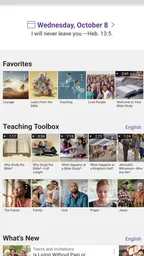
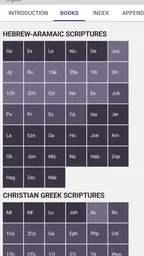
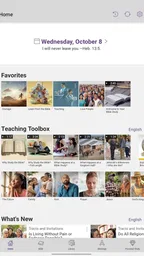
The first thing I value in a study app is a clear route from opening it to reading. JW Library keeps its purpose narrow: choose material, read, and continue into study rather than navigating an unrelated mix of general reference topics. That focus can make routine reading feel direct. If your main goal is to open a Bible passage, spend a few minutes with it, and return later, the app is easier to understand than a broad reading platform with many kinds of books competing for attention.
Expectations about speed should stay practical. A simple reading session is a lighter task than browsing a large collection, switching languages, or moving among several publications. I would treat those heavier moments as the point at which the app has more work to do, rather than assume every screen will respond identically on every device. The useful question is whether your usual path—open a text, read, and resume later—feels dependable on your phone.
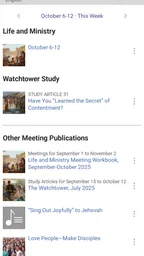
One concrete way to make study more manageable is to decide what you want from a session before opening the app. For example, I might begin with a passage and then consult a related publication, rather than wandering through the library without a question in mind. That approach makes the app’s combined reading-and-study purpose work in your favor and reduces the chance of spending the whole session searching instead of reading.
Where its language range matters
Support for more than 1,000 languages is more than a headline feature for a multilingual household. A reader can use the app as a bridge between personal study and conversation with relatives or friends who prefer another language. It can also help someone who is strengthening a second language by letting them compare familiar material with a version they understand less easily. I would use that comparison deliberately, though: switching versions can be helpful, but it can also interrupt a quiet reading session if you are constantly jumping between them.
This breadth also shapes the app’s audience. If you specifically want Jehovah’s Witnesses’ Bible and study publications, the range of languages is a meaningful strength. If you want an ecumenical reference shelf, a general ebook reader, or a Bible app centered on a different translation tradition, this is not a neutral replacement. The developer’s identity is central to the app’s content, so readers should choose it with that perspective in mind rather than expecting a broad survey of religious viewpoints.
Making a short study session useful
A realistic everyday use is a brief reading break between other tasks. I would open a passage, read a small portion, and use the available study material to follow a question that came up, then stop without feeling obliged to finish a long chapter. This is where a focused library can be more convenient than keeping a Bible app, a separate reference app, and a document reader open at once. The trade-off is that the experience is organized around the publisher’s materials, not around every possible study source you might want.
For a more careful session, I would keep the workflow simple: pick the passage, make a note of the point I want to understand, and consult related content only when it answers that question. This is a useful way to avoid turning a large collection into an endless browsing exercise. If you are studying with someone else, it also gives you a clearer starting point for discussion than simply asking what to read next.
What happens during heavier use
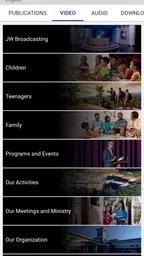
The app’s library can invite longer sessions, especially when a reader moves from a Bible text to other publications or compares languages. That makes content organization and returning to the right place more important than raw speed alone. I would pay attention to whether your own reading flow remains easy to follow after switching between materials. If it does, the app can support a substantial study routine; if you find yourself repeatedly retracing steps, a simpler single-text reader may suit you better.
There is also a practical trade-off in having a large body of content available in one place: the more you explore, the more deliberate you need to be about what you are looking for. I recommend beginning with a particular book, passage, or subject instead of treating the library like a general search engine. That small habit makes heavy use feel purposeful and helps keep a study session from becoming a sequence of unrelated detours.
I would not make a promise about performance on every phone. The experience of a reader app depends on the device and on what the person is doing, and the most demanding moments are likely to be broader browsing and switching rather than simply reading a page. If you use an older or storage-constrained device, it is sensible to leave room for the app and its content and to assess the actual experience with your normal reading habits. I would not install it expecting that every device will feel equally quick.
Reliability and picking up again
For a reading tool, reliability means more than avoiding a crash: it means being able to return to study without making the app itself the main task. I would test that in the way I plan to use it—read a passage, leave for another app, then come back later and see whether continuing feels straightforward. That is a more useful personal check than judging the app from a single quick launch.
If a session is interrupted, a good recovery habit is to keep the reading goal small and record the passage or topic you intended to follow before moving on. This is useful in any study routine, but particularly when you have been moving across several publications. It prevents a phone call, message, or commute interruption from turning into a search for where you were. I would not assume that an app alone can replace a simple note-taking habit when a study session matters to you.
The scale of its audience—around 79,000 written reviews as well as its large rating base—shows that many people have chosen to use it, but that does not tell me how it will behave on a particular device or in every situation. My practical verdict on dependability is therefore tied to your own routine: try the activities you expect to do often, including reopening a session and switching between the kinds of content you actually use.
Choosing it over other reading options
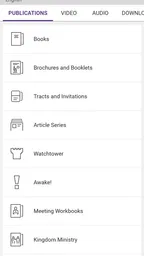
Compared with a general ebook reader, JW Library is the more natural choice when Bible reading and Jehovah’s Witnesses’ publications are the center of the task. A general reader usually makes more sense if you want to organize novels, documents, and books from many publishers in one place. Compared with a Bible-only app, this one is more appealing if you want related study content alongside the text, while a simpler Bible reader may be less distracting if all you need is a passage on screen.
That distinction matters if you are choosing an app for a family member. Someone who wants guided access to this particular body of Bible and study material may appreciate its focused design. Someone looking for broad scholarly commentary, multiple religious traditions, or a flexible library for unrelated books should compare other options first. The best alternative depends on what you expect a “reference app” to contain; this one does not try to be everything to everyone.
Its age rating is Everyone, and it was released on July 3, 2013. That long presence and broad adoption may reassure readers who want an established app, but I would still make the decision based on content and day-to-day fit. Free access removes a purchase decision, not the more important question of whether the app’s material and approach match what you are looking for.
Who should install it—and who should pass
I would recommend JW Library to readers who regularly use Jehovah’s Witnesses’ Bible and study resources, especially those who benefit from reading in different languages or want related publications close at hand. It can also suit someone building a modest daily routine: a short passage in the morning, a focused follow-up during a break, or a shared reading session where one person needs another language.
I would steer away from it if you want an independent, all-traditions Bible reference, a generic e-reader, or a study environment built around sources outside its own collection. I would also choose a more minimal option if the presence of a large library encourages you to browse when you would rather read one text without interruption. Those are not defects so much as consequences of a clear editorial focus.
My overall impression is that this is most useful when you already know what kind of material you want from it. Start with a passage or a study question, keep language changes purposeful, and test the return-to-reading flow on your own phone. Used that way, JW Library offers a practical home for Bible reading and related study. If your needs are broader or your preferred sources differ, a more general reference app will be a better fit.
What we like
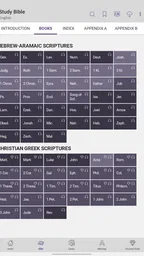
- Bible passages are easy to find with search.
- You can compare several Bible translations side by side.
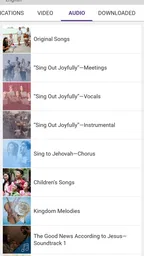
- Audio recordings make it easier to listen to scripture.
- Bookmarks help you return to important passages.
- The app works offline after content is downloaded.
What could be better
- Downloaded publications can take up substantial storage space.
- Some videos and audio require a large initial download.
- The wide range of features may feel overwhelming at first.
- Content downloads need a reliable connection to complete.
- Some publications are not available in every language.





