
Wattpad - Read & Write Stories review
 Analysis by Appsdrops
I’d recommend Wattpad to someone who wants to discover stories beyond the books they already know—and who doesn’t mind that the experience is built around a community of writers and readers. My first useful impression is that it feels less like a traditional digital bookshelf and more like a place to browse, follow a story as it develops, and decide whether you might want to write something yourself. That makes it inviting, but it also means the best experience depends on choosing carefully rather than expecting every story to feel professionally edited.
As a free Books & Reference app from Wattpad.com, it is aimed at readers and aspiring writers, with a Teen content rating. The app has a 3.7 average from around five million ratings, and it has been installed over 100 million times. Those figures suggest a large, active audience, though popularity alone won’t guarantee that you’ll find a story that suits your taste. The current version is 11.43.4, and it requires Android 7.0 or later on Android devices.
What you can expect from Wattpad
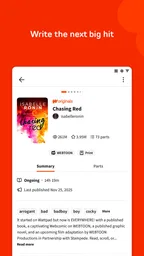
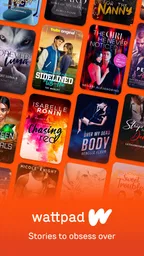
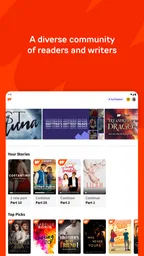
Wattpad is best approached as a discovery service for fiction and a place to share writing, rather than a direct replacement for a carefully curated bookstore. You can read stories and novels, explore work by other writers, and publish your own. The range is part of the appeal: if you enjoy looking beyond familiar bestseller lists, browsing can turn up voices and premises you might not encounter through a conventional reading app.
That openness brings a trade-off. Stories can vary in polish, pacing, and presentation, so a compelling opening does not always mean the whole work will be equally strong. I’d treat the first few chapters as a sample, not a promise. If the writing style works for you and the story holds your attention, keep going; if it doesn’t, there is little reason to force it simply because you have already started.
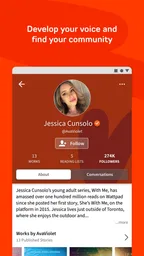
The platform is also a better fit for readers who like following writers and discussing stories than for people who only want a quiet, finished-book library. A conventional e-book service may suit you better if your priority is a consistent editorial standard, familiar book formats, or a collection you already know you want to read. Wattpad’s strength is discovery and participation, not making every title feel alike.
Start with a small, specific search
On a first visit, it’s easy to get overwhelmed by the sheer idea of browsing a large library. I’d begin with one clear preference: a genre you already enjoy, a mood you want, or a type of story you’re curious about. That gives you a practical way to judge recommendations instead of opening whatever happens to catch your eye. Read a sample before committing, and notice whether the author’s voice and chapter length suit the way you like to read.
It also helps to separate “interesting premise” from “right for me.” A story may sound appealing but use a style, tone, or subject matter you don’t enjoy. Because Wattpad carries user-created writing, taking a moment to check the story’s presentation and content is a sensible habit, especially if a younger reader will use the app. The Teen rating is a useful broad guide, not a reason to skip personal judgement about an individual story.
Make the first reading session count
A reassuring first goal is simply to find one story you want to return to. Read enough to get a feel for its voice and direction, then use the app’s available reading and discovery controls to keep exploring at your own pace. You don’t need to start by writing, commenting, or trying to build a public presence. Reading first lets you learn how stories are presented and what kind of material the community shares before deciding whether you want to take part more actively.
For an everyday example, imagine you have a short break after work and want something more absorbing than scrolling through headlines. You could open Wattpad, look for a genre you already like, sample a few openings, and settle on one story that feels easy to pick up. The useful outcome isn’t finding the “best” story in the entire app; it’s finding one that fits your mood well enough to make you want to read another chapter later.
One practical tip is to give a new story a fair but limited trial. A chapter or two can reveal whether the pacing and writing work for you, while a clear stopping point prevents an endless browsing session. If you’re unsure, save the story through the app’s reading options if available to you, then return to it when you have more time. This kind of light-touch approach makes discovery feel less like a commitment.
Reading and writing are different kinds of use
You can enjoy Wattpad entirely as a reader. The writing side is there for people who want to share their own work, but I wouldn’t treat publishing as a necessary step to get value from the app. If you’re considering writing, start with a short piece or a first chapter that you’re comfortable sharing. That gives you a manageable way to learn how the publishing experience feels without turning a casual interest into a large project.
Writers should also think about the difference between posting a draft and presenting a finished work. A community platform can make it rewarding to share a story and see readers respond, but audience attention and feedback are not guaranteed. I’d focus on the craft and on whether sharing helps you keep writing, rather than assuming that posting alone will bring a particular response.
Common points of confusion
The first is expecting every story to have the same level of editing. Wattpad’s open writing environment is a genuine source of variety, but that variety includes uneven prose and structure. If you prefer books that have been selected and edited to a consistent standard, a traditional publisher’s catalogue or a curated reading service may be a better match. If you enjoy discovering emerging writers and can tolerate occasional rough edges, the trade-off may feel worthwhile.
The second is assuming that free access means every part of the experience is necessarily free. Wattpad is free to download, but it offers in-app purchases ranging from $0.99 to $89.99 per item. I’d check the purchase details shown in the app before confirming anything, and avoid treating an in-app offer as required for reading unless the app clearly indicates that it applies to the story you chose. That small pause helps keep a casual reading habit within your budget.
Another point worth understanding is that a community-facing reading app can feel busier than a dedicated e-book reader. If you want a distraction-free session, make a deliberate choice to open a story and read rather than browsing continuously. Some people will enjoy the social and discovery side; others will find it pulls attention away from the book. Neither reaction is wrong—it depends on whether you want reading to be a shared activity or a quiet one.
Who is likely to enjoy it—and who may not
I’d suggest Wattpad to readers who like exploring unfamiliar fiction, enjoy finding writers outside conventional publishing routes, or want a low-pressure way to try sharing their own stories. It can also work well for someone who hasn’t settled on their next book and likes to sample different voices before choosing. The large audience gives the platform breadth, but it doesn’t remove the need to browse thoughtfully.
I’d be more cautious about recommending it to someone who wants only polished, complete books, dislikes user-generated writing, or gets frustrated by having to sift through options. For those readers, a curated e-book catalogue or a library reading app may be more satisfying. And if a younger person is using Wattpad, I’d choose stories with them rather than assuming that the broad Teen rating describes every individual work in detail.
The app is available on Android from version 7.0 onward. On iOS, the practical first step is to check the app store on your device for compatibility before planning a reading routine. Either way, I’d begin with the free experience and decide whether Wattpad’s style of discovery suits you before spending money on any in-app purchase.
My next step after finding a story
Once you’ve found a story you genuinely want to continue, follow a simple routine: return to it when you have a little uninterrupted time, notice whether the next chapters maintain your interest, and explore the writer’s other work only if you like the voice. That is more useful than collecting a long list of stories you never open. If you’re a writer, the equivalent next step is to revise a small section before sharing it, so you can learn from the process without putting pressure on yourself to publish a whole novel at once.
Overall, Wattpad is a strong choice when you want a broad, community-shaped reading experience and are happy to make your own calls about quality and fit. Its biggest advantage is the possibility of finding a story that feels unexpected or personal; its biggest limitation is that the open catalogue asks readers to do more of the filtering themselves. I’d install it for discovery, start with one genre and one promising story, and keep it if that first reading session makes you want to come back.
What we like
- Personalized recommendations help readers find stories that match their interests.
- Offline reading lets you continue with downloaded stories without an internet connection.
- Reading lists make it easy to save stories for later.
- Writers can publish chapters and get feedback from readers.
- The in-app editor supports drafting and updating stories.
What could be better
- Some stories contain spelling or grammar mistakes.
- The large catalog can make finding high-quality stories difficult.
- Offline access requires downloading stories in advance.
- Some features and stories may require a paid subscription.
- Ads can interrupt the reading experience.





