
Oxford Dictionary & Thesaurus review
 Analysis by Appsdrops
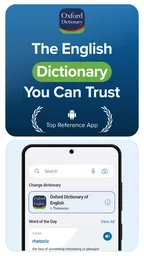
When I need to check a word while reading or writing, I want an answer quickly and enough context to use it correctly. Oxford Dictionary & Thesaurus is built for that everyday job: it is a reference app from MobiSystems, focused on English definitions, synonyms, and vocabulary. I find it most useful as a pocket companion for moments when opening a browser and sorting through search results would be more hassle than help.
Quick checks without a browser detour
The app’s main appeal is its focused purpose. Rather than mixing dictionary results with unrelated web pages, it gives you a place to look up English words and explore their meanings and alternatives. That is handy when I am drafting a message, reading a novel, or trying to make a sentence sound less repetitive. The free app is listed in the Books & Reference category, and its offline dictionary orientation makes it especially relevant when a connection is unavailable or inconvenient.
Speed matters in a reference tool because a lookup usually interrupts something else. I would expect a dictionary designed for offline use to be useful for quick checks without waiting on a web search, though actual responsiveness depends on the device and how the app behaves in a particular session. The practical advantage is the shorter path: open the reference, search the word, then return to the page or document you were working on.
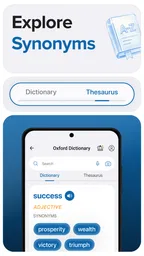
That simple loop is where Oxford Dictionary & Thesaurus makes the strongest case for itself. A synonym can help when a word feels repetitive, but I would not swap one in just because it appears as an alternative. I check the definition and fit it into the sentence mentally first; close synonyms can differ in tone, formality, or the situations where they sound natural.
What a useful lookup looks like
Suppose I am writing a note and keep using “important.” A thesaurus-style search can give me candidates, but the better workflow is to treat them as prompts rather than automatic replacements. I look for an option that matches the point I am making, then check its meaning before changing the sentence. This small habit avoids a common thesaurus mistake: choosing a word that is related but not quite right.
The dictionary is also useful during reading. If I meet an unfamiliar word, a direct definition can settle the basic meaning without sending me through a general search page. For a learner, that makes short study moments easier to fit into the day: check one word on a commute, revisit it while doing homework, or use a definition to understand a sentence before moving on. It is a reference aid, not a substitute for sustained lessons or a full course in English.
When several lookups happen in a row
Heavy use changes what I expect from an app. One quick search is easy; a run of unfamiliar words while reading or editing asks more of the experience. I would use it as a companion beside the text, checking only the words that block comprehension rather than stopping for every new term. That keeps the reading flow intact and makes the dictionary more helpful than distracting.
For writing, I find it sensible to separate the tasks: first use a definition to confirm the idea, then browse synonyms if the wording still feels flat. This prevents a thesaurus from steering the sentence before I know exactly what it needs to say. If I am polishing a longer piece, I would also read the revised sentence aloud or in context; a technically related alternative can still sound awkward in the particular voice I am using.
Offline access is a meaningful strength when signal is unreliable, but it should not be confused with every possible dictionary feature being available in every situation. The confirmed focus is offline English reference, definitions, synonyms, and vocabulary. I would choose it for those needs, while someone who depends on specialist terminology, extensive language-learning exercises, or live translation should look for a tool built specifically around that task.
Stability, interruptions, and getting back to the task
A dictionary is only dependable if it remains easy to return to after an interruption. In ordinary use, I would keep the workflow modest: look up a word, note the meaning, and switch back to the book or writing app. I would not assume that a particular search history, bookmark system, or recovery behavior is available unless I had checked it in the version installed on my device. That distinction matters because reference apps can differ considerably in how they preserve a session.
For reliability, the offline emphasis reduces dependence on a browser connection for the core kind of lookup the app is meant to handle. That can make it a calmer choice on a train, in a building with patchy reception, or during travel. Still, offline reference does not guarantee that every part of an app works identically without internet, so I would test the words and workflow I rely on before depending on it for an important study or work session.
If the app seems slow or stops responding, I would first try a straightforward recovery: leave the lookup, reopen the app, and search again. I would avoid treating one sluggish moment as proof of a general problem; available memory, the age of the device, and other open apps can affect how any reference tool feels. For a critical writing deadline, I also keep the sentence itself in my document rather than relying on a lookup screen as the only place where I have recorded an idea.
Storage, device fit, and the trade-offs
The minimum operating-system requirement is version 8.0, so compatibility is an important first check on older phones and tablets. Even when a device meets that requirement, perceived speed and available space can vary. I would keep a little room free and close unusually demanding background tasks if the app feels sluggish, rather than expecting a reference app to compensate for a device under pressure.
It is also worth distinguishing the free download from optional spending. Oxford Dictionary & Thesaurus is free to install, with in-app purchases ranging from $0.99 to $39.99 per item. I would start with the free experience and decide whether any paid option is worthwhile only after identifying a specific need. Someone who only checks occasional definitions may have no reason to spend; a frequent user should inspect the purchase details in the app before deciding what offers value.
The app is rated for Everyone, which makes it appropriate as a general reference for a broad audience, but the best fit still depends on the user. I would recommend it to readers, students, and writers who want English definitions and synonym support in one dedicated place. I would steer a user toward a translation tool for moving between languages, a grammar checker for sentence-level correction, or a specialist reference for technical vocabulary that a general English dictionary may not cover in enough depth.
How it compares with common alternatives
The usual alternative is a browser search. That can be more flexible when I need several sources, current information, or examples drawn from different contexts, but it also puts unrelated results between me and the answer. A dedicated dictionary is preferable when I want a focused definition or a synonym quickly, especially without relying on a web search. The trade-off is scope: a browser can reach a wider range of references, while this app keeps the task centered on English vocabulary.
Compared with a paper dictionary, a phone app is easier to carry and search, and it can sit beside an e-book or writing tool. A printed reference may feel more deliberate for extended study and avoids another screen session, but finding one specific word is generally less convenient. I see the app as a practical everyday lookup tool, not a replacement for every kind of language resource.
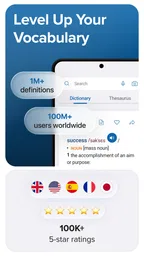
Its broad adoption is reflected in more than 50 million installs and an average rating of 4.3 from around 545,000 ratings. Those figures suggest many people find the basic reference job worthwhile, but they do not tell me whether it suits a particular device or whether optional purchases match an individual budget. I would weigh the app’s focused role and offline orientation more heavily than popularity alone.
Who should make room for it
MobiSystems’ app has been available since March 28, 2013, and version 16.8.1 is the current version noted for it. For me, the important question is less its age than whether its core job matches my routine: quick English word checks, synonym exploration, and vocabulary support. If those are regular needs, keeping a dedicated dictionary nearby can save repeated browser searches and make writing interruptions easier to manage.
I would skip it if I rarely need English definitions, prefer a single all-purpose language-learning platform, or expect a thesaurus to choose the perfect word automatically. I would also compare alternatives if my main concern is grammar correction, translation, or specialist terminology. The app is at its best when I know what I want to check and need a compact reference to help me move on.
My overall view is positive but practical: this is a focused English reference app whose offline emphasis and combination of definitions and synonyms suit everyday reading and writing. I would install it for quick lookups, use synonyms carefully, and confirm that its available options meet my needs before paying for anything. If your goal is simply to understand a word or find a more fitting alternative without leaving your task for a web search, Oxford Dictionary & Thesaurus is a sensible companion; if you need a broader language toolkit, a more specialized alternative will serve you better.
What we like
- Search results include clear definitions and useful synonyms.
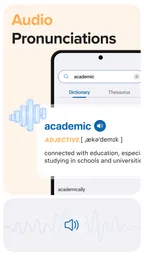
- Audio pronunciations help with unfamiliar words.
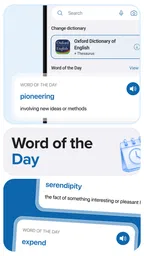
- Word of the day offers a simple way to build vocabulary.
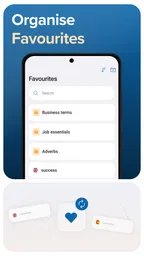
- Favorites make it easy to revisit saved words.
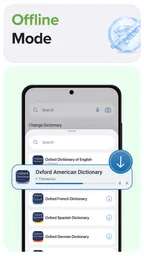
- Offline access is available for looking up words without internet.
What could be better
- Some features may require a paid subscription.
- The interface can feel dense for quick lookups.
- Advanced search tools may take time to learn.
- Audio playback requires a working device sound output.
- The app may use substantial storage for offline content.





