
Weather & News : Radar, Alerts review
 Analysis by Appsdrops
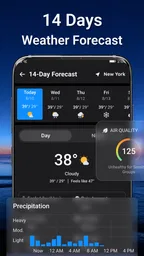
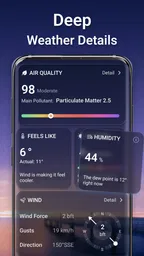
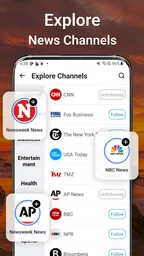
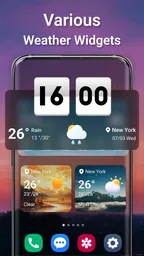
I see Weather & News: Radar, Alerts as a practical choice for people who want a weather check and a quick sense of what is happening nearby without juggling separate apps. Its mix of forecasts, radar alerts, and local news makes sense for everyday planning, but the experience is most useful when those pieces are easy for you to scan and act on. I would treat it as a convenient all-in-one starting point, not automatically as a replacement for a dedicated weather service or a trusted local newsroom.
Reading the forecast without losing the news
The app belongs to the News & Magazines category, although its weather tools are central to its appeal. That combination can save a few steps: before heading out, you can check conditions and then catch up on nearby headlines in the same place. In my view, that is more compelling than simply putting two unrelated feeds side by side. Weather affects plans, while local news can explain why a familiar route, neighborhood, or event is suddenly relevant.
The key question is whether you find the screen easy to read at a glance. A forecast is most useful when its important information stands out quickly; news is easier to browse when headlines are clearly separated and not competing with alerts. I would use the app in short visits rather than expect a deep reading experience: check what might affect the next few hours, scan local coverage, then leave. If you prefer a quiet interface with one purpose, the combined approach may instead feel busy.
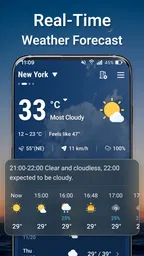
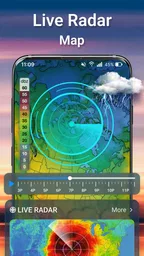
For a realistic morning routine, imagine checking the app before a commute. I would look at the forecast first, use radar information to judge whether a shower is approaching, and then scan the local news for anything that could alter the trip. That order matters: it keeps the most time-sensitive decision ahead of general browsing. A useful habit is to distinguish “I need to know now” from “I can read this later,” rather than letting headlines distract from a weather warning.
Useful when your day depends on local conditions
The strongest case for Weather & News is for someone whose plans change with both the sky and what is happening close to home. Parents arranging school pickups, people walking or cycling, and anyone coordinating outdoor errands may appreciate having those checks together. The local-news element can add context that a weather-only tool will not provide, while a radar view can make a forecast feel more actionable than a single summary.
Still, combining subjects does not guarantee that either one will satisfy a specialist. If you need detailed meteorological tools, a dedicated weather app may offer a more focused workflow. If your priority is thorough reporting, a local newspaper or broadcaster’s app may be a better place to follow developing stories. I would keep this app as a convenient overview if that is what it does well for you, and use a specialist source when a decision needs more depth.
Comfort, control, and different ways of using it
Weather information is often checked in distracting settings: outside, in a hurry, or while doing something else. That makes legibility and straightforward navigation more than cosmetic details. I recommend testing the app in the conditions where you will actually rely on it—such as bright daylight or a quick glance between tasks—and noticing whether you can find the forecast and understand an alert without hunting through news content.
Motor comfort matters too. A person using a phone one-handed, with limited dexterity, or while carrying bags benefits from a short path to the essential information. I cannot assume that every control is effortless for every user, so it is worth trying the main actions yourself: opening the weather view, moving between forecast and radar, and returning to local headlines. If frequent taps or small targets become frustrating, that is a real reason to favor a simpler weather-only option.
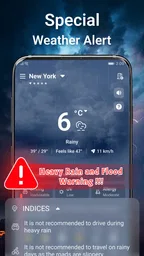
Sensory needs can point in different directions. Some readers want alerts because they would rather be told when conditions deserve attention; others may find frequent notifications or a crowded mix of weather and news overwhelming. I would keep alerts selective and useful rather than treating every prompt as equally urgent. If notification controls are available in your device or app settings, adjust them to match your routine. The aim is to stay informed without turning a helpful tool into a steady interruption.
Making it work when attention or connection is limited
A useful way to use the app is to check it before leaving home, when you have time to read the forecast and decide whether the radar view changes your plan. Then use alerts as a prompt to revisit the information, not as a substitute for looking at the full picture. Radar is most valuable when it helps answer a concrete question—whether to bring a coat, delay a walk, or choose a different time—not when it becomes another screen to watch continuously.
For someone with low vision or who prefers larger text, the practical test is whether the important weather details remain comfortable to read with the phone’s normal display settings. I would also check whether headlines stay understandable when text is enlarged. These are everyday checks, not claims of a particular accessibility certification. A tool can be useful in principle yet still fall short if its layout becomes awkward with a person’s preferred text size or display setup.
For readers who have difficulty processing dense information, a deliberate routine may help: open the weather information first, identify the main decision, and only then move on to headlines. Conversely, a person who depends on spoken access should try the core screens with their usual screen reader before relying on the app for urgent updates. The important thing is not to assume that a feature being present means it is equally usable through every interaction method.
Where the all-in-one approach can fall short
The convenience of a combined app comes with a trade-off: weather and news compete for attention. If you open it to check a warning and find yourself sorting through unrelated headlines, the central task can take longer than it would in a focused forecast app. The reverse can happen when you want a calm reading session but weather prompts pull your attention elsewhere. I would judge it by how quickly it gets you to the one thing you opened it for.
Another limitation is that a local-news feed is not the same as a complete picture of a developing story. When a headline affects safety, travel, or a major decision, I would confirm details with a dependable reporting source rather than rely on a brief item alone. Likewise, a radar display should support judgment, not replace official instructions during severe conditions. This is sensible caution for any app that brings live information together, not a reason to dismiss the convenience.
The app is free to install, with in-app purchases ranging from $1.99 to $19.99 per item. I would explore the everyday weather-and-news flow before spending anything, then decide whether a paid item addresses a need you actually have. The free entry point makes it easy to try, but the presence of purchases means users who prefer a strictly no-cost experience should pay attention to any purchase prompts rather than assume every option is included.
Who should try it—and who may be happier elsewhere
Doomob Labs is the developer, and the app is rated for Everyone. It has a 3.6 average from 93 ratings, with 28 written reviews, and has passed 100K installs. Those figures suggest that it has found an audience, while the middling average is a reason to test the interface for yourself instead of assuming it will suit every routine. Its current version is 1.2.35, and it was released on May 2, 2026.
The minimum operating-system requirement is 7.1, which gives people with older compatible devices a reason to check whether it can run on their phone. Compatibility alone, though, does not answer whether the experience is comfortable. I would pay particular attention to whether the text, navigation, and alert flow work well on your own device, especially if you rely on display adjustments or assistive technology.
I would recommend trying it if you often make local plans around changing weather and like the idea of checking nearby news in the same session. I would skip it if you want a highly focused forecast screen, dislike mixed feeds, or need a reporting source with more depth. People who find notifications stressful may also prefer a weather tool that lets them keep the experience especially quiet and predictable.
A practical, conditional recommendation
Overall, this is a sensible all-in-one option for quick local awareness, particularly when the forecast and nearby headlines help answer the same daily question: what should I expect, and does anything around me change my plan? Its greatest strength is convenience; its main risk is that a combined feed may ask for more attention than someone wants to give. Before making it part of your routine, try the core tasks in your usual settings, review how alerts affect you, and check whether the reading experience works with your preferred display and access tools.
I would keep it if it helps you make a decision faster without making your phone feel noisier. If you find yourself repeatedly opening another app to verify the forecast, read a fuller account, or reach information more comfortably, that is a good sign to choose a specialist alternative. For readers who value a single place to glance at weather and local happenings, though, the best reason to use it is the time saved between checking the sky and understanding what is happening nearby.
What we like
- Radar maps make storm movement easier to follow.
- Custom alerts can warn you about changing local conditions.
- Forecasts are available for multiple locations.
- The interface keeps weather updates and news in one app.
- Hourly forecasts help with planning short trips.
What could be better
- Frequent alerts may feel distracting.
- Radar accuracy can vary by location.
- Some features may require an internet connection.
- News coverage may be less relevant outside supported regions.
- Detailed forecasts can consume mobile data.





