




VN: Photo & Video Editor review
 Analysis by Appsdrops
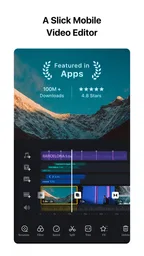
I judge an editor less by how impressive its tools sound than by what happens when I try to finish an ordinary video on my phone. VN is appealing because it aims to make hands-on editing accessible without making the result feel like a quick template job. It is a free video-editing app from Ubiquiti Labs, LLC, and it sits in the video players and editors category. My overall impression is that it gives patient beginners and regular social-video makers room to shape a clip, while asking them to learn a more deliberate workflow than they would need for a one-tap editor.
Where editing can feel less straightforward
The first point of friction is the difference between opening an editor and knowing what to do with a timeline. VN is not simply a place to trim the beginning and end of a clip; its appeal is the ability to make more considered edits. That also means a new user can spend time deciding where to tap, how to arrange material, and whether a change has affected the section they intended. If you want an instant result with almost no decisions, this style of app may feel like work rather than freedom.
I recommend starting with a short practice project instead of importing everything from a day out. Choose a few clips with a clear beginning and ending, then make one change at a time. This is a useful habit in any timeline-based editor, but especially here: it helps you see whether a confusing result came from the edit itself or from losing track of which clip or section you were working on. Once the basic rhythm feels familiar, a longer project is easier to manage.
The most useful early skill is making small edits in a controlled sequence, not trying to learn every tool at once. I would first arrange the shots into a simple story, then refine their lengths, and only then spend time on visual polish. That order reduces rework. If you start decorating a sequence before deciding its pace, you may find yourself revisiting the same sections after removing or moving footage.
Another practical snag is expectation. “Edit like a pro” can sound as if the app will make every decision for you, but a capable editor still depends on your choices. A clean result usually comes from selecting the right moments, keeping transitions purposeful, and checking the whole video rather than judging isolated clips. VN is better suited to someone willing to make those decisions than to someone who wants a finished video generated automatically.
Check the basics before starting a project
Before building an edit, I would check that the phone has the clips you intend to use and that you can find them again in its media library. It sounds obvious, but scattered files and similarly named takes are a common source of frustration. Pick the actual footage first, and make sure it plays as expected outside the editing session. If a clip is missing or already problematic on the device, an editor cannot make the source material appear.
It is also sensible to check the app’s compatibility before relying on it for a time-sensitive project. The current version is 2.24.0, and the listed minimum operating system is 7.0. That gives older supported devices a possible route in, but compatibility alone does not promise that every phone will feel equally quick with a busy project. If the interface seems sluggish, try a small test edit before committing a large collection of footage.
VN is free to install, with in-app purchases ranging from $0.99 to $109.99 per item. I would treat that as a reason to explore the basic editing experience before buying anything, rather than assuming a purchase is necessary to complete a straightforward video. The app is rated Teen, so it is worth considering that guidance when choosing an editor for a younger user. It has a 4.7 average from around 5.6 million ratings and over 100 million installs, which suggests broad adoption, but popularity does not replace checking whether its workflow suits you.
For a first session, keep the project modest and leave room on the device for your source clips and the finished export. A phone that is nearly full can make any media task more troublesome, even when the app itself is working normally. I also avoid beginning a long edit when I know I will need to switch between several unrelated tasks. A focused session makes it easier to notice what changed and to recover if I make an edit I do not like.
Recovering a project without making the problem worse
When an edit looks wrong, my first move is to pause and identify the exact point where it stopped looking right. Scrubbing back through the timeline is more useful than making several new adjustments in a hurry. If the problem is limited to one cut or clip, change that area and review the surrounding moments. If I cannot tell which action caused the issue, I stop experimenting and reopen the project only after checking that I am working on the intended edit.
A practical safeguard is to review the video from the start after any substantial rearrangement. A sequence can look fine while you focus on one clip, yet feel abrupt when watched in context. I pay attention to whether each shot earns its place, whether a cut arrives too early, and whether the overall pace changes in a way I did not intend. This whole-project check catches problems that are easy to miss when repeatedly previewing only a tiny section.
For a simple everyday example, imagine trimming a few clips from a family walk into a short recap. I would first put the clearest moments in order, remove pauses that do not add anything, and watch the sequence through before adding finishing touches. If one shot seems to interrupt the flow, I would compare it with the clips on either side rather than immediately adding an effect to disguise the awkward transition. That approach keeps the edit readable and makes the cause of a problem easier to spot.
When a project becomes confusing, simplify it. Temporarily set aside the clips that are not essential, then see whether the core sequence works. This is not a claim about a special recovery tool; it is a dependable editing method. It helps distinguish a story problem from a technical one and prevents a pile of optional footage from obscuring the shot that actually needs attention.
When the app may not be the cause
Not every disappointing result begins inside VN. If a source video already looks soft, shakes heavily, or has poor lighting, editing can improve how the footage is presented but cannot restore information that was never captured clearly. I try to inspect the original clip before changing the edit. That one check saves time and avoids blaming the editor for a problem that was present at recording.
Likewise, a video that feels slow may need tighter shot selection rather than more effects. A common temptation is to add visual changes whenever a sequence feels dull. I get better results by removing repeated moments and keeping the strongest action. On the other hand, if a clip is important for context, cutting it too aggressively can make the finished video confusing. The right balance depends on whether I am making a quick social post, a personal memory, or a more explanatory piece.
Device conditions matter too. If playback or editing feels unreliable, I check whether other demanding tasks are running and whether the phone has enough free space for the media work. I also make sure the source files themselves are accessible. These are general checks rather than guarantees, but they help separate an app issue from a device or file issue. If only one clip causes trouble, testing the rest of the project can narrow down the cause without rebuilding everything.
VN is not the right choice for every editor. If you only need to crop a video, mute a section, or make a quick trim, the built-in tools on your phone may be faster. A template-led app can also suit someone who wants the software to make most of the creative decisions. Conversely, people who enjoy arranging footage and refining timing are more likely to appreciate VN than someone who finds a timeline tedious.
How it fits beside other mobile editors
Compared with the usual alternatives, VN occupies a useful middle ground between a phone’s basic video controls and a more demanding editing setup. Built-in editors are convenient for small corrections, but they can feel limiting when you want to shape a sequence with greater care. Template-focused apps make it easy to produce a familiar style quickly, but they may encourage a more preset-driven result. VN makes most sense when you want to exercise more control without turning a casual project into a desktop production.
That flexibility is a trade-off, not an automatic advantage. More room to edit means more choices to manage, and a beginner can get a cleaner result by keeping the project simple than by trying to use every available option. I would choose VN for a short travel recap, a personal montage, or a social clip where the order and pacing matter. I would choose a simpler tool for a single quick trim, and a more specialized setup for work that depends on a tightly controlled professional pipeline.
The app has been available since May 4, 2018, and its continued presence in a crowded editing category gives it a familiar, established feel. Still, I would not use its install count as a reason to assume it is the best match for every phone or every editing style. The decisive question is whether you enjoy making a sequence yourself. If you do, the learning effort can pay off; if not, a more automatic editor may leave you happier.
My practical verdict
I recommend VN to people who want to edit video on a phone with more intention than a basic trim allows. It is free to start, widely used, and suited to someone willing to learn a timeline by working through small projects. The strongest practical advice I can offer is to choose footage carefully, make edits in a clear order, and review the complete video after meaningful changes. Those habits matter more than rushing to explore every control.
I would skip it if my only goal were to finish a tiny correction as quickly as possible, or if I disliked making creative decisions. For everyone else, it is worth trying on a modest project before deciding whether to spend money on any in-app purchase. VN earns its place as a flexible mobile editor when you want to shape the story rather than accept a preset. My recommendation is to begin with a few clips and see whether its hands-on workflow feels rewarding to you.
What we like
- The timeline makes it easy to arrange clips and audio.
- Key editing tools are available without a subscription.
- Export options support different resolutions and frame rates.
- Built-in effects and filters help shape a video's look.
- Projects can be saved for editing again later.
What could be better
- Some advanced features require in-app purchases.
- Ads may interrupt browsing through the app.
- Large projects can take time to export.
- The many editing controls may overwhelm beginners.
- Some effects and templates require an internet connection.





