

Video Player All Format HD review
 Analysis by Appsdrops
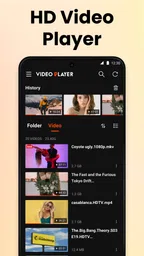
I like a video player best when it gets out of the way: I open a file, choose the right sound and subtitles, and get on with watching. Video Player All Format HD is built around that straightforward job, with extras for watching in a floating window or keeping audio going in the background. In my view, it makes most sense for people who play a mix of local videos and want more flexible viewing than their phone’s default player offers.
Everyday playback, with a few useful ways to watch
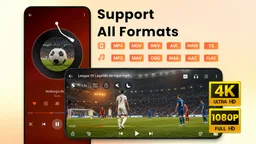
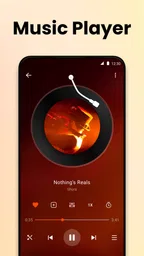
This is a free video player in the Video Players & Editors category, made by Video Player & Cast to TV. Its current version is 3.0.1, and it runs on Android 6.0 and newer. The app’s stated focus is clear: it can handle video at 4K and 1080p, display subtitles, and let playback continue in a popup or in the background.
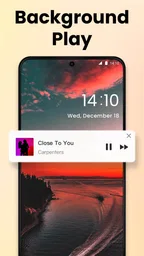
Those options are more useful than they might sound on a feature list. A floating player can keep a clip visible while I reply to a message or look up a detail, rather than making me pause and return later. Background playback suits spoken content or a video I’m mostly listening to while doing something else. These modes are practical alternatives to treating every video as a full-screen, sit-still activity.
There is a trade-off, though. A popup window is not a second screen: on a small phone, it can cover the very app I need to use, and a video reduced to a small rectangle is less enjoyable when visual detail matters. I’d use it for a tutorial I’m following casually or a familiar clip, not for a film where framing and image quality are the point.
Where it fits among Android players
Compared with the basic player that comes with a phone, Video Player All Format HD is appealing when floating playback, background listening, or subtitle support are part of the routine. A default player may be enough for occasional clips, especially if it already handles the files and controls I use. I wouldn’t install another app just because it advertises high resolution; the phone’s screen and the video itself still determine what I can actually see.
It also occupies a different place from streaming services. A video player is useful for files I already have, while a streaming app is designed around its own catalogue and account features. If I mainly watch subscription shows, this is not a replacement. If I keep personal videos, saved lessons, or other playable files on my device, a dedicated player can be the more direct tool.
The app has an average rating of 4.4 from around 178,000 ratings, and it has passed 50 million installs. That level of adoption suggests plenty of Android users find a reason to keep it around, but popularity does not guarantee that it will handle every file or fit every person’s preferred controls. I’d treat those figures as context, then test it with the kinds of videos I actually watch.
What the version history can and cannot tell me
The app was released on December 28, 2022, and its current version is 3.0.1. That gives me a useful sense of its product timeline, but those details alone do not reveal which individual features changed between releases. I would not assume that a particular control was recently added or that an update has improved playback on every device.
For someone already using it, the practical question is less “what number is the version?” and more “does it still fit my viewing habits?” If popup playback has become part of a daily routine, I’d check that the mode works the way I expect after updating. If I mostly watch full-screen, the version change may make little difference to how I use the app. In either case, I’d avoid changing several playback settings at once; checking one option at a time makes it easier to spot what actually affects the experience.
That distinction matters because a version number is evidence of the app’s current release, not a promise of a specific improvement. I’d look at the app’s current behavior on my own device before relying on it for a long trip, a class, or a presentation. For an existing user, there is no need to relearn the app simply because the version has advanced; it is more sensible to revisit the features that matter and leave the rest alone.
Subtitle and resolution choices that deserve a quick check
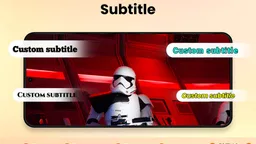
Subtitle support is a welcome inclusion for dialogue-heavy films, language practice, and videos watched without sound. My practical tip is to check the subtitle option before settling in, rather than waiting until an important scene to discover the text is missing or difficult to follow. If a particular file has several subtitle choices, selecting deliberately can save time; if the subtitle is embedded in the video, there may be less to adjust from the player.
The same careful approach applies to 4K and 1080p playback. Those formats can be useful when the source file and display justify them, but a resolution label is not a guarantee of a sharper-looking picture. A phone with a smaller screen may show little visible benefit from a very high-resolution file, while a large file can be less convenient to store or move. When I’m choosing what to keep on a device, I’d weigh image quality against storage and the screen I’ll actually use.
A simple workflow helps: test a short clip first, confirm that the picture and sound behave as expected, then try the subtitle and popup controls separately. That is especially sensible before relying on a video for a lesson or a journey. It turns the app’s advertised options into checks that matter for a specific file instead of assumptions based on a format name.
A realistic day-to-day use
Imagine I’m on a bus with a saved tutorial. I can start it full-screen to see the steps clearly, then switch to a popup if I need to check a note without losing my place. If the tutorial is mostly spoken explanation, background playback may be convenient while I sort something else on the phone. When I’m back at the important visual part, I can return to full-screen rather than trying to learn from a tiny window.
That’s the kind of flexibility I value here: not a complicated media library, but several ways to fit playback around ordinary phone use. The same approach works for a recorded talk or a familiar video. It is less compelling for a video that needs careful attention throughout, where notifications and multitasking are distractions rather than conveniences.
Costs, age suitability, and the limits to consider
The app is free to download and is rated Everyone. It also offers in-app purchases priced from $9.99 to $16.99 per item. I’d check what an optional purchase covers inside the app before paying, and decide whether I need it rather than assuming that the free version will behave exactly like a paid option. The free starting point makes it easy to try the core playback experience first.
One limitation of any player is that a feature list cannot settle whether a specific file will play well on a specific phone. Video performance depends on the file and device, so I’d test a representative sample before making this my only player. If a video stutters or its subtitles are awkward to read, trying a different file or another player may be the more useful next step than repeatedly changing unrelated settings.
I’d also skip it if my main need is organising a large media collection, syncing watch progress across devices, or accessing a catalogue of shows. Those are different jobs from playing videos on a phone, and a dedicated library or streaming service may suit them better. Likewise, anyone satisfied with their built-in player may gain little from installing another one unless popup or background playback fills a real gap.
Who I’d recommend it to
I’d recommend Video Player All Format HD to someone who often watches files on Android and wants the choice between full-screen viewing, a floating window, and background playback. It is particularly promising for people who switch between visual tutorials and spoken videos, or who need subtitles available during playback. With 2.6K written reviews alongside its much larger rating count, there is a sizeable audience discussing it, though I’d still judge it by how it behaves with my own files.
I would not choose it solely for the words “all format” or for a high-resolution label. Those claims do not remove the need to check a file, a subtitle, or a device combination that matters to me. Nor would I recommend it as a substitute for a service whose main appeal is finding and streaming new content. Its strongest case is narrower and clearer: convenient playback for videos I already want to watch.
My take after weighing the trade-offs
What makes this app worth considering is the way its viewing modes cover different moments: full-screen when detail matters, popup when I need to do something else, and background playback when the audio is enough. Subtitle support adds a useful option for quiet environments and dialogue that needs extra clarity. Those features give it a more flexible role than a bare-bones player, without turning it into something I’d use for every media task.
My advice is to install it if those specific options solve a problem you have, then try a familiar video and check resolution, subtitles, and the popup mode before depending on it. If your existing player already does everything you need, there may be no reason to switch. For everyday Android video playback, it is most convincing when convenience matters more than building a full media library.
Overall, I see Video Player All Format HD as a practical, free-to-start choice rather than a universal answer. Its 50 million-plus installs show it has reached a broad Android audience, but the right decision still comes down to your files, screen, and habits. I’d keep it in mind for flexible local playback, while choosing a streaming or library-focused alternative when discovery and organisation matter more.
What we like
- Supports common video formats without requiring separate codecs.
- Offers subtitle controls for adjusting timing and appearance.
- Includes playback speed options for faster or slower viewing.
- Provides a floating window for watching while using other apps.
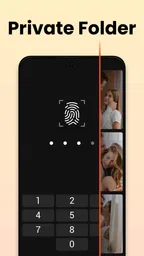
- Lets users protect selected videos with a private folder.
What could be better
- Some advanced features may require in-app purchases.
- The app may display advertisements during use.
- Battery use can increase during long high-resolution playback.
- Subtitle support may vary depending on the file format.
- The interface can feel crowded with its many playback controls.





