
Video Downloader & Video Saver review
 Analysis by Appsdrops
I approached Video Downloader & Video Saver as a practical tool for one particular creative job: saving online videos so they’re easier to revisit, organize around a project, or use as viewing references later. It isn’t an editing suite, and it doesn’t turn a rough idea into a finished publication. Its appeal is more straightforward: it aims to make saving videos from the internet easy, with a focus on speed and privacy. For creators who gather inspiration before making something of their own, that simple role can be useful.
A straightforward starting point for video collection
The first thing I like about a focused downloader is that it gives a collection task a clear starting point. Instead of treating every interesting clip as something I have to find again later, I can use a dedicated app to save videos for future reference. That can help when I’m collecting examples of visual styles, keeping track of clips I want to revisit, or simply saving something for a more convenient viewing session.
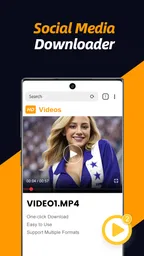
Video Downloader & Video Saver is presented as a fast and private video downloader, with a concise promise: save videos from the internet easily. That positioning tells me what to expect. The app is about the step before editing or publishing, not about adding effects, trimming footage, or building a finished project. I see it as a utility in a creator’s toolkit rather than a complete production workspace.
That distinction matters. Video projects often begin with research, references, and examples, and a downloader can make that early stage feel less scattered. The app’s purpose is easy to understand even if you’re not a video professional. If you’ve ever found a clip you wanted to watch again and wished it were easier to keep on hand, the idea behind this app is immediately familiar.
It’s also a general-purpose app rather than a tool aimed only at a particular creative discipline. Someone gathering cooking demonstrations, travel inspiration, music-related clips, or visual references can approach it with the same basic goal: save a video and return to it later. I appreciate that kind of narrow usefulness. Apps don’t need to do everything to earn a place on a phone; sometimes a clear, repeatable task is enough.
Where it fits in a creator’s workflow
For a creator, saving a video is usually a supporting activity rather than the final result. You might be collecting references before planning a shoot, keeping useful material nearby for personal study, or creating a small library to browse when you need an idea. This downloader is aimed at that practical stage. It can sit alongside editing and publishing tools, helping with the gathering side of a broader process without pretending to replace those other apps.
I’d also keep expectations grounded. A video downloader is not the same thing as a project manager or a media editor. Its value depends on whether saving videos is a task you actually need to do. If your main goal is to cut clips, add titles, adjust audio, or publish a finished video, you’ll still need tools designed for those jobs. If the goal is simply to make video saving easier, the app’s focus is a better match.
The making process: keep the task simple
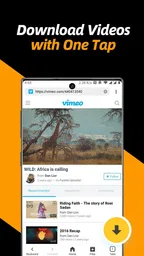
The store summary describes a simple outcome: save videos from the internet. That makes the core workflow easy to picture without dressing it up as a complicated creative process. You start with a video you want to keep, use the downloader for that purpose, and have a saved item to return to. I like that the central promise is direct. A utility app is easier to judge when its main job is obvious.
In practical terms, I’d use an app like this as a place to collect material for later viewing rather than as a substitute for careful project organization. A saved clip can be a reference, a reminder, or something worth watching again, but the creative decisions still come from you. The app may help with access to the material; it won’t decide how that material informs your work. That’s a sensible boundary for a downloader.
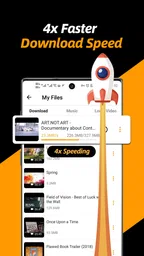
The emphasis on speed is relevant because nobody wants a basic saving task to become a project of its own. When I’m collecting references, I want to spend my attention on the ideas in the videos, not on managing a fussy process. The app’s stated aim is to make saving easy, and that’s the right promise for this category. I’d judge it by whether it makes that recurring task feel more convenient and less like a chore.
Privacy is also part of how the app presents itself, which is a meaningful consideration for a tool that handles personal viewing habits. I treat that as a stated focus, not as a reason to assume anything beyond the app’s description. For me, the practical takeaway is that the developer recognizes privacy as part of the downloader’s appeal. That’s a useful point for anyone deciding whether a dedicated video-saving app belongs in their routine.
Because the app is focused on saving rather than editing, it’s best to think of it as one link in a longer chain. A creator might discover a clip, save it, review it, and later make an original project inspired by what they’ve learned. The downloader supports the collection stage, while the actual creation happens elsewhere. Keeping those roles separate makes the app easier to assess and prevents the wrong expectations from creeping in.
Iteration: return to references, not endless settings
Iteration in a creative workflow often means revisiting material, comparing examples, and refining an idea. A saved video can help with that process because it gives you something to return to when you’re shaping a concept. You might watch a reference again before recording, compare it with another example, or use it to remind yourself of a particular approach. In that sense, the downloader can support creative iteration indirectly, by making video references easier to keep close.
I wouldn’t confuse that with an editing timeline or a feedback system. The app’s described purpose is downloading, not revising video content. That makes its role modest but clear: it can help you hold on to material that informs your work, while your editing decisions happen in the tools built for editing. For some users, this focused approach will be a plus; for others, it may feel limited if they expect one app to handle the entire production cycle.
A useful habit is to be intentional about what you save. If you keep every clip that catches your eye, even a convenient downloader can contribute to a cluttered collection. I’d treat saved videos as working references: keep the ones that serve a purpose, revisit them when they’re relevant, and avoid expecting the app itself to provide a complete creative filing system. That advice applies to any collection tool, not just this one.
The app’s scale suggests that video saving is a common need. It has more than fifty million installs, an average rating of 4.4, and around 365,000 ratings. Those figures point to broad use, though the right question for an individual creator is still whether the app’s specific job matches their habits. Popularity can be reassuring, but it doesn’t replace trying a tool for your own workflow and deciding whether its central task is useful to you.
There’s also a substantial body of user feedback, with about 9,000 reviews. I see that as a sign that many people have taken the time to share their experiences, but I wouldn’t treat a headline rating as a guarantee that every use case will feel the same. A lightweight downloader may be valuable to someone who saves videos often and unnecessary to someone who rarely needs offline references. The best fit depends on the role you want the app to play.
From saved clip to handoff
In a creator workflow, the handoff is the moment when collected material becomes useful somewhere else: you review it, draw inspiration from it, or bring your own work into an editing and publishing process. This app’s role is at the beginning of that handoff. It is meant to save videos, not to package a finished edit for delivery. That keeps the scope easy to understand and helps me assess the app on the task it actually sets out to do.
If you’re organizing a project, I’d pair a downloader with whatever system you already use to keep notes, plan shoots, or edit footage. The saved video can be a reference point, but your own labels and creative decisions are what make a collection meaningful. A simple tool can still fit into a thoughtful workflow, provided you don’t ask it to manage stages it wasn’t designed to handle.
It’s worth being considerate about how you use any video-saving tool. Saving a clip for personal reference is not the same as having permission to republish someone else’s work. If you plan to share or incorporate material into a project, pay attention to the creator’s rights and the rules that apply to the source. That’s a general responsibility for anyone working with online videos, and it matters just as much when a download is easy.
The app is free, which lowers the barrier to trying it as a utility. It is rated Teen, and its current version is 1.29.7; it runs on Android 7.0 or later. The app was released on November 25, 2020, and is made by All Video Downloader, Saver & Player Studio. Those details give Android users a practical picture of compatibility and the app’s background without changing the central question: do you regularly want a dedicated way to save videos?
What kind of user will appreciate it?
I can see the appeal for people who frequently collect online video references and want a dedicated app built around saving them. Students revisiting demonstrations, hobbyists gathering examples, and creators assembling inspiration may all find that narrow purpose handy. The app’s straightforward framing also makes it approachable for casual users who don’t need a complicated media workspace.
On the other hand, if your creative routine is already centered on editing software and you rarely save online clips, this may not add much. It doesn’t claim to replace a video editor, and I wouldn’t choose it expecting a full set of production tools. Its best use is specific: make video saving more convenient, then let you decide what to do with the material afterward.
That focus is ultimately what gives the app its identity. The phrase video downloader describes the job more accurately than a broad promise of creativity or content production. It’s a support tool, and support tools are most useful when they remove friction from a task you repeat. If saving videos is already part of your routine, a dedicated option can make that stage feel more organized; if not, its main benefit may be less compelling.
My creator verdict
My overall take is that this is a purpose-built utility for the collection stage of a video workflow. It doesn’t appear positioned as an editor or publishing platform; instead, it focuses on saving videos from the internet, with speed and privacy as part of its appeal. That makes it easy to understand and easy to place beside the tools that handle the rest of a project.
I like the practical idea behind it. Creative work often starts with curiosity, and keeping a useful reference nearby can help turn that curiosity into a plan. A downloader can support that transition without taking over the creative process. The important thing is to use it as a means to an end: save something worth revisiting, learn from it, and bring your own ideas to the work you make.
For Android users looking for a free video-saving app, Video Downloader & Video Saver is worth considering if its core task matches a real need. Its broad adoption and solid average rating make it a familiar option in the category, while its focused purpose keeps expectations in check. I’d recommend approaching it as a convenient companion for gathering video references—not as a complete solution for editing, managing, or delivering creative projects.
In short, the app makes the most sense when you want to save videos and return to them later. If that’s a regular part of how you learn, plan, or gather inspiration, its straightforward focus may fit neatly into your routine. If you’re looking for tools to transform footage or publish polished work, you’ll want to pair it with apps built for those stages. As a downloader, its appeal is simple: help keep useful videos within reach so the next creative step is easier to begin.
What we like
- Supports saving videos for offline viewing.
- Offers a straightforward download workflow.
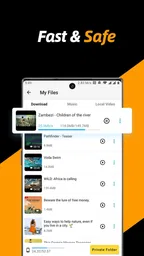
- Keeps saved clips accessible in one place.
- Can help reduce mobile data use during playback.
- Useful for organizing videos on a device.
What could be better
- Some sites may block downloads.
- Downloaded files can use substantial storage.
- Video quality options may vary by source.
- Background downloads may be interrupted by system limits.
- Downloading copyrighted videos without permission may be unlawful.





