




Varo Bank: Online Banking review
 Analysis by Appsdrops
When an unexpected bill lands just before payday, the most useful banking feature is often the one that helps you bridge the gap without adding a fee. That is the central appeal of Varo Bank: Online Banking: it puts early access to pay and cash advances at the center of an otherwise everyday mobile banking experience. I see it as a practical option for people who want a little more flexibility between deposits, not as a substitute for a budget or a dependable emergency fund.
Early access is the feature to judge first
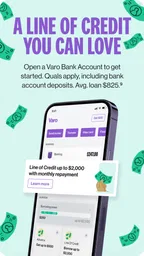
Varo Bank is a finance app from Varo Bank, N.A., and its clearest distinction is the combination of mobile banking with early-payday access and cash advances. That focus matters because many people do not need a complicated financial dashboard; they need to manage routine money and handle a timing problem without turning to a high-cost short-term lender. The app’s value depends on whether its access options fit your circumstances, so I would look closely at the terms shown in the app before relying on them.
Early access can make a difference when a pay date and a bill due date do not line up neatly. If a paycheck arrives earlier than expected, having it available before the usual payday may give you more room to cover essentials. A cash advance addresses a different need: a temporary shortfall when you cannot wait for the next deposit. Those are related forms of flexibility, but they are not interchangeable, and I would not treat either as extra income.
The distinction is worth keeping in mind before you build a routine around the app. Early payday is tied to when income becomes available, while an advance is a way to address a gap that may need to be repaid. Before using an advance, I would check what the app says about eligibility, the amount available, repayment timing, and any conditions that apply to my account. A feature described as no-fee should not be read as a promise that every user can access every option in every situation.
What the promise means in an ordinary week
Imagine your rent or utility payment is due a day or two before your usual pay date. If your deposit becomes available early, that timing may help you avoid shuffling money between accounts or risking a late payment. The benefit is not that your income has increased; it is that the gap between receiving money and needing it may be smaller. That can make planning calmer, especially when your bills follow a steady schedule.
For a less predictable expense, an advance may seem like the quicker answer. I would reserve it for a genuine short-term need and first consider whether I can move the payment date, use money already set aside, or wait for the next deposit. This order matters: a convenient advance can solve today’s problem while making the next pay period tighter. The app is most helpful when it supports a plan, rather than becoming the plan.
That is also why I would not compare Varo solely with a traditional bank account. A standard banking app may be enough if your main concern is checking balances and moving money, while a dedicated budgeting tool may better suit someone trying to track spending in depth. Varo’s appeal is narrower and more immediate: it brings banking and access to money around payday together in one mobile experience.
A more useful way to build a payday routine
Rather than checking for an advance only when a bill is already overdue, I would use the app as part of a weekly cash-flow check. Look at upcoming obligations, compare them with the next expected deposit, and decide whether early access changes the timing enough to matter. If it does, you can make a deliberate choice. If it does not, you avoid treating an available feature as something you need to use.
A helpful habit is to assign early-arriving income to the same bills you would have paid on the regular payday. Otherwise, getting money sooner can create the impression that there is more to spend. I would also keep a simple note of any advance and its expected repayment, so the following pay period does not catch me off guard. These small steps make a short-term tool easier to manage without requiring a complicated spreadsheet.
Another practical point is to keep a backup plan outside the app. If a bill is important, knowing how to contact the provider or adjust its due date may be more reliable than assuming early access will always solve the timing issue. I would avoid scheduling a payment based on money that has not actually appeared as available in the account. In a tight month, that little pause can prevent one timing problem from turning into another.
Where the convenience has limits
The main tradeoff is that early access and advances do not remove the underlying mismatch between income and expenses. If your budget is short every month, repeated advances can leave less money for the next cycle. I would see the feature as a bridge for occasional timing trouble, not a recurring source of cash. Anyone who needs to borrow regularly may be better served by reviewing bills, seeking a more stable repayment arrangement, or getting personalized financial guidance.
There is also a difference between a feature being available in an app and being suitable for every account holder. Access may depend on the circumstances shown within the account, and the amount or timing may not match what a person needs. I would check the in-app details before making a commitment, especially if a payment is urgent. No mobile banking tool can make uncertain income or an inflexible bill schedule disappear.
Varo may not be the best choice if you want a bank app chiefly for a broad set of account types, detailed investment tools, or hands-on service as your primary way to bank. It is also not an ideal fit if you prefer to keep all financial decisions offline or dislike managing money through a phone. For those priorities, a different bank or a specialist service may line up better. I would choose based on the job I need done, not just the appeal of getting access sooner.
For comparison, many standard banking apps focus on account access and routine transactions, while budgeting apps focus on categorizing spending and setting goals. Varo stands out for putting payday timing and cash-flow flexibility closer to the banking experience. That focus is useful, but it does not automatically make it a stronger budgeting tool or a better fit for every banking need. If you already have a bank you like and rarely face a gap before payday, switching may offer little practical benefit.
Who is likely to get the most from it
I think Varo is most compelling for someone who receives regular income, uses a phone as their main way to manage money, and sometimes needs a little more breathing room around pay dates. It may also suit people who want a straightforward mobile banking option and see early access as a useful backup rather than something to depend on. The key is being comfortable checking the conditions and keeping track of how any advance affects the next cycle.
It is less suitable for someone whose income is highly unpredictable and who needs a guaranteed amount by a fixed date. It may also disappoint a person looking for extensive financial planning or a replacement for professional advice. If your immediate need is a one-time payment, compare the app’s terms with alternatives such as asking a provider for a due-date change; the easiest option is not always the least disruptive over the full month.
The app is free to download and has an Everyone content rating. It was released on October 1, 2020, and version 4.44.1 requires Android 10 or later. Those details make it easier to judge basic compatibility, but the more important question is whether its payday-focused features fit your habits. I would install it for that specific use case, then take time to review the account and advance terms before making it part of my regular cash-flow plan.
With an average rating of 4.4 from around 246,000 ratings, more than 33,000 written reviews, and over five million installs, Varo Bank: Online Banking has clearly reached a large audience. Those figures suggest broad interest, but they cannot tell you whether the app’s access rules fit your own finances. My recommendation is conditional: it is worth considering if early pay and occasional short-term flexibility solve a real problem for you, and if you can use advances carefully. If you simply need a place to check balances, or if borrowing would become a monthly habit, another option may be the wiser choice.
What we like
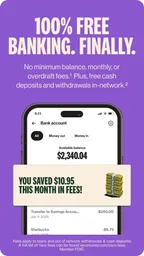
- No monthly account maintenance fee is charged.
- Eligible direct deposits may arrive up to two days early.
- The app includes tools for tracking spending and account activity.
- Varo offers savings features with a competitive rate for eligible users.
- A debit card can be locked through the app if it goes missing.
What could be better
- Varo does not offer in-person branches for customer support.
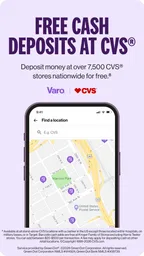
- Cash deposits may involve fees at participating retail locations.
- Some banking features require meeting eligibility requirements.
- The account has no traditional paper checkbook.
- Customer support options may be limited compared with branch-based banks.





