

Intuit Credit Karma review
 Analysis by Appsdrops
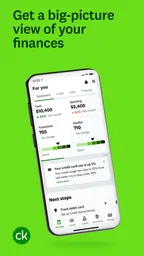
I would treat Intuit Credit Karma as a financial overview and guidance app, not as a substitute for a bank or a personal budget. It is designed to help you check where things stand and consider practical next steps. For a first-time user, the most useful mindset is to arrive with one question—such as “What should I review before applying for credit?”—rather than expecting the app to solve every money problem at once.
Getting oriented before you act
Intuit Credit Karma is a free finance app from Credit Karma, LLC. Its audience is broad: the age rating is Everyone, and it is available on Android devices running version 10 or later. The app has been around since February 28, 2013, and its current version is 26.46. Those details make it a well-established option, though a long history alone does not tell you whether its approach suits your needs.
The scale of its audience is notable: it has more than 50 million installs, with a 4.7 average from around 3.3 million ratings and about 445,000 written reviews. I see that as evidence that many people find it useful, not a guarantee that every recommendation will fit every person. Financial choices are personal, and you should still check important details before acting.
Before installing, decide what “success” would look like for you. Maybe you want a clearer picture of your credit standing, a way to explore options, or simply a regular place to check your financial situation. That small decision helps keep the experience focused. If you expect a complete account ledger, detailed household budget, or a replacement for your bank’s own tools, you may be looking for a different kind of app.
Set up with a purpose, not a rush
When you first open a finance app, it is tempting to move quickly through every prompt just to reach the main screen. I would take a slower approach here. Read each request, understand what information you are comfortable entering, and use only the parts that support your immediate goal. You do not need to explore every corner on day one to get value from it.
A practical first session is simple: create the account as directed, review the available overview, and note anything you want to verify later. If the app asks you to connect or provide financial information, pause and consider whether that step is necessary for the task you have in mind. Keep your device protected and avoid signing in on a shared phone. Those are sensible habits for any app that deals with personal finances.
I also recommend separating “checking” from “deciding.” A screen can help you notice a number or option, but it does not know your full household situation, your plans, or your tolerance for risk. Treat the first visit as a chance to orient yourself. You can always come back after you have checked relevant details elsewhere.
Your first meaningful win
For a realistic first use, imagine you are thinking about applying for a new credit product but are not sure whether now is the right moment. Instead of applying immediately, open the app to review the information and guidance it presents, then write down the specific question you still need answered. You might want to compare the displayed picture with your own records or understand what factors deserve attention before making a decision.
This is a modest but useful outcome: you leave with a clearer question and a plan to verify it, rather than making a rushed application based on a single screen. Use the app to prepare for a decision, then confirm the terms and consequences with the relevant provider before you commit. That workflow is more valuable than treating any recommendation as an automatic instruction.
Another sensible use is a brief financial check-in when circumstances change. If you are planning a large purchase, reviewing your credit situation, or trying to decide what to investigate next, the app can serve as a starting point. I would keep a note of what you checked and when, especially if you are comparing information across several services. That makes it easier to distinguish a new development from a difference in how two tools present information.
What the app does well—and where I would be cautious
Credit Karma’s strength is accessibility. A finance app is most useful when it turns an intimidating subject into something you can inspect in short sessions. Its broad adoption and free entry point make it easy to try without paying for the app itself. For someone who wants a convenient overview and a nudge toward useful questions, that can be a good fit.
The trade-off is that a guided financial experience is not the same thing as neutral, comprehensive financial planning. Whenever an app presents a product or a suggested next move, I would ask what problem it solves for me, what it costs, and whether another option would be better. Compare the full terms rather than focusing on an appealing headline or a single figure. If you need advice tailored to complicated debts, taxes, or a major life decision, a qualified professional may be more appropriate.
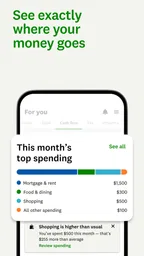
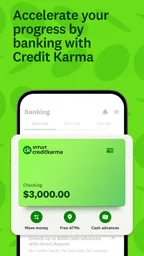
It also should not be your only record-keeping tool if you need to track every transaction or build a detailed monthly budget. A bank app is usually the more direct place to review activity in a specific account, while a dedicated budgeting app may be better for assigning spending limits and monitoring categories. Credit Karma is most compelling when your priority is a broader financial check-in, not meticulous day-to-day bookkeeping.
Common misunderstandings to avoid
One common mistake is assuming that a credit-related view tells the whole story of your financial health. It does not replace checking account balances, recurring bills, savings goals, or the actual terms of a loan or card. I would use it as one perspective, then consult the original account or provider whenever a detail affects a real decision.
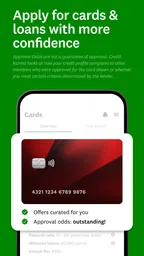
Another source of confusion is treating a recommendation as a promise of approval or savings. A suggestion can be worth exploring without guaranteeing that you will qualify or that it is the best deal available. Compare offers carefully, and do not apply simply because an option appears prominently. The right choice depends on your circumstances and on the terms you can actually obtain.
People also sometimes expect a finance app to update their understanding instantly or to make every difference between services disappear. If two places show information differently, do not assume one is necessarily wrong. Check what each screen is measuring and consult the original source when accuracy matters. A quick note about the date and context of what you reviewed can prevent confusion later.
Who should choose another tool
I would skip this as a primary solution if your main need is transaction-level budgeting, shared household expense tracking, or a complete picture of accounts that you manage elsewhere. In those cases, a budgeting service or your financial institution’s own app may match the job more closely. It is also not the right place to outsource a high-stakes decision: use it to become better informed, not to avoid reading terms or seeking specialist help.
On the other hand, it makes sense for a curious beginner who wants a low-cost way to start examining personal finances. You do not need to be an expert to get started, but you do need a little patience and a willingness to verify what matters. The best results come from using it with a specific question and resisting the urge to act on every prompt.
A useful next step after the first visit
Once you have completed that first check-in, choose one follow-up action you can actually finish: review a relevant account, compare the terms of an option, or revisit a question after gathering the necessary details. Avoid turning a single session into a full financial overhaul. Small, deliberate checks are easier to trust and easier to repeat.
My recommendation is to try Credit Karma if you want a free, approachable finance app for orientation and next-step research. Keep your bank’s tools for account-specific details, use a budget app if spending control is the real goal, and treat any product choice as something to compare independently. With those boundaries, it can be a helpful starting point without pretending to be your entire financial plan.
What we like
- Free credit score monitoring helps users track changes over time.
- Personalized alerts can flag important updates to credit reports.
- The app offers tools for estimating loan and credit card eligibility.
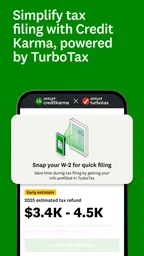
- Tax filing features add value beyond credit monitoring.
- Account security features help protect sensitive financial information.
What could be better
- Credit score changes may not appear immediately.
- Some financial offers are personalized based on user data.
- Available offers can vary by location and financial profile.
- The app may request access to sensitive personal information.
- Not every credit bureau or lender reports the same data.





