

Google Wallet review
 Analysis by Appsdrops
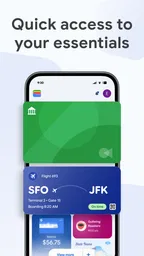
I like a wallet app best when it removes a small daily hassle without creating a new one. Google Wallet’s most useful idea is bringing contactless payments together with digital passes, IDs, and tickets in one place. Instead of reaching for a physical card or searching through messages for an admission pass, I can check the app first. That convenience is the point—and it works best when the places and services I use support the items I want to carry.
One app for a tap and the things you carry
In finance, many apps focus on accounts, budgets, or sending money. Google Wallet takes a more immediate role: it gives compatible payment cards and other supported items a digital home, so I can use them when I’m out. For me, the strongest benefit is not that a phone replaces every card in my life; it’s that the cards and passes I reach for most can be easier to find and use.
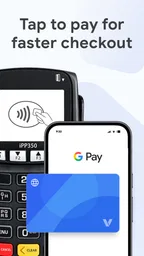
The payment flow is designed around tapping rather than opening a banking app and navigating its menus. When contactless payment is available and set up, I can use my phone at a compatible terminal. The same central place can also hold supported tickets and passes, which makes the app feel more like a practical everyday wallet than a finance dashboard.
That distinction matters if you’re deciding whether to install it. I wouldn’t choose it as a tool for tracking spending or managing a household budget. I would consider it when I want fewer physical items in my pocket and a quicker way to reach supported payment cards and travel or event credentials.
Google LLC develops the app. It is free, has an Everyone content rating, and has been available since June 24, 2011. Its scale is substantial: it has over one billion installs, with an average rating of 4.3 from around 2.3 million ratings. Those figures suggest broad adoption, but they don’t guarantee that every bank, retailer, or ticket issuer will work the same way for every user.
What the tap-to-pay approach changes
With a physical card, payment usually means taking it out, presenting it, and putting it away. With Wallet, the phone becomes the thing I reach for at the terminal. That can be a real improvement when I’m carrying a bag, juggling groceries, or trying to keep a transit or payment card accessible. It is a modest convenience, but one I can appreciate repeatedly because it fits into an existing routine.
The useful mental model is a digital counterpart to selected items in a physical wallet—not a magic copy of everything. A payment card, an event ticket, and an identity document each depend on being supported and added in the relevant way. Before relying on the app for a particular journey or appointment, I’d make sure the item I need is actually available inside it and ready to present.
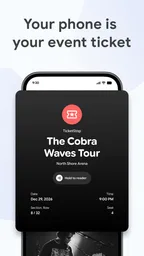
That check is especially worthwhile for tickets. A pass stored in the app can be easier to pull up than an email attachment, but the benefit depends on the issuer and the format of the ticket. I’d add it before leaving home, then open it once to confirm it appears as expected. This small preparation avoids discovering at a gate that the item is still buried in an inbox or was never added.
How I’d use it during an ordinary day
Picture a weekday errand run: I leave home with my phone, pay at a contactless checkout, and later need to show a ticket for an event. The appeal is that the payment card and supported ticket can sit in the same app rather than being split between a physical wallet and an email search. If I’m moving quickly, fewer places to look can mean less fumbling.
I’d still treat the phone as a device, not as an infallible substitute for every backup. If a particular purchase or venue is important, I’d keep whatever alternative is appropriate until I know the digital item will be accepted. A physical card can be the better fallback where contactless payment isn’t available, and a ticket issuer’s own app or a printed ticket may be more dependable if that is what the venue requires.
One practical habit is to add items as soon as I receive them, rather than waiting until I’m standing at the entrance. Another is to keep the app’s contents tidy enough that I can spot the item I need without scanning a long collection. Those are simple steps, but they turn “my ticket is somewhere on my phone” into a more useful routine.
It also helps to distinguish storing a pass from guaranteeing access. Wallet can make a supported item easier to retrieve; it doesn’t determine whether a merchant, transport service, or venue accepts that item in that form. I would check the instructions from the issuer whenever admission or travel depends on a particular presentation method.
Where it fits beside other options
Compared with carrying a conventional bank card, Wallet’s main advantage is convenience at a compatible contactless terminal and having supported items nearby on the phone. Compared with a bank’s own app, it can be a more direct place for everyday tapping and passes, while the bank app may remain the better place to review account details or manage services specific to that bank.
Compared with a dedicated ticketing or travel app, Wallet’s appeal is consolidation: supported items can live alongside payment cards instead of requiring a separate app for each task. But a dedicated service may still be the better choice when it offers the exact ticket-management workflow or instructions an issuer expects. I see Wallet as a useful hub, not a reason to uninstall every app connected to a card or ticket.
This is also why I wouldn’t judge it only by how many things it claims to hold. The better question is whether the cards and passes I actually use are supported in my situation. If they are, the reduction in switching and searching can be noticeable. If most of my important services require separate apps or physical credentials, the hub is less compelling.
Tradeoffs worth knowing before relying on it
The first tradeoff is compatibility. Contactless payment depends on the payment terminal and the card setup, while digital passes and IDs depend on the relevant provider. A phone wallet can simplify the parts that work with it, but it cannot make an unsupported card or credential usable. I’d check my everyday payment card and essential pass before making it my primary option.
The second is dependence on the phone. A physical wallet works independently of battery and app access; a digital one puts more responsibility on the device being available when I need it. That does not make the app unsuitable, but it changes my backup habits. For a commute, appointment, or event where being able to pay or show a credential is essential, I’d think through what I’d do if my phone were unavailable.
There is also a small setup and upkeep cost. Adding a card or pass takes effort, and old or irrelevant items can make the collection harder to navigate. I’d keep the app focused on things I use, remove items when they are no longer relevant if the app allows it, and avoid assuming that every item will update or behave identically. The experience is most convenient when I prepare it rather than treating it as a last-minute fix.
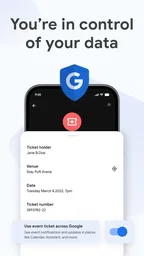
Privacy and security are reasonable considerations for any app that holds payment or identity-related items. I’d use the device’s available security protections and be thoughtful about who can access the phone. The convenience is valuable, but it should not mean leaving a device unlocked or treating a digital wallet as risk-free. I also wouldn’t add sensitive credentials casually just because the app can hold supported items.
For someone whose main goal is financial oversight, the limitation is more basic: this is not where I’d expect to build a detailed picture of spending. A bank or budgeting app is a better fit for that job. Likewise, if I routinely pay in places that don’t support contactless payments, or rely on credentials that cannot be added, a physical wallet remains more dependable.
Who gets the most from it
I’d recommend Google Wallet most to someone who already uses a compatible phone and payment card, often pays at contactless terminals, and receives passes that can be stored digitally. The greatest payoff comes from the combination: tap to pay for routine purchases, then retrieve a supported ticket or pass without searching elsewhere. If only one of those needs matters, it may still help, but the overall convenience is narrower.
It can be particularly handy for people who like leaving a bulky wallet at home for short errands. I’d suggest trying it with one frequently used card first, then adding a pass only after confirming the issuer supports it. That gradual approach makes it easy to see whether the app fits your real routine before you depend on it for everything.
I’d be more cautious recommending it as the sole option to someone who needs a physical ID or payment card accepted in situations where digital versions may not be. The right choice is often a hybrid: keep the phone wallet for speed, but carry a physical backup when acceptance or device availability matters. That is not a failure of the app; it is a sensible response to how varied everyday payment and credential systems can be.
Overall, I find the app’s value clearest in one specific job: making supported payments and passes easier to reach from a single place. It is free to try, and its broad adoption makes it a familiar option, but compatibility and the need for a dependable backup still matter. If you want a wallet that can turn a phone into a convenient tap-to-pay tool and a home for selected passes, I think it is worth considering. If you want budgeting, universal acceptance, or a complete replacement for physical credentials, I’d choose a different tool or keep a physical wallet in the mix.
What we like
- Tap to pay works at many contactless terminals.
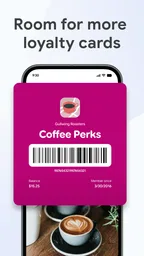
- Passes and tickets are easy to find in one place.
- Payment card details are not shared with merchants.
- Transaction history helps track recent spending.
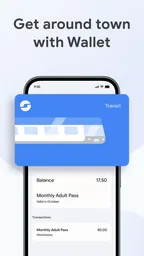
- Some transit systems support tap-to-ride access.
What could be better
- Contactless payments require a compatible phone and terminal.
- Availability of features varies by country and bank.
- Some cards may not support mobile payments.
- A damaged or uncharged phone can prevent access to passes.
- Not every merchant accepts contactless payments.





