
Chase Mobile review
 Analysis by Appsdrops
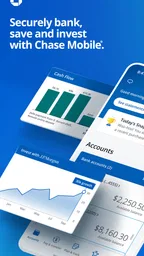
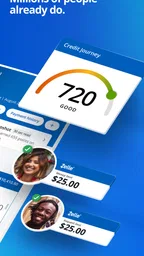
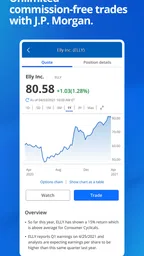
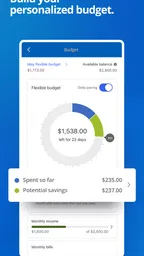
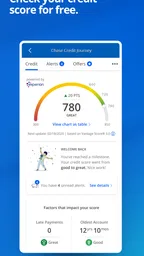
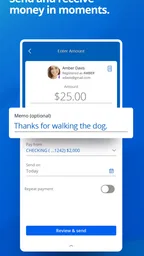
Managing money away from home is less about having every banking tool in one place and more about getting a routine task done without turning it into an errand. Chase Mobile is built around that everyday need: it lets Chase customers bank on the go, at any time. I find that the app’s appeal is its straightforward premise. Open it when a banking task comes up, handle what you can from your phone, then get back to the day.
From a banking need to a useful first step
Chase Mobile is a free finance app from JPMorgan Chase, and its central purpose is clear from the start: mobile access to banking. That focus makes it relevant for people who want to check in with their finances while out and about, rather than waiting until they are at a computer or near a branch. The app is available for everyone by its age rating, though its practical value naturally depends on being a Chase customer and having a reason to use Chase banking.
The first part of the workflow is simply recognizing when a phone is the most convenient place to deal with a banking task. Maybe you have a moment between appointments, need to review an account while traveling, or want to take care of something before you forget. A mobile app can make those moments productive. Instead of treating banking as a separate trip or a scheduled desktop session, you can begin with the device already in your hand.
That convenience is the promise behind the app’s “on the go” approach, and it is a meaningful one. Banking is often made up of small, practical check-ins rather than one big event. Having a dedicated app can help turn those moments into a quick part of a normal day. I appreciate that Chase Mobile is positioned as an everyday banking companion rather than as a complicated financial-planning product with a different learning curve.
Getting into the routine
Once the app is on your phone, its usefulness comes from making mobile banking a habit you can reach for when needed. The best approach is to open it with a particular task in mind, complete that task, and then leave the app. That keeps the experience purposeful. A banking app does not need to entertain you; it needs to feel like a practical route from a question or need to the next step.
For someone already familiar with Chase, the name itself also makes the app’s role easy to understand. It is the mobile companion to banking with the company, not a general-purpose wallet or a comparison service. That clarity is helpful because it sets expectations: you are opening it to manage your Chase banking, not to browse a broad catalogue of unrelated financial products.
A step-by-step mobile banking flow
The real-world flow begins with a prompt: you want to bank while away from home. You reach for your phone, open Chase Mobile, and use it as the place to continue that task. The app’s broad promise is access to banking around the clock, which fits the unpredictable rhythm of daily life. A banking need may appear outside conventional office hours, and a mobile option can reduce the delay between noticing the need and acting on it.
The next step is to focus on the outcome you want. If you are checking in on your finances, you can use the app as your starting point for that visit. If you have another banking task in mind, the same principle applies: go in with a clear purpose, work through the relevant steps available to you, and make sure you understand what has happened before moving on. This task-first approach is more useful than tapping around without a plan, especially when you are handling money in a hurry.
That last point matters. Convenience should not mean rushing. I would treat any mobile banking session with the same care as a desktop session: check the details on screen, pause if something looks unexpected, and avoid making decisions while distracted. The phone may make access easier, but the responsibility to review a financial action still belongs to the person using the app.
Keeping the task moving
A good mobile workflow reduces unnecessary back-and-forth. The app’s role is to give you a way to bank while moving through the day, rather than making you wait for a more formal setup. In practice, that means using it when the task is suitable for a phone and giving yourself enough attention to complete it properly. A quiet moment can be a better time than trying to handle finances while walking, driving, or juggling several other demands.
It also helps to think about what happens immediately after you finish. Did you get the answer or complete the action you came for? Do you need to make a note, follow up later, or contact the bank through another channel? A useful app visit should end with a clear next step, not with uncertainty about whether the task went through. That simple habit makes mobile banking feel more controlled and less like a hurried tap on a screen.
For regular users, this kind of routine can become familiar: notice a need, open the app, handle the relevant banking step, review the result, and move on. That is the practical value of a mobile banking app. It brings a bank interaction closer to the moment when you need it, while letting you decide when and where to begin.
When a task needs to move beyond the app
Not every banking need begins and ends on a phone. Some situations naturally involve another person, a different channel, or more time to review the details. That is where the handoff matters. If you cannot resolve a question through the app, the sensible next step is to continue through an appropriate Chase support or banking channel rather than repeatedly trying the same action without understanding the issue.
There can also be a handoff between the app and your own attention. Mobile access is convenient, but a small screen and a busy setting can make it harder to compare details or think through a decision. If an action feels important, I would stop somewhere comfortable, take a moment to read everything carefully, and then proceed. The convenience of being able to bank anywhere is most useful when it does not encourage you to act carelessly.
Another handoff is between one banking session and the next. You might begin a task on your phone and realize that you would rather finish it later, or discover that you need more information. That is not automatically a flaw in the app; it is a reminder that banking workflows sometimes depend on context outside the screen. The goal is to leave the session knowing what remains to be done, instead of assuming every task can be completed immediately.
Where the smooth path can break
The main friction point is the gap between the promise of anytime access and the fact that a phone is not always the best setting for careful financial work. A weak moment of attention, a distracting environment, or an unclear task can turn a convenient visit into a frustrating one. I recommend opening Chase Mobile when you have a specific purpose and enough time to review the outcome, rather than treating it as something to tap through absent-mindedly.
The other practical limitation is that the app is most relevant to people who bank with Chase. If you are looking for a tool to manage accounts from a range of unrelated institutions, this is not presented as a general financial hub. Its focus is a strength for the intended audience, but it also defines who will get the most from it. Before making it part of your routine, consider whether your banking relationship matches what the app is designed to support.
Mobile banking also cannot make every question simple. If a task is confusing, the right response is to slow down and seek clarification, not to keep tapping in the hope that the next screen will settle it. That is ordinary good judgment for any finance app. Chase Mobile can make access more convenient, but it does not remove the need to understand the decision or action in front of you.
The outcome: banking that fits into the day
Chase Mobile has a long-running presence, having first been released in November 2010, and it is now at version 4.802. Its scale is substantial: the app has over fifty million installs, a 4.8 average from around two point two million ratings, and roughly six hundred and forty-eight thousand written reviews. Those figures suggest that it is a familiar choice for many users, though popularity alone does not tell you whether it fits your own banking routine.
What matters more to me is the simple outcome: when you bank with Chase and need mobile access, the app gives you a place to start without waiting to be at home. Its strongest use case is the ordinary one—opening the app with a task in mind, handling the banking step that suits a phone, reviewing what happened, and moving on with your day. That makes it easier to treat banking as a manageable part of a routine instead of a separate appointment.
My overall impression is that Chase Mobile is best judged as a practical utility. It is not something you need to explore for its own sake; it is something to keep available for the moments when you want to bank on the go. If you are already a Chase customer and value that flexibility, the app’s core purpose is easy to appreciate. If your needs involve a different bank or a broader financial overview, its focused role may be less compelling.
For everyday use, I would keep the workflow simple: know what you want to do, choose a moment when you can pay attention, use the app to handle the relevant task, and confirm the outcome before closing it. The result is not a replacement for good financial judgment, but a more convenient way to reach your Chase banking when you are away from a computer. That is a modest promise, and a useful one when it fits the way you manage money.
Chase Mobile is a solid option for Chase customers who want banking access in the rhythm of everyday life. Its value comes from convenience and familiarity, while the best experience depends on approaching financial tasks carefully and knowing when a question needs a handoff beyond the app.
What we like
- Quickly check balances and recent transactions.
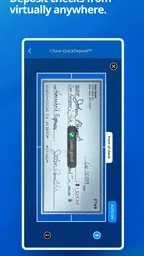
- Deposit eligible checks by taking photos.
- Set up alerts for account activity and payments.
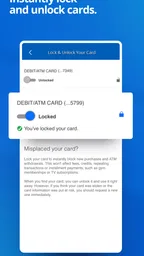
- Lock a misplaced debit card through the app.
- Use fingerprint or face recognition to sign in.
What could be better
- Some features may require enrollment in online banking.
- Mobile check deposits can have limits and holds.
- Not all accounts or services are available in the app.
- App access depends on a stable internet connection.
- Availability of mobile features can vary by location.





