

Klarna: Smarter everyday money review
 Analysis by Appsdrops
I can see the appeal of a money app most clearly when ordinary household spending starts to blur together: groceries on one card, a personal purchase on another, and a saving goal that is easy to forget between errands. Klarna can bring several money-related activities into one place, but I would treat it as a personal financial account rather than a shared family dashboard. That distinction matters if more than one person uses the same phone or helps manage household purchases.
Useful for household spending, but still a personal account
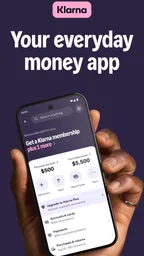
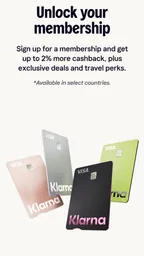
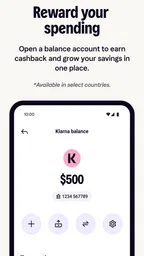
In my view, the most practical household use is for one person to manage their own shopping and keep an eye on the money connected to it. The app is a free finance app from Klarna Bank AB (publ), with tools for managing money, building savings, earning cashback, and exploring Klarna Card. Its broad scope is convenient when I want shopping-related activity and everyday money tasks close together, rather than switching between several separate apps.
Imagine I am doing the weekly shop and also ordering a few household essentials. I might use Klarna to keep track of my own spending, look for cashback opportunities where available, and check my savings activity in the same general setting. That can make it easier to review those tasks later. It does not, by itself, mean that everyone in the household can see or coordinate the same account, so I would not rely on it as a shared ledger for splitting bills or recording each person’s contribution.
This is where Klarna differs from a basic budgeting app or a bank’s account-only app. A conventional banking app is often the natural place to check a balance or move money tied to that bank. A budgeting tool may be better for categorising household costs across several people. Klarna’s attraction is its mix of money management and shopping-related benefits, but that mix also makes it a less obvious choice for someone seeking a neutral household budget with no shopping emphasis.
Choose the account boundary before adding convenience
I would decide whose account the app represents before using it for shared purchases. If one person installs it on a phone that others also handle, it is worth keeping the app session and device access clearly personal. A shared device can blur the line between “help me check this order” and “let me access your financial activity.” I would avoid passing around a logged-in phone as a substitute for separate accounts or clear household records.
For couples or housemates, a simple routine can prevent confusion: agree which purchases belong to the person using Klarna, and record shared costs somewhere both people can access. Klarna can still be useful to the individual who makes a purchase, while a shared note or budgeting method handles the group’s split. This is a practical division of labour, not a claim that the app provides household permissions or shared-account controls.
A less obvious trade-off is that combining shopping and money tasks can make the app feel efficient while also encouraging more frequent checking. If I open it to review a financial task and then browse shopping-related activity, it is easier for those purposes to run together. I would use it with a specific intention—checking savings, reviewing a purchase, or looking for cashback—rather than treating every visit as open-ended browsing.
Coordination works best when people keep separate records
Klarna may help one household member stay organised, but I would not assume it replaces a shared spreadsheet, a joint bank arrangement, or a dedicated expense-splitting tool. If one person orders supplies for everyone, the useful question is not only what the app shows that person; it is how the rest of the household will know what they owe. A separate shared record makes that arrangement transparent without handing over access to someone’s personal financial account.
For example, I might use Klarna while buying cleaning supplies and a personal item in the same shopping session. I would note the shared portion separately before settling up, rather than expecting the app to distinguish household ownership automatically. That small step matters because a transaction view and a household budget answer different questions: one tracks activity in an account, while the other explains how costs should be divided.
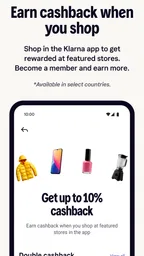
Cashback also needs a little discipline. I see it as a possible extra on eligible shopping, not as a reason to buy something the household did not need. If I am comparing alternatives, I would first choose the product and seller that make sense, then consider whether cashback changes the value. That order keeps a perk from quietly becoming a spending prompt.
Age, trust, and everyday confidence
The app has an Everyone content rating, and its broad audience may make it visible in a family setting. But a content rating is not the same thing as a recommendation that children manage financial accounts or use payment products. I would keep financial decisions with the responsible adult and explain any household spending arrangement directly, rather than treating an app’s age label as a substitute for guidance or supervision.
Trust is also about who can reach the device and account. On a personal phone, I would use the device’s ordinary privacy protections and avoid leaving financial activity open for casual browsing by others. If a family member needs information about a purchase, sharing the relevant receipt or amount is usually a clearer boundary than giving them access to the whole account. I would not assume the app offers a particular family mode or permission system.
Klarna has a 4.8 average from around 2.1 million ratings, and it has been installed over 50 million times. That scale suggests it is widely used, though popularity alone cannot tell me whether its money features fit my habits or household arrangements. With roughly 60,000 written reviews, there is a substantial body of user feedback to consult if I want to compare experiences, but I would still judge it by whether its approach suits my own spending routine.
What to expect from the app in practice
The app’s current version is 26.45.331, and it supports devices running iOS 9 or later. It is free to download, but I would not confuse that with every financial activity being cost-free or appropriate for every user; the terms tied to a particular product or transaction deserve a careful read before committing. I would check the details in the app before using any payment-related option, especially if I am trying it for the first time.
One useful workflow is to separate a quick check from a financial decision. I might open the app to review a savings task or inspect shopping activity, then pause before choosing a payment option or making a new purchase. This makes it easier to spot whether I am using Klarna for convenience or letting the availability of a feature shape what I buy. For someone trying to reduce impulse spending, that pause is more valuable than any app feature.
Another consideration is where I want my financial overview to live. If I prefer all balances and spending in the app provided by my main bank, adding another finance app may create extra checking rather than clarity. Klarna is more compelling if its combination of money tools and shopping-related activity serves a real routine. If I only want a straightforward account balance, a bank app may be simpler; if I need household-wide categories and shared reconciliation, a budgeting tool may be a better fit.
Who I would recommend it to
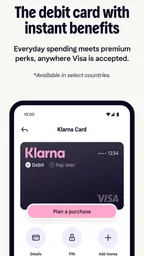
I would recommend Klarna to someone who wants a single place for several personal money and shopping tasks and is comfortable keeping those activities connected. It may suit an individual who values cashback opportunities, wants to build savings, and is curious about Klarna Card, while still being willing to review the terms of each financial feature. The app is less convincing for someone who wants a purely shared household budget, dislikes shopping features in a finance app, or prefers to keep financial activity within one established banking relationship.
For a household, my recommendation is narrower: let the person responsible for an account use it for their own activity, and handle joint planning through a separate, visible system. That approach preserves convenience without confusing account access with household coordination. It is particularly sensible when a phone is passed between family members, when expenses are split unevenly, or when one person makes purchases on behalf of others.
My household verdict
After weighing the strengths and the boundaries, I see Klarna as a useful personal finance companion with a shopping-oriented edge, not a complete household money system. Its combination of savings, cashback, money management, and card discovery can reduce app-switching for the right user. The same blend may be distracting for someone who wants a quiet budgeting tool or a shared view of every household expense.
I would try it if I had a clear personal use for its features and planned to keep account access private. I would skip it as the household’s sole coordination hub, and I would choose a bank or budgeting alternative if shared visibility mattered more than shopping-related convenience. Used with those boundaries, Klarna can fit neatly into one person’s routine without pretending to solve every money question for everyone at home.
What we like
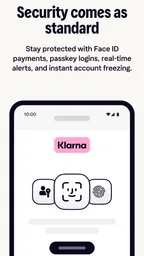
- Klarna supports biometric sign-in on compatible devices.
- Purchase notifications can help you track payment activity.
- The app lets you manage eligible orders in one place.
- Klarna offers shopping deals from participating retailers.
- You can use the app to compare prices across stores.
What could be better
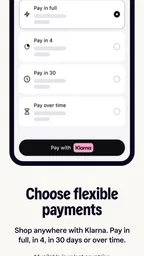
- Pay-in-installments options may encourage overspending.
- Late payments can lead to fees on some plans.
- Availability of features depends on your country.
- Some purchases may not qualify for installment payments.
- Credit checks may apply to certain payment options.





