
TV Garden - Live World TV review
 Analysis by Appsdrops
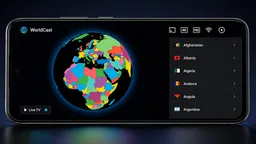
I would judge a world-TV app by a practical question: does it make it easier to watch streams I already have in mind, or does it promise a ready-made channel service? TV Garden belongs in the first camp. It is a video player for your own television streams from around the world, so its usefulness depends less on a large built-in catalogue and more on whether you have streams you want to play. That distinction matters before you install it: people looking for a conventional guide to channels may want a different kind of app.
As an events app, it has an unusual but understandable role: helping people bring live television streams into a viewing routine, whether the interest is international programming, a particular broadcast, or simply exploring what they can access. I would consider it when I want a player rather than another subscription or a service that curates everything for me. The trade-off is that the word “your” carries real weight. This is not a promise that every channel will be ready and waiting.
Decide whether you need a player or a channel service
The most useful decision criterion is where your streams come from. If you already have a legitimate stream source and want an app to play it, this product’s purpose is a direct fit. If you expect to open an app and browse a complete, organized selection of live channels, a curated streaming service or a TV-guide app may be a better starting point. Those alternatives solve a different problem: finding programming, rather than playing streams you bring.
That makes the app easier to understand than its broad world-TV framing might suggest. It is not a replacement for every way of watching television. I would treat it as one component in a viewing setup: the source supplies the stream, and the player handles playback. Before relying on it for a particular event, I would check that I have the stream details or access I need and test the stream in advance. That small preparation can prevent the frustrating discovery that the content, rather than the player, is the obstacle.
There is also a useful distinction between a stream being available and being convenient. A player may be the right tool for a known broadcast, but it does not automatically make that broadcast easy to discover, explain regional availability, or guarantee that a source will remain accessible. If your main need is a schedule, reminders, or a straightforward browse-and-watch experience, look for an app whose central purpose is those tasks. I would not choose TV Garden on the assumption that it provides them.
What it is well suited to do
The strongest case is flexibility. With a player built around personal streams, you are not limited to a single packaged channel selection. That can be valuable if you follow programming from different parts of the world or have a specific stream you want to watch. It can also suit someone who prefers to keep control of the sources they use instead of depending on one provider’s lineup.
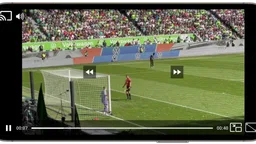
A realistic everyday scenario is putting on an international live broadcast while doing chores or having lunch. If you already know which stream you want, a dedicated player can be a more direct route than searching through a general video platform, where live content may be mixed with clips and unrelated recommendations. The benefit is focus: you are using a tool for playback rather than asking a broad entertainment app to act like a TV set.
Another practical use is occasional viewing rather than a full television replacement. I can see this making sense for someone who only wants to check a particular live stream now and then. In that case, a lightweight player role may be preferable to building a larger setup around a full service. The important caveat is that convenience still depends on having a usable source and being comfortable managing the viewing process yourself.
Where the trade-offs show up
The same flexibility creates the main friction. A personal-stream approach puts more responsibility on the viewer than a curated service does. You may need to identify a source, keep track of it, and troubleshoot when a stream does not play as expected. That is not necessarily a flaw in a player, but it changes how much work the app saves. If you want the app itself to do the searching and organizing, this is probably not the best match.
There is a second trade-off around reliability. Live streams can be affected by the source and connection as well as the player, so a failed broadcast does not necessarily tell you which part has gone wrong. My practical advice is to test an important stream before the moment you need it, and to keep a backup way to follow an event. For casual exploration, a little trial and error may be acceptable; for a time-sensitive broadcast, depending on a single untested source is a poor plan.
It is also worth separating this from apps that specialize in television discovery. A guide-style app is better when the question is “What is on?” A mainstream streaming app is better when you want familiar on-demand browsing from a defined catalogue. TV Garden makes more sense when the question is “Can I play this stream I already have?” Those categories overlap in the broad activity of watching video, but they do not remove the same friction.
Getting started without making viewing harder
I would start with one stream that matters little if it fails, rather than attempting to organize a whole collection at once. Confirm that the source is one you are entitled to watch, try it on the device and network you plan to use, and note what information you need to open it again. This simple workflow helps distinguish a player issue from a source issue, and it avoids turning an important live event into a first-run test.
If you watch on a shared screen or in a room where others may join, test the experience in that setting too. A stream that is easy to start alone may be less convenient if you have to explain how it was found or reopen it later. Keeping the source details somewhere you can retrieve them can make repeat viewing smoother. These are small habits, but they matter more with a personal-stream player than with services that remember a curated library for you.
For someone moving from a conventional TV app, the cost of switching is not just installing another player. It is changing expectations: you may have to supply the stream and take more ownership of finding and maintaining access to it. I would keep the old option available until the new workflow has proved reliable for the broadcasts I actually care about. If the goal is only to add a way to play a particular stream, that transition can be modest; if the goal is to replace a full TV service, the gap may be substantial.
Who should choose something else
I would skip this app if I wanted a polished, all-in-one channel directory, an on-demand library, or a guide that tells me what to watch next. Those needs point toward curated television services, streaming platforms, or dedicated listings tools. I would also hesitate if I have no stream sources in mind and do not want to spend time finding them. A player cannot be a convenient shortcut when the missing piece is the content itself.
It may also be a poor fit for anyone who needs dependable access to a specific event but cannot test the stream ahead of time. In that case, an established broadcaster’s own viewing option, where available, may be the safer route. That is not a claim that every broadcaster option is better; it is a reminder to choose based on the importance of the event and the reliability of the source, not just on the appeal of watching channels from around the world.
For viewers who enjoy experimenting, the balance is different. If you are comfortable trying a source, checking whether it works, and keeping your own notes, the extra involvement may be worthwhile. If you want television to feel effortless, a service that bundles discovery and playback is likely to suit you better. Neither preference is wrong; they simply call for different tools.
Price, audience, and what to expect
The app is free, and its content rating is Everyone, which makes it easy to consider without an upfront purchase. AIStreamingApps is the developer. The current version is 1.0.2, and the stated minimum operating-system requirement is 7.0. Those details help establish basic compatibility and cost, but they do not change the central question: do you have streams you want to play?
Its audience response is positive overall, with a 4.7 average from around 1.4 thousand ratings and over 50 thousand installs. I would read that as a sign of interest, not as a guarantee that a specific source will work in my own setup. The app has five written reviews, so I would place more weight on trying the workflow with my own stream than on expecting extensive user guidance from the review section.
The app was released on June 30, 2026. For a newly dated release, I would keep expectations measured and focus on whether the current version handles my intended use. I would not make a long-term viewing plan around assumptions about future features or support. A quick, low-stakes test is the most useful way to decide whether it earns a place on your device.
My recommendation
TV Garden is worth trying if you already have legitimate TV streams to watch and want a player focused on using those sources. Its appeal is not that it removes every step from live television; it is that it gives personal streams a place in your viewing setup. Start with a nonessential broadcast, test it in the conditions where you plan to watch, and keep another option ready for anything time-sensitive.
I would recommend it to curious viewers who value control and do not mind handling some discovery themselves. I would steer friends who want a ready-made channel lineup, an electronic programme guide, or a dependable replacement for a complete television service toward a more curated alternative. That is the fairest way to judge this app: as a free, focused playback option for people who bring their own streams, not as a universal answer to watching TV.
What we like
- Browse live TV channels from countries around the world.
- International content can help users explore unfamiliar cultures.
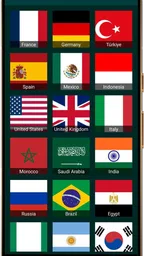
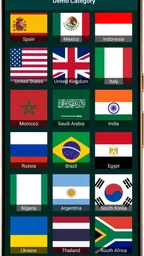
- The channel directory makes it easy to discover available streams.
- Useful for viewers seeking news and entertainment from abroad.
- A broad selection offers alternatives to local TV programming.
What could be better
- Channel availability may vary by region.
- Some streams may be offline or unreliable.
- The interface may take time to navigate if the catalog is extensive.
- Video quality can differ between channels.
- Some content may not be available in every language.





