





Translate - Translator review
 Analysis by Appsdrops
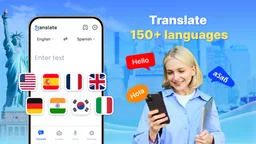
I find translation apps most convincing when they become useful after the first few curious tests. Translate - Translator makes a strong first impression because it brings text, voice, and photo translation together, with support for more than 150 languages and offline use. That combination suits the moments when I need a quick answer, but its real value depends on whether it can fit into ordinary routines without becoming another app I open once and forget.
From a quick trial to a useful habit
During the first few days, the easiest way to judge the app is to try the different kinds of translation on material you already encounter: a short message, a spoken phrase, or a sign in a photo. This gives a more realistic sense of its range than repeatedly testing simple greetings. I would also try the languages I expect to use before relying on it during a trip or conversation; broad language coverage is useful, but what matters to you is whether your particular language pair handles the phrases you need clearly.
Text translation is the natural starting point. It is handy for checking a menu item, understanding a brief note, or getting the gist of a message. Voice translation is more relevant when typing would slow down an exchange, while photo translation can help when the words are printed on something inconvenient to copy. Having these routes in one productivity app means I can choose the input that matches the situation instead of switching between separate tools.
A practical first-week test is to keep expectations modest: use the result to understand the general meaning, then check important details before acting on it. For instance, a translated sign may help me find the right direction, but I would look closely at the original if a small wording difference could change what I should do. This is especially sensible for names, addresses, medical instructions, money, and formal agreements. A translation is a useful aid, not a guarantee that every nuance has survived.
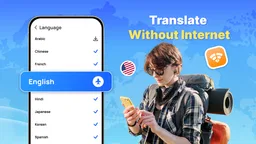
Offline translation is one of the more meaningful reasons to keep this kind of tool ready. It can matter when a connection is unreliable, or when I want to check a phrase without depending on mobile data. The practical tip is to prepare before the moment you need it: test the language pair and offline use while you have a dependable connection, rather than discovering a limitation at a station or in an unfamiliar neighborhood. Offline capability is valuable, but it should not be treated as proof that every input method works identically without internet access.
Where it earns a place in a monthly routine
After the novelty wears off, the strongest case for keeping Translate - Translator is variety. Text, voice, and camera-based translation address different everyday obstacles, so the app can stay relevant even if I only need it occasionally. A traveler might use it for signs and brief spoken questions; someone studying a language might use it to check unfamiliar wording; and a person communicating with a multilingual colleague could use it to get a first-pass understanding of a short message.
That variety also makes it easier to develop a sensible habit: reach for the app when the input itself is the problem. If a phrase is printed on packaging, photographing it is more convenient than retyping unfamiliar characters. If someone is speaking, voice input can be less awkward than pausing the conversation to enter every word. If the text is already in front of me, typing or pasting it is likely the clearest route. Choosing the right mode is a small step, but it reduces friction and helps avoid treating every translation task as the same.
For a realistic everyday example, imagine arriving somewhere and finding that a café menu is unfamiliar. I could use the photo option to get a broad idea of the choices, then use text translation to check a particular item if the image result is unclear. If I need to ask about an ingredient, voice translation may help start the exchange. I would still keep the question short and confirm any important dietary detail directly where possible. The app can make the interaction less intimidating without removing the need for care.
Compared with relying on a phone’s built-in translation feature, a dedicated translator can be appealing when I want text, speech, and photos gathered in one place. Compared with a dictionary, it is better suited to getting the sense of a sentence or sign than studying a word’s full range of meanings. A human translator or a specialist service remains the better choice for legal, medical, or high-stakes documents, where tone and exact wording matter more than speed. Translate - Translator is most useful in the middle ground: quick understanding and everyday communication.
Its audience is broad. The app is free to install, is rated for Everyone, and comes from ZANKHANA PTE LTD. Its 4.7 average across around 50,000 ratings and more than 10 million installs suggest that many people find a translator useful enough to keep around, though those figures cannot tell me whether it will suit my specific language pair or routine. The app also has in-app purchases, so I would check the purchase details in the app store before buying anything rather than assume every capability or use pattern is included at no cost.
Keeping it ready without creating chores
A translator earns lasting space partly by being ready at the right moment. I would set aside a few minutes after installation to test the text, voice, and photo workflows I am likely to use, then try offline use before travelling. That small bit of preparation is more useful than exploring every screen without a purpose. If the app becomes part of a regular trip or study routine, I would revisit it when something changes in my needs, rather than repeatedly checking it out of habit.
The current version is 1.3.1, and it requires Android 8.0 or later. Those details matter when deciding whether an older Android device can run it, but they do not by themselves tell me how smoothly it will perform on every phone. I would install it on the device I plan to carry and test the camera and voice input in the conditions I expect to encounter. A photo translator is only convenient if the camera can capture the text clearly, and spoken input is easier to assess in a quiet place before trying it amid street noise.
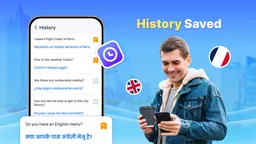
Maintenance should be light if your use is occasional: keep the app available, and check that the language or offline setup you need is ready before heading somewhere with limited connectivity. I would not build a complicated archive of translated phrases unless I had a repeated reason to do so. The value here is quick access, not turning a simple translation tool into a second job. If you only need to translate a sentence once in a while, it can stay in the background until needed.
One useful workflow for recurring tasks is to separate understanding from final wording. I might translate a message to grasp its point, then draft a short reply in plain language and translate that separately. Keeping sentences uncomplicated gives the tool less ambiguity to resolve and makes it easier for me to spot a result that sounds odd. For sensitive or consequential messages, I would ask a fluent speaker to review the final wording instead of assuming a fast translation preserves politeness and intent.
What can become tiring over time
The same breadth that makes the app handy can create a little uncertainty: which mode should I use, and how much trust should I place in the result? A camera can struggle with unclear or complicated text, spoken phrases can be affected by noise or pronunciation, and literal translations may miss context. These are general trade-offs of using automated translation across different input types, not reasons to dismiss the app. They are reasons to check the output when a mistake would matter.
Another source of fatigue is opening a translator for something that a simple lookup would answer better. If I need a precise definition, pronunciation guidance, or a detailed explanation of grammar, a dedicated dictionary or language-learning resource may be more satisfying. If I am handling a long document, translating it a paragraph at a time can become tedious, and a service designed for that specific task may fit better. This app makes more sense for short, varied needs than for every language-related job.
Offline use deserves a realistic expectation too. It is a welcome option for disconnected situations, but I would not assume that offline and connected results are interchangeable for every language and every input method. The best way to avoid disappointment is to test the exact use case in advance and keep a fallback, such as saving an address or key phrase in a form you can recognize. That is a practical precaution, not a complicated maintenance routine.
There is also a trust question whenever an app processes words or images. I would avoid putting highly sensitive personal information into a translator unless I had checked the app’s current privacy information and was comfortable with it. For everyday signs or ordinary phrases, the convenience may be worth it; for confidential work or personal documents, a more appropriate, approved tool is the wiser choice. This distinction helps keep a useful general-purpose translator in its proper role.
Who should keep it, and who should move on
I would recommend Translate - Translator to someone who regularly encounters unfamiliar text or speech and wants several ways to handle it in one place. It is particularly appealing if travel, multilingual conversations, or casual language study bring up small translation needs throughout the month. The app was released on January 16, 2024, and its continued appeal will depend less on that milestone than on whether its quick text, voice, photo, and offline options solve problems the user actually has.
I would skip it if I rarely translate anything, need a specialist tool for professional or high-stakes work, or mainly want structured lessons and detailed explanations of language. I would also compare it with a built-in phone translator if my needs are limited to occasional phrases and I prefer to use what is already installed. There is no benefit in maintaining another app simply because it offers more modes than I will ever use.
For me, the strongest long-term reason to keep it is not the impressive breadth of its language coverage alone. It is the ability to switch between reading, listening, and looking at printed words when a situation calls for it. The free starting point lowers the barrier to trying those workflows, while optional in-app purchases priced from $1.99 to $64.99 per item make it worth paying attention to what is being offered before confirming a purchase. I would judge any paid option by whether it improves a repeated need, not by the assumption that paying automatically makes a translation more dependable.
Overall, Translate - Translator can earn a place on a phone after the first-week curiosity fades, especially for people who travel or encounter multiple languages in ordinary life. Its best role is a fast, flexible first stop: use the input that fits, check consequential wording, and keep a fallback for moments when connectivity or clarity is uncertain. If those habits match how you live, it is a practical productivity app to keep ready; if your needs are rare or highly specialized, a simpler or more focused alternative may serve you better.
What we like
- Translates text between a wide range of languages.
- Voice input makes spoken translations easy to enter.
- Text-to-speech helps with pronunciation.
- Camera translation can read text in images.
- The simple interface is easy to navigate.
What could be better
- Translation accuracy can vary by language and context.
- Some features may require an internet connection.
- Camera results can struggle with blurry or stylized text.
- Speech recognition may mishear accents or background noise.
- Advertisements may interrupt the free experience.





