ThriftBooks: New & Used Books review
 Analysis by Appsdrops
I like book-shopping apps most when they help me find a specific title without turning the search into a chore. ThriftBooks: New & Used Books is built around that simple idea: browse a large catalog of books, including new and used copies, and look for a lower-cost way to add something to your shelf. It is a free Books & Reference app from Thrift Books Global, LLC., and its focus makes it more useful for readers hunting titles than for people who want an app for reading ebooks.
The appeal is practical rather than flashy. A used-book marketplace can make older, out-of-print, or everyday titles easier to seek out than a quick trip to a nearby shop. The tradeoff is that shopping for used books calls for a little more patience: the copy you choose matters, and finding the right edition or condition can take more care than buying a new book from a general retailer.
Why the used-book catalog matters
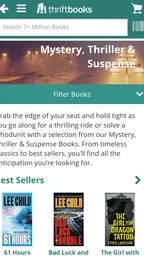
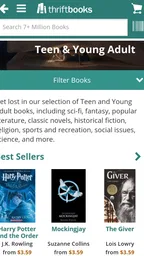
The central strength of ThriftBooks: New & Used Books is the breadth of its shopping catalog. The app offers access to more than 13 million new and used books, which changes the experience from browsing only what happens to be on a local shelf to searching across a much wider range. That is especially useful when I have a particular author, subject, or older title in mind.
The store describes books as available at savings of up to 80% off list price. I would treat that as a reason to compare options, not as a promise that every book will have the same discount. The real value depends on the title and the copy available. For a book I am happy to read in a used condition, a lower-priced copy can be a sensible choice; for a gift or a carefully matched edition, I would pay closer attention to what I am selecting.
That distinction is worth keeping in mind before opening the app. This is a shopping tool, not a digital library or an ebook reader. If I want to start reading instantly on my phone, a dedicated ebook service is the better fit. If I want to locate a physical book and weigh new against used, ThriftBooks is aimed at that job.
Searching with a purpose
I get the most out of a large catalog when I begin with a clear target. Searching for a title or author is a better starting point than scrolling without a plan, particularly when I am looking for a book that might be hard to find locally. If several editions exist, I slow down and check that I have the version I actually want rather than assuming every result is interchangeable.
This matters for textbooks, reference works, and books with revised editions. A familiar title can appear in more than one form, and the newest edition may not be the one a class, reading group, or project expects. My practical habit would be to confirm the author and edition details before deciding, then compare the available new and used choices. That small pause is more useful than chasing a discount on the wrong copy.
For casual reading, I would use a looser standard. If I am looking for a novel to take on a trip, a particular printing may not matter, so a used option can be an easy way to keep the total down. For a present, a collection, or a book where illustrations and layout are important, I would be more selective. The app’s breadth is most valuable when I know which details are essential and which I can compromise on.
A realistic way to shop
Imagine I want a particular older novel for a weekend away. Instead of visiting several shops and hoping one has it, I can use the app to look for the title, compare the available options, and decide whether a used copy suits my plans. I would make the choice before the week gets busy, rather than treating a marketplace search as a last-minute guarantee. That workflow turns the catalog into a useful planning tool, even when I am not shopping for a rare or collectible book.
A second good use is building a reading list gradually. I can search for the next title when I finish one, rather than buying a stack on impulse. That is a modest but useful way to avoid ending up with books I do not actually want to read. It also gives me room to decide whether I am comfortable with a used copy or would rather choose new for a specific title.
For students, the same approach can help with locating assigned books, but it is not a shortcut around checking course requirements. I would verify the exact edition and any required format first. If the course depends on a recent revision or a particular set of materials, the broad catalog does not remove the need to match the instructor’s instructions. In that case, a campus bookstore or another source with the precise required edition may be the safer choice.
Where convenience has limits
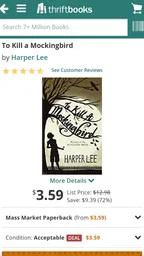
The main tradeoff is that a broad catalog does not make every purchase decision effortless. Used copies are not automatically identical in appearance or condition, and the title alone may not tell me everything I need to know. I would take time to inspect the details shown for a specific listing and decide whether a worn copy is acceptable for my purpose. If I need a pristine book, I would favor a new copy or shop somewhere that lets me assess the exact item more directly.
There is also a difference between finding a book and getting it immediately. A physical-book marketplace is less suited to a reader who wants instant access, and it is not the most satisfying option when I have not decided what to read and simply want a recommendation. A local bookshop can be better for browsing in person, noticing unexpected titles, and leaving with a book the same day. A general online retailer may be more convenient when I already know I want a new copy and care little about exploring alternatives.
Price should be considered alongside the value of the particular copy, not in isolation. A low-cost used book is only a good deal if its edition and condition suit the reason I am buying it. I would also think about whether I am purchasing one title or several: a long list can make it easy to spend more than intended simply because each individual book looks like a bargain. Setting a short list before browsing is a useful guardrail.
Who is likely to get the most from it
I would recommend the app to readers who enjoy physical books, are open to used copies, and often search for titles beyond current bestsellers. It is particularly appealing for people making a reading list, replacing a book they once owned, or looking for older titles that may not be easy to find on a nearby shelf. The catalog’s scale gives those searches a clear reason to start here.
It is less compelling for someone who mainly reads on a phone, wants a book in hand immediately, or needs to inspect a used copy before committing. Readers who collect books for pristine condition may prefer a specialist seller or a local shop where they can judge the item themselves. And if I only want a quick, reliable purchase of a specific new release, the app’s emphasis on comparing new and used choices may be more than I need.
There is enough audience response to suggest that many readers find the shopping experience worthwhile: the app has a 4.1 average from around 4,800 ratings, with roughly 2,100 written reviews, and more than a million installs. Those figures offer context, but they do not tell me whether a particular used copy will suit my expectations. I would still make the decision title by title.
What to expect from the app itself
The app is rated Teen and is free to install. Its current version is 2.4.1, and it supports Android 6.0 and newer. For me, those details are secondary to the buying experience, but they help set expectations: it is a general shopping app for books rather than a reading subscription or a specialist academic tool.
My strongest tip is to treat each purchase as a small matching exercise: identify the exact title, check the edition when it matters, decide how much condition matters, and then compare the available choices. That approach makes the catalog’s size useful instead of overwhelming. It also reduces the chance of choosing a copy that is cheap but wrong for the job.
Overall, I see ThriftBooks as a helpful place to search when I want a physical book and can be flexible about buying used. Its large selection gives it a practical edge for readers with a specific target, while the need to check edition and condition keeps it from being a completely hands-off purchase. If I were recommending it to a friend, I would say: start here for a title you have been trying to track down, but choose a local shop or an instant digital option when speed, browsing in person, or a perfectly matched copy matters more.
What we like
- Large catalog makes it easy to find new and used titles.
- Used books offer a budget-friendly way to grow a personal library.
- Book condition ratings help set expectations before ordering.
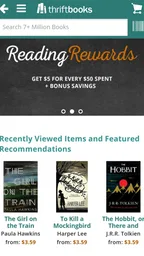
- ReadingRewards gives shoppers points toward future purchases.
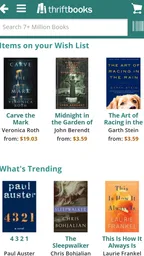
- Wish lists make it convenient to track books for later.
What could be better
- Used copies may show more wear than some buyers expect.
- Shipping times can vary depending on the book and seller.
- Some popular titles may be unavailable or out of stock.
- Book condition descriptions may not capture every cosmetic flaw.
- Rewards points require purchases and may take time to accumulate.





