



The Wall Street Journal. News review
 Analysis by Appsdrops
I’d recommend The Wall Street Journal to someone who wants more than a stream of quick headlines. It is a news app with a clear emphasis on business, politics, financial markets, and international events, and it suits readers who are willing to spend time with a story rather than just scan a notification. My first impression is that it feels most useful when I arrive with a question—what moved markets, what is changing in policy, or how a major event affects businesses—and use the reporting to build context.
That focus is also the main trade-off. If you mainly want a broad, lightweight feed of short updates from many publishers, a general news aggregator may be a better fit. The Journal is more purposeful: it gives business and economic coverage a prominent place, which can be valuable for people who follow those subjects but less appealing if they rarely read them.
What the Journal app is best at
Published by Dow Jones & Company, Inc., The Wall Street Journal belongs to the news and magazines category. The app’s subject mix makes it particularly relevant to professionals, students of economics or politics, investors looking for reporting rather than trading tools, and curious readers who want to understand why a headline matters. It is not a market terminal, and I would not treat it as a substitute for checking live prices or making financial decisions.
The difference between this and a typical headline aggregator is the editorial emphasis. Aggregators are handy when I want to compare how many outlets are covering a story or quickly browse a wide range of topics. Here, the stronger reason to open the app is to follow the Journal’s own coverage and read stories with a business or policy angle. That makes it easier to develop a consistent reading habit, but it may leave some casual readers wishing for a wider mix of lighter subjects.
On the store, the app has a 4.2 average from around 86,000 ratings and has passed 5 million installs. Those figures suggest that it has found an audience, but they do not tell me whether its approach suits an individual reader. The more useful question is whether you want a focused source that you can return to for context, rather than a single screen that tries to represent every news outlet equally.
What to expect from the reading experience
For a first-time reader, I’d approach the app as a place to move from a headline to an explanation. A story about a company, election, central bank decision, or international dispute can be more useful when read alongside related reporting. Instead of treating each alert as a complete account, I use it as a prompt to open the article and identify what has changed, who is affected, and what remains uncertain.
That habit is especially helpful with business news. A market headline can sound dramatic without explaining whether the change reflects one company, a broader sector, or a policy concern. Reporting can supply some of that background, but the app is still a reading product, not personalized investment advice. I would use it to improve my understanding and then consult appropriate sources before acting on financial information.
The app is free to download, but that does not mean every part of the experience is necessarily free. In-app purchases range from $0.99 to $399.99 per item, so it is sensible to check the terms shown in the app store and on any purchase screen before committing. If you are installing it just to explore, start by reading what is available without assuming that downloading the app grants unlimited access to every article or service.
First setup: keep the routine simple
When you open a news app for the first time, it is tempting to enable every alert and browse every section. I would do the opposite here: begin with the topics you actually follow. If your interest is markets, focus your attention there; if you are more concerned with politics or world events, make those your starting points. A smaller reading routine makes it easier to tell whether the Journal’s reporting is a good match before you give it more of your time.
Think about when you want news, too. Someone who checks headlines during a commute may prefer a brief scan, while a reader who sets aside time in the evening can follow longer stories and related developments. I find it useful to separate those two tasks: scan to see what deserves attention, then read one story carefully instead of opening a dozen articles and finishing none. This is a practical way to get value even if you only have a few minutes.
The app is marked Everyone 10+, and it runs on Android 7.0 or later. Its current version is 15.12.0.42675. If you are setting it up on an older device, checking your operating system before installing can save a frustrating trip to the app store. The publisher is Dow Jones & Company, Inc., so the experience is tied to a recognizable news organization rather than a general-purpose feed assembled from many sources.
Your first useful session
For a first successful action, choose one current story that matters to you and read beyond its headline. Then ask yourself three questions: what happened, why does it matter, and what development would change the story? This simple approach turns the app from a notification source into a tool for building understanding. It is also a good test of whether the Journal gives you enough context for the subjects you care about.
A realistic example: you check the app before work and see a report about a policy decision affecting companies in an industry you follow. Rather than forwarding the headline immediately, read the article and note which groups are affected and what the next decision point is. Later, return to coverage of the same issue. That small loop—notice, understand, follow up—is more useful than repeatedly refreshing a feed without remembering what changed.
Another worthwhile habit is to compare a report with the original claim or announcement when the distinction matters. News stories explain events, but readers sometimes need the underlying filing, policy statement, or company announcement to verify a detail. I would not expect a single app to replace every primary source. Instead, use the Journal to find the relevant questions and then seek the original material when precision is important.
Where new readers can get confused
The most common misunderstanding is assuming that a free installation means unrestricted reading. The app includes in-app purchases, and the price range is broad, so pause at any subscription or purchase prompt and read exactly what it covers. If you share a device or are setting the app up for a family member, make sure the person who may approve purchases understands that distinction too.
Another possible point of confusion is the difference between a news report and a live market feed. The Journal covers financial markets, but a written story is designed to explain events, not necessarily display every changing price in real time. If your immediate need is to track a specific instrument, compare quotes, or place trades, use a dedicated financial service. The Journal is more appropriate for asking why a move might matter and what developments could follow.
Notifications can also make a focused news app feel noisier than it needs to be. If you find yourself opening alerts without reading the stories, reduce your reliance on them and create a deliberate check-in instead. I prefer to treat a notification as a pointer, not an obligation. That keeps breaking coverage useful while leaving room for deeper reading when I have the attention to absorb it.
Finally, consider whether the app’s subject balance matches your everyday interests. A reader who mainly wants local service updates, entertainment, lifestyle coverage, or a feed assembled across many publications may be happier with a local outlet or aggregator. That is not a flaw in the Journal; it is a matter of editorial fit. I would skip it as my primary news app if business and policy reporting rarely answer questions I have.
How it compares with other news choices
Compared with a broad news aggregator, the Journal offers a more defined editorial identity. An aggregator can be better for scanning many publishers side by side and discovering coverage from sources you do not already follow. The Journal is better when you want to spend time with its reporting, particularly on business, financial markets, politics, and global events. If you already use an aggregator, the two can serve different purposes rather than competing for the same habit.
Compared with a general newspaper app, the Journal’s business orientation is a meaningful reason to choose it, not a promise that it will cover every topic equally. I would use it alongside a local news source if neighborhood decisions, school updates, or local events matter to me. For a reader who follows companies and economic policy, however, that emphasis can make daily browsing feel more coherent than a feed that treats every subject as equally central.
One practical way to decide is to try a week of intentional use: open the app when you want context on a specific issue, not simply because you are bored. Notice whether the articles help you explain the story to someone else. If they do, the app is earning a place in your routine. If you keep leaving to find the same information elsewhere, another publication or a broader aggregator may suit you better.
Who should install it—and what to do next
I see this as a strong choice for readers who want business and public-affairs coverage in one focused destination and are prepared to read beyond headlines. It can also help students and professionals keep track of how policy, companies, and markets intersect. Casual readers may still enjoy it, but they should be comfortable with its particular editorial emphasis and aware that purchases are available inside the app.
For a new user, the best next step is not to configure everything at once. Install it on a compatible device, choose a subject you genuinely care about, read one article in full, and decide whether its reporting adds context you did not get from a quick headline scan. If it does, make it part of a purposeful routine. If you mainly need local alerts, many voices, or live market data, keep looking for a tool built around that specific need.
My verdict: The Wall Street Journal is most worthwhile when I want to understand the forces behind a business or policy headline, rather than merely collect updates. It is focused, readable as a regular news destination, and easy to evaluate through a single thoughtful reading session. Just go in with clear expectations about its subject mix and in-app purchases, and it can become a useful part of a broader, balanced news diet.
What we like
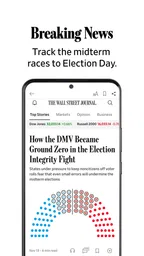
- Offers breaking news alerts for timely updates.
- Provides access to reporting from a major global newsroom.
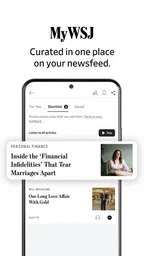
- Includes audio options for listening to selected articles.
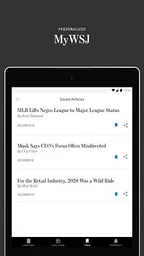
- Lets readers save articles for later reading.
- Covers a wide range of business and general news topics.
What could be better
- Full access to most articles requires a paid subscription.
- Frequent alerts may feel distracting without notification adjustments.
- Some content can be difficult for readers new to finance.
- Availability of certain features may vary by region.
- The app requires an internet connection for current news.





