






The Atlantic review
 Analysis by Appsdrops
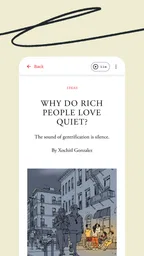
I approach a news app differently from a newspaper homepage. The important questions are whether I can settle into an article without fighting the interface, whether the writing works for the way I read, and whether the app fits moments when attention or eyesight is limited. The Atlantic is a reading-focused app from The Atlantic Monthly Group LLC, covering politics, culture, and other subjects. In my view, its greatest appeal is the chance to spend time with reported stories and essays rather than skim a stream of headlines.
Reading and finding a way around
The Atlantic makes most sense if you want to read, not simply check what happened in the last few minutes. Its subject range gives a reader a reason to move between current affairs and cultural coverage, while the publication’s identity helps set expectations: this is a place for developed arguments and context, not just a rapid-fire breaking-news feed. I would open it when I have enough time to follow an article’s full line of thought.
That distinction matters for navigation. In a broad news app, readers often arrive with a specific task—find a live update, scan a list of headlines, or search across many sources. A publication app instead asks you to spend time with one editorial voice. That can make choosing what to read feel more coherent, but it is a narrower way to explore the news. If you want a neutral dashboard that aggregates publishers, this is not a replacement for one.
I find the strongest practical workflow is to treat the app as a reading destination rather than an emergency news monitor. When I have a spare stretch of time, I can choose a topic and give an article my attention. When I only have a minute, a general news feed may be more useful. This small distinction helps avoid expecting The Atlantic to do every news task equally well.
The app has a 4.8 average from around six thousand ratings, and it has passed one hundred thousand installs. Those figures suggest it has found an audience, but they do not tell me whether its editorial focus suits every reader. The more useful question is whether you want its particular mix of politics, culture, and long-form perspective.
Making reading work for different needs
For readers who prefer a considered pace, the app’s basic proposition is appealing: open a story, follow the argument, and let the article be the main event. That can be especially helpful for someone who finds crowded, constantly refreshing news pages tiring. A focused reading session also makes it easier to pause and return to a subject later in the day, rather than repeatedly scanning a feed without absorbing much.
Still, a clean reading experience is not the same as complete flexibility. People who rely on larger text, strong contrast, screen readers, or alternative input methods need to judge the app on their own device and settings. I would not assume that a publication’s polished presentation automatically meets every individual access need. Before paying for a subscription, it is sensible to open a few articles and check whether the text, controls, and navigation feel comfortable in your usual setup.
A useful test is to try the app in the conditions where you actually read: with your preferred system text size, display settings, and assistive tools enabled. Check whether you can move between the parts of the app you use and whether article text remains comfortable for a full sitting. This is more informative than judging a single screen in ideal conditions, because long reading sessions expose small usability problems that a quick glance can miss.
Its current version is 8.0.1, and it requires Android 7.0 or later. The age rating is Everyone. That makes the app broadly suitable from an age-classification standpoint, though a parent or guardian may still want to consider whether the publication’s subject matter and commentary are appropriate for a particular young reader.
When attention, movement, or surroundings change
News reading rarely happens under perfect conditions. I might start an article at a desk, continue on a sofa, and then have to stop when something else needs my attention. For that kind of day, an app centered on articles can be more satisfying than one that rewards constant checking. I can choose a piece when I have time, read at my own pace, and leave the rapid updates to a separate source if they are urgent.
There is a trade-off for readers with limited time or energy: long-form journalism asks for sustained attention. If fatigue, cognitive load, or a busy environment makes it hard to concentrate, a deep article may not be the right choice in that moment. I would use The Atlantic when I can focus, then switch to a concise briefing or live-news service when I need the main facts quickly. That is not a weakness unique to this app; it is a consequence of choosing more developed reading over compressed updates.
Motor comfort also depends on the situation. One-handed use while walking, handling the phone with limited dexterity, or trying to read on a crowded commute can make any interface harder to manage. I would avoid navigating while moving and instead open a story when I am settled. If precise taps or frequent screen changes are uncomfortable, the best test is whether you can reach your usual reading choices without repeated effort on your device.
For sensory access, the contrast between a focused article and a busy feed may be welcome. Fewer competing stories can make it easier to concentrate, especially for someone who is overwhelmed by constantly changing headlines. But readers sensitive to screen brightness, motion, or visual density should still try their own display settings. A calm editorial style does not guarantee that every screen will feel comfortable to every person.
Where it fits beside other news options
The closest alternatives are not all alike. A general aggregator is usually better when I want several publishers in one place or need to compare coverage quickly. A broadcaster’s app may be more useful for live developments and short updates. The Atlantic is a better fit when I want a distinctive editorial perspective and am willing to read beyond the headline. Choosing it for the latter and keeping another source for urgent summaries is a practical pairing, not a compromise.
That editorial focus is also a limitation. Readers who want every viewpoint represented in one interface may find a single publication too narrow. Likewise, people who mainly need local alerts, weather, sports scores, or a quick list of breaking stories may be better served by a specialist or general-purpose news app. I would not install this expecting it to replace every source I use; I would add it for the kind of reading it does best.
The app is free to download, with in-app purchases ranging from $8.99 to $89.99 per item. That means getting the app and deciding whether its reading experience suits you are separate from choosing a paid option. I would first explore the free experience and then consider whether a purchase makes sense for how often I read its journalism. The range is worth noticing before making a commitment, particularly if you are deciding between one publication and a broader news subscription.
For a realistic routine, imagine checking the news during breakfast, saving your limited attention for one substantial piece, and leaving rapid updates to a source built for them. The Atlantic fits the middle part of that routine: it gives you a reason to read closely rather than endlessly refresh. If your day is fragmented, set aside a calmer moment instead of forcing a long article into every short break.
Who is likely to get the most from it
I would recommend The Atlantic to readers who enjoy essays and reported coverage, especially those who want politics and culture considered together rather than reduced to a headline stream. It may also suit people who find the pace of aggregator feeds stressful and would rather choose a story deliberately. Its appeal is less about having the largest possible range of sources and more about returning to one publication’s approach to explaining events.
I would steer away from it if your main requirement is the fastest possible update, a broad comparison of outlets, or a highly customized reading setup that you have not yet tested in the app. The same goes for anyone who rarely has time for longer pieces: a concise news briefing may be a better everyday tool. For readers with accessibility needs, I recommend trying the actual screens and article flow with the settings and assistive technology they depend on before deciding whether it works comfortably.
A considered choice, not a universal newsreader
My overall view is that The Atlantic is most valuable when I treat it as a place for deliberate reading. Its politics-and-culture range and publication-led approach give it a clear role, while the longer attention it asks of readers means it will not suit every commute, schedule, or accessibility setup. I would keep it alongside a faster source rather than expect it to cover every news need.
If that balance sounds right, the free download makes it straightforward to try the reading experience before weighing its paid options. The app is rated Everyone, and it is built for Android devices running version 7.0 or later. My recommendation is simple: give it a trial in your real reading conditions, not just a quick look at the first screen. If the articles hold your attention and the controls feel manageable, The Atlantic can become a worthwhile home for thoughtful news reading; if speed or a different access workflow matters more, another kind of news app will serve you better.
What we like
- The app offers a polished reading experience with clear typography.
- Offline downloads make saved articles available without a connection.
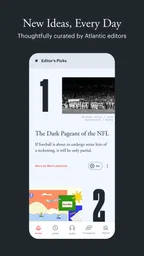
- Personalized recommendations help surface stories that match your interests.
- Audio options let readers listen to selected articles.
- A subscription unlocks a substantial archive of journalism.
What could be better
- Most full articles require a paid subscription.
- Some stories may be unavailable for offline access.
- The app can send notifications that some readers may find distracting.
- Personalized recommendations may narrow the range of stories shown.
- Audio availability varies by article.





