







T-Mobile® FamilyMode™ review
 Analysis by Appsdrops
I think family controls work best when they make household expectations easier to follow, rather than turning every device into a constant argument. That is the lens I would use to judge T-Mobile® FamilyMode™: it is a parenting app from T-Mobile USA for families who want a shared way to manage digital routines at home and while out. The idea is appealing, but the real question is whether a central family tool suits the way your household uses phones, tablets, and networks.
A family-management tool with a clear purpose
FamilyMode sits in the parenting category, and its focus is practical: helping parents manage a family’s digital life across everyday settings. I would consider it most useful for a household that wants a single place to think about device use, instead of relying only on reminders, individual phone settings, or conversations that have to be repeated every evening.
That central approach can be valuable even before you change a single limit. When a family agrees on expectations together, a parent can explain the reason for a rule and apply it consistently. A tool can support that agreement, but it cannot replace it. I would introduce the app as part of a conversation about routines, not as a surprise restriction that appears on a child’s device.
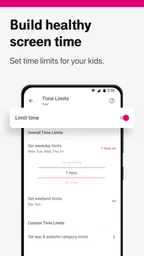
A realistic use case is the after-school transition. A child comes home, checks a phone, and then struggles to put it down before homework or dinner. A parent using FamilyMode as part of the household routine can make digital boundaries easier to manage, while still discussing exceptions such as a school task or an important message. The benefit is less about policing every minute and more about giving the family a common framework.
The strongest reason to consider FamilyMode is its family-wide focus, especially if parents want to manage digital habits consistently rather than handle each device as a separate problem. It is less compelling for someone who only needs a simple reminder to take a break, or for a household where children already manage their own limits reliably.
How it compares with built-in controls
Most phones already offer some form of screen-time or parental-control settings. Those controls can be the more straightforward choice when you only need to manage one device, or when a child uses a single platform and its built-in tools already cover your needs. They may also feel more natural to a teenager who expects to manage settings within the phone itself.
FamilyMode is aimed at a different problem: coordinating family digital life in a way that is not limited to one isolated setting. That broader perspective may be useful when parents want to manage routines across devices or consider what happens both at home and away from it. The trade-off is that a family-level tool requires more shared setup and cooperation than simply changing a setting on one phone.
I would not assume that a single family app automatically replaces every device’s own controls. Parents should check how it fits with the phones and tablets their family actually uses, then decide whether it covers the specific boundaries they care about. If a child regularly uses devices that are not part of the family’s usual setup, a separate device-level approach may still be necessary.
What its current standing tells me
The app has an average rating of 4.4 from around 8,100 ratings, alongside roughly 1,800 written reviews. It has passed 500,000 installs, which suggests that it has reached a substantial audience of families looking for this kind of support. Those figures are useful context, not a promise that the app will suit every home: parental-control needs vary greatly with children’s ages, devices, and expectations.
FamilyMode is free, and its content rating is Everyone. That makes it approachable to try as a family-management option, although the more important commitment is the time needed to agree on rules and set up a routine that everyone understands. A no-cost app can still ask for attention, discussion, and ongoing adjustment.
The current version is 4.2.2, and the app was released on June 28, 2018. I see those facts as evidence that FamilyMode is an established product with a current version number, not as proof of any particular feature change or recent redesign. The release date gives a sense of its history; it does not tell me how its interface or capabilities have changed over time.
What product history can—and cannot—show
For an existing user, a newer version number can be a reason to check whether the app has updates available and whether the current experience works well on the family’s devices. It is not a reason to expect a specific improvement. I would avoid planning a household routine around a feature that I had not personally checked in the app, especially when a child’s access or schedule depends on it.
The minimum operating-system requirement is version 9. Before making FamilyMode the center of a family routine, I would check the operating-system version on every device that needs to participate. This simple check can prevent a frustrating setup in which a parent’s phone is ready but another household device is not. It is especially worth doing before changing an existing approach, rather than discovering compatibility issues at a busy moment.
For people already using the app, the practical question is whether their current rules remain clear and useful—not whether the version number sounds new. I would periodically review family expectations as children grow, schedules change, or a device begins to serve a different purpose. A limit that made sense during a school week may not fit a holiday or a change in homework habits. Any app can help enforce a routine, but parents still need to decide when that routine should change.
Small decisions that make setup more useful
One useful tactic is to begin with one recurring pain point rather than trying to control every aspect of device use at once. If the main trouble is phones interrupting dinner, agree on that boundary first and see whether the family can follow it. Starting narrowly makes it easier to tell whether FamilyMode is helping, and it gives children a chance to understand the purpose before more rules are considered.
A second practical point is to distinguish an everyday rule from an exception. A child might need a device for a school task, a change in pickup plans, or an urgent family message. I would explain in advance how those situations are handled, so that a digital boundary does not accidentally become a communication problem. The app can support consistency, but parents should keep a sensible route for exceptions.
Third, treat setup as a conversation rather than a one-time technical job. Ask children which moments make it hardest to put devices away and explain which situations matter most to the adults. That does not mean every rule is negotiable; it means the family can focus on the habits that actually cause conflict. In my view, this is where a family-oriented product can offer more value than a collection of disconnected settings.
Finally, check the arrangement after the first few days of real use. If a rule causes repeated confusion, the answer may be a clearer agreement or a different routine, not simply a stricter setting. This small review helps parents distinguish a genuine boundary problem from a setup that does not match how the household operates.
Where the experience may fall short
The biggest limitation is that parental management can feel intrusive if children are not told what is being managed and why. Older children, in particular, may respond better to clear agreements and gradually increasing responsibility than to rules imposed without discussion. FamilyMode is not a substitute for trust, and using it without explaining the household’s expectations can create more conflict than it resolves.
There is also a coordination cost. Parents need to understand the app, decide what they want it to accomplish, and make sure its role fits the devices and routines in their home. If one adult expects strict oversight while another prefers informal agreements, installing an app will not settle that disagreement. I would agree on the goal first, then use a tool only where it makes the goal easier to follow.
Families should also consider how much control they truly need. A parent who wants only a quick, occasional limit may find the phone’s built-in settings simpler. A household with a mix of devices should verify that its actual setup is suitable before relying on FamilyMode as the only solution. And families that prefer to teach self-management without ongoing parental oversight may be better served by conversation and device settings managed together.
Who I would recommend it to
I would suggest trying T-Mobile® FamilyMode™ if you are a parent who wants a shared way to approach digital routines and is willing to discuss those routines with the family. Its emphasis on family management makes sense for homes where device use causes recurring friction, especially when parents want a consistent approach rather than separate, improvised rules.
I would hesitate to recommend it to someone seeking a complete answer to online safety or family communication. Managing digital routines is only one part of parenting around technology. Children still need guidance about what they encounter online, how they communicate, and when to ask an adult for help. A control app can support boundaries, but it cannot make those decisions on a parent’s behalf.
I would also skip it if the household already has a simple system that everyone follows and no meaningful problem to solve. Adding another tool just because it is available can create needless setup and tension. The best reason to use FamilyMode is a specific family need that it can help organize—not the assumption that more monitoring is always better.
What I would watch before committing
Before making the app part of daily life, I would confirm that the operating systems in the household meet its minimum requirement, then explore the controls and decide which ones match a real routine. I would also look at how the app behaves on the family’s own devices, rather than assuming that every phone or tablet will have the same experience.
For current users, I would keep an eye on whether future updates improve the parts of the experience that matter to their household, while separating confirmed changes from hopes. The present version, 4.2.2, gives users a clear point of reference, but it does not justify predictions about what the next update will add. If a particular capability is essential, verify it directly before building a family rule around it.
My overall view is that FamilyMode is a sensible option for parents who want to bring digital boundaries into one family conversation and are prepared to keep those boundaries flexible as children grow. Its value depends less on how many controls a family can apply than on whether the chosen routine is fair, understood, and practical. If that describes your household, it is worth considering; if you need only a basic limit or prefer to manage each device independently, built-in controls may be the better fit.
What we like
- Parents can set internet time limits for each child.
- Location tools can help families check where members are.
- Filters offer controls for age-appropriate web access.
- Usage reports show how children spend time online.
- Controls work across supported devices on a family account.
What could be better
- Some features require a compatible T-Mobile plan.
- Location accuracy can vary with signal and device settings.
- Children may find ways around controls on unmanaged devices.
- Setup and permissions can take time across multiple devices.
- The app collects sensitive family and device information.





