
Substack review
 Analysis by Appsdrops
Substack makes the most sense when you want to follow individual writers and publications, rather than browse a single newsroom’s feed. I’d reach for it when I want thoughtful articles, a creator’s audio, or video from people whose work I already value. It is less convincing as a one-stop source for breaking headlines or as a way to guarantee a balanced view of every subject. The key decision is whether you want a direct relationship with creators or a broad, editor-led news mix.
Choosing a reading habit, not just another feed
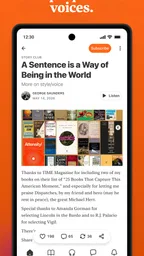
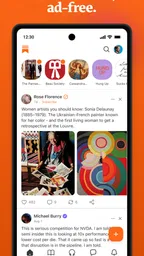
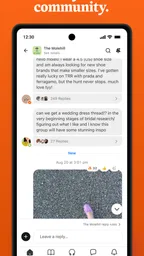
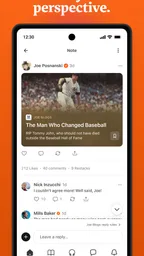
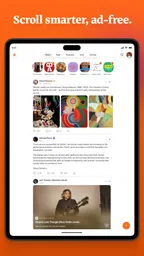
Substack is a free News & Magazines app from Substack Inc. Its central appeal is that writers and publications can bring their work together in one place, with formats that include reading, podcasts, and video. That makes it feel different from a traditional news app, where the publication usually controls the overall experience and the reader moves between sections chosen by editors.
I find the distinction useful when deciding what to install. If you already follow particular commentators, independent journalists, or specialist publications, Substack gives you a straightforward way to keep up with their work. If you mainly want a quick scan of major headlines from several established outlets, a conventional news aggregator may be a better starting point. Substack’s value depends more on who you choose to follow than on the app itself serving up a complete daily briefing.
The app has a 4.8 average from around 341,000 ratings, and it has passed 10 million installs. Those figures suggest that it has found a substantial audience, but they don’t tell me whether its mix will suit your interests. The quality and usefulness of your experience hinge on the writers and publications you bring into your reading routine.
Start with the people you actually want to hear from
A practical way to assess Substack is to think of three or four creators you already read, listen to, or would like to discover. If they publish there, the app may reduce the friction of keeping up with them. If your interests are scattered across general news, local reporting, and quick updates, you may need to make more effort to assemble a satisfying mix than you would in a publication-led app.
This is also a good way to avoid mistaking a large catalog for a useful one. A platform can contain plenty of material without automatically giving you a coherent perspective. I would choose subscriptions deliberately, based on the questions I want answered and the voices I trust, instead of following every interesting account at once.
Where Substack earns its place
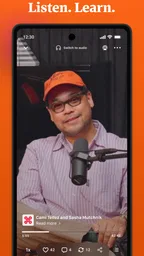
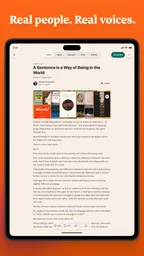
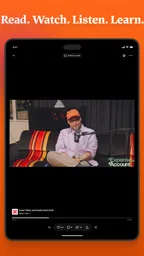
The strongest case for Substack is the closeness between a creator and their audience. Instead of encountering a writer only through a social post or a single article, you can use one app to follow their written work and, where they publish it, other formats such as podcasts or video. That combination is particularly handy for specialist subjects: an essay can explain an argument in depth, while an audio episode can fit into a walk or commute.
That flexibility changes how I would use it during an ordinary week. I might read a focused piece during a quiet break, then save a longer audio listen for a time when I’m away from a screen. The benefit isn’t that every item is interchangeable; it’s that one creator’s work can meet different moments in the day. If you tend to abandon articles when your schedule gets busy, having more than one format can make following a publication easier.
Substack can also help when you want to follow a niche topic that receives little attention in broad news coverage. A reader interested in a particular field may get more from a small set of specialists than from a general feed that only touches on the subject when a major event occurs. The trade-off is that a narrow collection can leave out useful context. I’d pair focused voices with broader reporting when the subject affects a decision or when a single perspective could be misleading.
Build a useful mix without turning it into a chore
One non-obvious risk with creator-led reading is accumulation. Every worthwhile publication can feel like a good follow, but a long list can turn a pleasant habit into a backlog. I’d start with a small group and give each subscription a clear purpose: one for deep analysis, another for a professional interest, perhaps one whose audio works well during routine tasks. If a source stops earning attention, pruning the list is more useful than trying to keep up out of obligation.
It also helps to separate “I agree with this writer” from “this writer helps me understand the subject.” A creator platform can make it easy to settle into familiar viewpoints. I’d deliberately include sources that explain different sides or offer reporting rather than only commentary. That takes some effort, but it is a sensible counterweight to the intimacy that makes following individual writers appealing in the first place.
For a realistic everyday example, imagine checking the news over breakfast, then wanting to understand one issue more deeply later. A broad news app may be better for the first pass across several headlines. Substack can complement it by giving you a thoughtful writer’s ongoing perspective, which you can read when you have time rather than trying to extract a whole subject from short updates. Used together, the two kinds of app have distinct jobs instead of competing for the same one.
When another kind of app may suit you better
If you want a fast, wide-ranging overview, a traditional news app or aggregator is likely the more natural choice. Those services are generally organized around outlets, topics, or current events, so they can be easier for scanning what happened across the day. Substack is better suited to following particular voices over time. It may not replace a news source that you rely on for a broad range of reporting.
If your priority is a social stream of short reactions, a social network may feel more immediate. That format can be useful for quick discussion, but it is not the same as following a writer’s longer work. Substack’s appeal is stronger when you want sustained attention: a complete argument, a regular publication, or a creator’s work in multiple formats. I wouldn’t choose it solely because I want a constant stream of short updates.
Readers who prefer a single publication’s consistent editing and house style may also be happier with that outlet’s own app. A collection of individual creators can offer variety and a more personal connection, but it places more responsibility on you to decide whom to trust and what to read. That’s a meaningful difference, not a flaw that applies to everyone. For some people, the extra choice is the point; for others, it is work they would rather leave to editors.
What the switch asks of you
Trying Substack is low commitment: the app is free, and it is rated Teen. It was released on October 3, 2022, and its current version is 3.10.1; the listed minimum operating-system requirement is version 9. The app’s free price makes it easy to explore, but it does not mean every creator’s work or every publication choice will necessarily feel equally accessible or worthwhile. I’d judge the experience by the specific writers I want to follow rather than assume that installing it alone will produce a useful reading routine.
The larger cost is attention, not setup. Moving from a general news feed to a creator-led collection means choosing what deserves a place in your day. Before switching your main reading habit, I’d keep your existing news source for broad coverage and add a few Substack publications that fill a clear gap. After a week or two, ask whether you are reading or listening to them, whether they bring useful depth, and whether the mix feels varied enough. That small trial is more informative than subscribing widely at the outset.
There is also a difference between following someone and relying on them. A writer may be excellent at explaining one subject without covering every development or offering the kind of reporting you need for a high-stakes choice. I would treat creator publications as valuable additions, not automatically as substitutes for multiple independent sources. That boundary is especially important when a subject is fast-moving or when I need practical facts rather than an informed point of view.
Who I would recommend it to
I’d recommend Substack to readers who already have favorite writers, want to discover focused commentary, or like switching between articles and audio or video from creators they follow. It is especially appealing if you enjoy choosing your own mix and don’t mind maintaining it. The app’s broad adoption is encouraging, but a careful selection of publications matters more to me than the headline popularity figures.
I’d suggest skipping it as your primary news source if you want a carefully balanced, all-in-one briefing with minimal curation from you. It may also disappoint if you are looking for a social feed first, or if you rarely make time for longer pieces and audio. In those cases, a traditional news app, an outlet-specific app, or a social platform may better match the habit you actually want.
My recommendation is to treat Substack as a home for a few voices you genuinely value, not as a replacement for every other way of following the news. Start with a small, intentional set, use different formats when they fit your day, and check that your choices are not narrowing your perspective. If that sounds appealing, Substack is worth trying; if you want editors to assemble the whole picture for you, another kind of news app will probably feel more effortless.
What we like
- Free to read many newsletters without a paid subscription
- Subscriptions from multiple writers appear in one inbox
- Authors can publish audio posts and podcasts
- Recommendations help readers discover independent writers
- The app supports offline reading for saved posts
What could be better
- Some newsletters require a paid subscription
- The volume of emails can become difficult to manage
- Search and archive tools may feel limited
- Not every publication offers a polished mobile reading experience
- Recommendations may surface content outside your interests