

Spectrum News: Local Stories review
 Analysis by Appsdrops
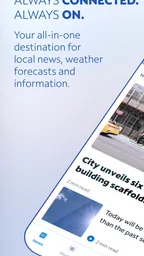
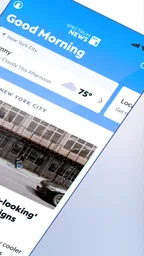
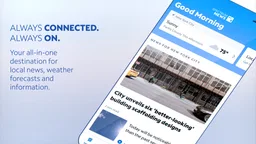
I would treat Spectrum News: Local Stories as a useful local-news companion rather than a complete answer to every question about what is happening around me. Its appeal is straightforward: it brings neighborhood-focused reporting, live coverage, weather information, radar, and regular updates together in one place. That combination suits the moments when I want a quick read on nearby events or a practical look at conditions before heading out.
Local coverage is the point
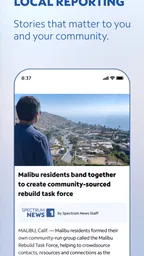
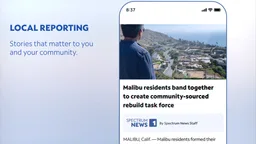
As a news and magazines app from Charter/Spectrum, it is built around regional relevance. That distinction matters. A national news feed can explain a major story, but it may not tell me what is changing on a nearby road or how local developments affect my day. Spectrum News is more compelling when I want that closer-to-home perspective.
I would use it alongside, not instead of, broader reporting. Local coverage can give a story useful context, while national outlets remain better suited to comparing perspectives on events across the country or following a subject in depth. The app’s strongest role is helping me notice what matters in its coverage area and then decide whether I need to read further.
The app has a 4.1 average from around 7,500 ratings, with about 2,400 written reviews and over 1 million installs. Those figures suggest a well-established audience, but they do not tell me whether its coverage matches a particular town or personal news preferences. Local usefulness depends heavily on where a reader lives and what stories they care about.
Trust starts with knowing what you are relying on
For news, I care about more than whether a feed refreshes quickly. I want to know what kind of source I am reading and whether the app is being used as a reporting tool, a weather check, or both. Spectrum News combines those practical purposes, so I would pay attention to the distinction between a developing live report and a forecast that helps me make a short-term decision.
I would not treat a headline or a brief update as the whole story when the subject could affect travel, safety, or a major personal decision. A sensible habit is to open the full report, check when the information was updated, and compare important details with another reliable source when the situation is changing quickly. That is not a flaw unique to this app; it is a useful standard for any live news service.
The brand and the app name make the publisher easy to identify, which is helpful context, but familiarity alone is not a substitute for evaluating an individual report. I would read the reporting on its own merits and look for clear sourcing and relevant detail. When a story is still unfolding, I would expect information to develop rather than assume an early update settles every question.
Weather and live updates in everyday use
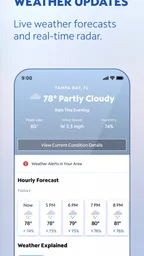
A realistic use case is checking the app before leaving home on a day when the weather may affect a commute. I could look at the forecast and radar, then switch to local reporting if severe conditions are also generating community updates. Keeping both views close at hand can be more convenient than searching through separate news and weather apps.
There is a trade-off, though: a combined app is convenient only if I keep the purpose of each screen clear. Radar helps me understand the location and movement of precipitation; it does not, by itself, explain local impacts. A news report may describe those impacts, but it is not a replacement for interpreting current conditions. I would use the two together rather than expect either one to answer everything.
Live coverage is most valuable when I have a reason to follow an event as it develops. If I am only looking for a quick recap, a concise article may be easier to scan than a live stream or rolling updates. I would save live coverage for occasions when the sequence of events matters, then return to written reporting for details I can review at my own pace.
One practical tip is to check the app before I need it, rather than wait until I am already in a hurry. That gives me time to see how its local reporting is organized and whether the coverage feels relevant to my area. If I open it only during an emergency, unfamiliar navigation can add friction at exactly the wrong moment.
Controls, privacy, and what I would verify
When an app handles news and location-sensitive topics, I pay attention to the choices it makes visible. I would review the permissions requested by the app on my device and allow only those that make sense for how I plan to use it. If I am simply reading articles, I would question whether a permission is necessary for that task before granting it.
I would also check the app’s privacy information and the controls available through my device or any account settings before entering personal details. I cannot responsibly infer specific data practices, permission behavior, or account options without seeing those controls. The useful advice here is concrete: inspect what the app actually asks for, read the relevant notices, and revisit permissions if my use changes.
That caution is especially relevant when moving from casual browsing to more personalized use. A reader who wants only local headlines may prefer to keep their setup minimal. Someone who wants the app to tailor information should first understand what choices are presented and decide whether the added convenience is worth the information they are asked to provide.
I also recommend making the privacy check part of installation rather than treating it as an afterthought. On Android or iOS, the operating system provides its own permission controls, so I can review or change access there. Those controls do not replace reading the app’s own explanations, but they give me a practical way to keep access aligned with my preferences.
Who will get the most from it
I can see this app working well for people who regularly follow local developments and want weather tools close to their news. It may also suit someone who is new to an area and wants a convenient way to see what regional reporting is covering. The key question is not whether the app contains news in general, but whether its local perspective is useful in the places and topics that matter to the reader.
It is less suited to someone who wants a highly customizable national briefing, extensive international coverage, or a broad range of viewpoints in one feed. In those cases, a general news aggregator or several publications may make comparison easier. Likewise, readers who only need a detailed forecast may prefer a dedicated weather service, while people who want deep analysis should look beyond a local-news app.
For people deciding whether to try it, the basics are accessible: it is free, rated for Everyone 10+, and its current version is 3.1. It first appeared on December 9, 2013, and requires iOS 9 or later. These details make it straightforward to assess compatibility, but they do not guarantee that every feature or story will suit an individual reader’s routine.
A measured recommendation
My recommendation is cautious but positive for readers who want local reporting and weather information together. The strongest reason to install it is the chance to check nearby news and conditions without treating them as separate errands. I would judge it by whether its coverage is relevant to my area, whether its live updates are useful when events are unfolding, and whether the available privacy choices fit my comfort level.
I would not make it my only source for major breaking news, a substitute for a specialized forecast, or a reason to grant permissions without understanding them. Used with those limits in mind, Spectrum News: Local Stories can be a practical daily check-in: open it when local context matters, use the radar and forecasts for planning, and seek additional reporting when a story calls for more depth.
What we like
- Local reporting helps you follow events in your area.
- Regional coverage makes nearby news easier to find.
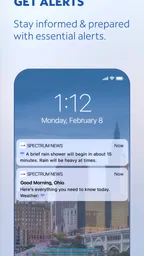
- Breaking news alerts can keep you informed as stories develop.
- Video reports offer another way to follow local events.
- The app is free to download and use.
What could be better
- Coverage and features can vary by location.
- Some stories may require a reliable internet connection.
- Breaking news notifications can become distracting.
- The app may request access to location for local coverage.
- News coverage is focused on areas served by Spectrum News.





