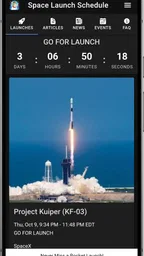
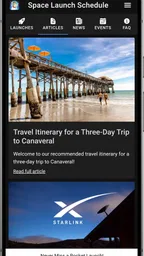
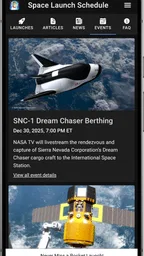
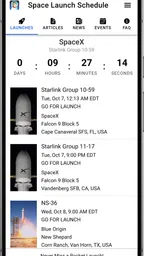
Space Launch Schedule review
 Analysis by Appsdrops
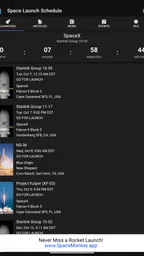
I find Space Launch Schedule most useful as a reference for people who want to follow launches from more than one part of the world, rather than as a general-purpose events calendar. Its focus is narrow in a helpful way: it is an events app built around rocket launch timing and launch sites. That makes it easier to decide whether it belongs on your phone. If you already check launch news and want a dedicated place to keep an eye on upcoming missions, it is worth considering; if you want broad event discovery or guaranteed minute-by-minute operational updates, it may not be enough on its own.
Trust starts with knowing what the app is for
The app is developed by Kickstand Technology Inc and has been available since July 29, 2015. Its current version is 8.2.1, and it has earned a 4.2 average from 405 ratings, with 143 written reviews and over 100,000 installs. Those figures suggest an established audience, but I would treat popularity as context rather than proof that every launch detail will suit every user’s needs.
The central trust question here is practical: how much should I rely on a schedule when launch plans can change? I would use this app to discover what is coming up and to keep launch activity on my radar, not as the final authority for a time-sensitive trip or a live viewing plan. Rocket launches are subject to changes, and any schedule is only useful when its information remains current. For a major event, I would check the relevant launch organizer’s latest announcement before setting out.
That distinction matters more than polished presentation. A schedule is a planning aid, not a promise that a vehicle will lift off at the listed moment. I find the app’s worldwide scope appealing because it gives launch followers one place to orient themselves, but it also means the user should pay attention to location and local time when interpreting an event. A launch that is convenient to follow online might be at an awkward hour where you live, while a nearby launch site may make a viewing opportunity more realistic.
What the app can responsibly help with
I would open it to answer questions such as, “Is there a launch worth following soon?” or “Which launch site is associated with this event?” That is different from relying on it to answer every operational question: whether public viewing is permitted, whether weather will cooperate, or whether a launch is proceeding at the last possible moment. Those decisions need current information from the people responsible for the launch.
For example, imagine a friend mentions a launch during the weekend and you want to see whether it is worth staying up for. A schedule app can help you identify the event and its expected timing, then you can decide whether to follow coverage or look for official updates. If you are considering driving to a viewing area, use the schedule as the start of your research, not the end. That small habit avoids treating a listed event as a confirmed appointment.
Visible choices matter more than assumptions
I take a cautious approach to trust because I do not want to guess about permissions, data collection, account settings, or notification controls. Those details should be judged from the app’s current permission prompts, privacy information, and settings on the device—not inferred from the fact that it displays launch schedules. Before enabling a permission or sharing personal information, I would read the explanation shown at that moment and decide whether the requested access fits what I want the app to do.
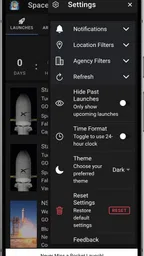
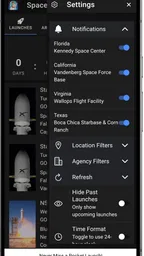
The same applies to account controls. If an app offers sign-in or profile options, I check what is optional and what is required before proceeding. If it presents notification choices, I prefer to start with only the alerts I genuinely want and adjust them after seeing how useful they are. I would not assume that a particular account system, alert setting, or data control exists unless it is visibly presented in the version I am using.
This is a useful standard for any event tool, but it is especially relevant here: launch information can be interesting without requiring a user to hand over more access than they are comfortable with. I recommend taking a moment during setup to review prompts rather than tapping through them automatically. If a choice is unclear, delaying that choice is better than granting access merely because the app is about spaceflight.
When launch information meets personal plans
The most data-sensitive moment for me would be turning a general interest into a personal routine: setting reminders, sharing an event with someone, or connecting a launch listing to another service if the app offers that option. Each step can introduce additional choices about what information leaves the device or what notifications arrive. I would make those decisions one at a time and keep the app’s role modest: help me notice launch activity, while official sources handle last-minute confirmation.
There is also a privacy-minded way to use a schedule app without overcomplicating things. I can browse events when I choose, note an interesting launch, and check for updates later, instead of enabling every available alert or granting broad device access. That approach is particularly sensible if I only follow launches occasionally. Frequent followers may value a more active notification setup, but they should still choose alerts deliberately and revisit those settings if they become distracting.
A focused tool, not a full launch-viewing plan
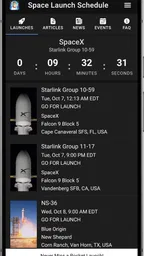
Compared with a general calendar, Space Launch Schedule has a clearer subject: rocket launches around the world. A personal calendar is better for combining a confirmed event with work, travel, or family plans, while a news source may be better for detailed reporting and immediate context. I see this app as the discovery layer between those options. It can help me notice an event; my calendar can help me plan around it; current official communications can tell me whether the plan still makes sense.
That division of labor is a strength, but it is also a limitation. If you want a single service that guarantees live launch status, provides detailed mission analysis, and manages a viewing trip from start to finish, this is not the choice I would make based on its stated purpose. Likewise, someone who rarely follows space launches may find that a dedicated app adds little beyond occasional searches. The focused scope is valuable precisely for people who care enough about launches to want a recurring reference.
I would also avoid judging the app solely by whether a planned launch happens exactly on schedule. Changes are part of launch activity, and a listing that helps identify an event can still be useful even when plans shift. The more important test for me is whether it makes it easier to keep track of what may happen, while leaving room to verify the details that affect real-world decisions.
Who I would recommend it to
I would recommend it to space enthusiasts who follow missions across multiple launch sites, casual viewers who want to spot an upcoming event, and families or friends deciding whether to watch a launch together. It is free and rated for Everyone, so there is no purchase decision to make before trying it. Its audience scale—over 100,000 installs—also indicates that it is not an obscure one-off utility, though each person should still check that the current version behaves as expected on their device.
The app is less suitable for someone who needs a definitive operational source, dislikes maintaining a separate app for a niche interest, or expects a schedule to remove uncertainty from launch day. If your main goal is to attend a public viewing, first investigate access rules and local conditions independently. If your main goal is to understand a mission in depth, pair the schedule with reporting that explains the vehicle, payload, and mission context.
My practical recommendation is to start with a light-touch setup. Browse the schedule, see whether its worldwide coverage fits your interests, and only enable additional options when you can see what they do and decide they are worthwhile. That gives you a way to test the app’s usefulness without making assumptions about permissions or sharing. If launch dates become part of your routine, you can then build a separate planning habit around checking current announcements before acting.
My cautious verdict
Space Launch Schedule has a clear reason to exist: it gives launch followers a dedicated way to keep upcoming rocket activity in view. I like that focused purpose more than an overloaded events feed, and I can see it being handy for the simple but satisfying task of noticing a launch that might otherwise pass by. Its 4.2 average rating offers a useful signal of reception, but I would still evaluate it through my own use and the choices it presents on my device.
My advice is to treat it as a launch-discovery companion, not a final authority or a complete event-planning system. Review permission and data prompts carefully, make only the account or notification choices you actually want, and verify important timing through current official updates. With that cautious approach, it can be a worthwhile free app for people who regularly follow launches. If your interest is occasional or your plans depend on exact, live status, a general calendar or an official source may be the better tool for the job.
What we like
- Launch dates are easy to scan in a clear schedule.
- Mission details help explain what each flight will do.
- Reminders make it easier to keep track of upcoming launches.
- The app covers launches from multiple space agencies.
- A countdown builds anticipation for scheduled missions.
What could be better
- Launch times can change with little notice.
- Some mission details may be limited or unavailable.
- The schedule depends on timely updates from its sources.
- Notifications may need manual setup to be useful.
- A reliable internet connection may be needed for current information.





