

SnapTok - TT Video Downloader review
 Analysis by Appsdrops
I judge a video-saving app not only by whether it can keep a clip, but also by how much effort it asks from someone trying to use it. SnapTok - TT Video Downloader is aimed at saving TikTok videos for later viewing, including versions without a watermark. That focused purpose may suit people who want a clip available offline, but the experience is only useful if the steps are manageable and the saved file fits the way they plan to use it.
Reading the workflow and finding your way around
The app belongs to the video players and editors category, though its main appeal is more practical than creative: it is a downloader and saver rather than a full editing studio. I would consider it when I already have a particular TikTok video in mind and want to keep a copy, not when I need a broad library for organizing or editing video projects.
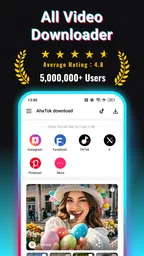
The developer is Video Downloader & Video Saver, and the app is free to install. It has a 4.7 average from around 90,000 ratings and over 10 million installs, suggesting that many people have tried it. Those figures can help establish its reach, but they do not tell me whether its controls will feel comfortable for a particular person; that comes down to the actual workflow on their device.
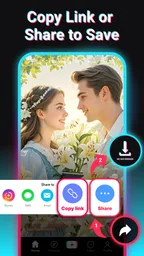
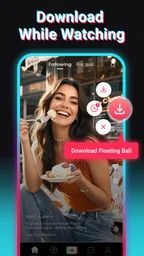
For readability, the key question is whether the route from a TikTok clip to a saved video is easy to follow. A downloader is at its best when it makes the main action obvious and avoids sending users through a maze of screens. If I were helping someone who does not enjoy exploring unfamiliar apps, I would suggest trying one ordinary clip first and checking where the app places the result before relying on it for a larger batch.
That small test is useful for more than convenience. It shows whether the labels make sense to the person using the app, whether they can tell when a download has finished, and whether they can locate the file afterward. People who rely on clear, predictable navigation should treat those details as part of the decision, not as minor housekeeping.
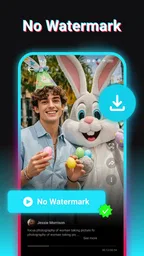
The promise of saving without a watermark is meaningful for anyone who wants a cleaner-looking copy for personal viewing or reference. Still, I would not confuse that with a video editor: removing a visible mark is not the same as trimming, captioning, or reshaping a clip. If those are the tasks I need, a dedicated editor is the more suitable tool.
A simple test before making it part of a routine
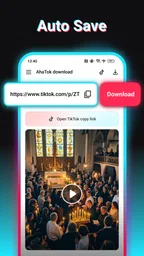
My practical recommendation is to choose a clip whose source and intended use are clear, save it, then play it from the place where it appears on the phone. That checks the entire chain rather than only the download button. A file that saves successfully but is hard to find, difficult to replay, or not useful in the intended setting has not really solved the problem.
This is especially helpful for someone who shares a device, uses a small screen, or is learning how video files are handled on a phone. A single test can reveal whether the app's approach feels understandable without requiring the user to commit to a long setup or download a collection they may not want.
Comfort, control, and sensory needs
People use apps in different ways, and a workflow that feels quick to one person can be tiring to another. A touchscreen downloader may be convenient for someone comfortable with taps and switching between apps, while repeated small actions can be awkward for a user with limited dexterity, hand tremors, or pain. I would not assume that a task is accessible just because it looks short on paper.
One useful way to reduce unnecessary effort is to decide in advance what needs saving. Rather than opening the app repeatedly for every clip encountered, I would collect a small set of videos to handle in one sitting, provided the app's flow suits that approach. This can cut down on context switching and repeated navigation, though it is not a substitute for controls that work well for each individual.
Screen glare, motion, sound, and interruptions also change how comfortable an app is to use. Someone watching a saved video in a quiet waiting room may need to rely on the display rather than audio; someone with low vision may need the phone's own display settings to make text and controls easier to distinguish. I would test those settings with the app rather than presume the interface adapts in a particular way.
A concrete everyday case is a commuter who wants to keep a few clips for a stretch with unreliable connectivity. The sensible routine is to save them before leaving, confirm that the files play, and then use them later without depending on a live connection. That makes the app potentially useful in a practical context, while also making a failed or incomplete save more frustrating than it would be at home.
For people who use assistive input or need a highly customized interface, the best choice is the one that works reliably with their own device settings. I would test the actual controls, text visibility, and playback behavior before depending on SnapTok for an essential task. It is better to find friction with one test video than after a long trip or during a time-sensitive situation.
Where offline access helps—and where it does not
Saving a video is most valuable when watching it later is more convenient than finding it again. A student might keep a short clip as a visual reference, while a family member could save something they want to show another person without searching through a feed. In both cases, the benefit is quick access to a particular item, rather than a replacement for a streaming service or a complete personal media system.
Offline viewing can also help in places where reception is inconsistent. But it is worth distinguishing “saved” from “ready for every situation”: users should check that a file plays before they leave a reliable connection, and keep in mind that downloading requires storage space. If phone storage is already tight, retaining many videos may create more trouble than it solves. I would save only the clips I expect to use and remove copies when they are no longer needed.
Compared with the usual alternatives, SnapTok is more specialized than a general video player, which typically focuses on playing files already on the device. It is also narrower than an editor, which is designed to alter footage rather than simply keep it. That specialization is a strength when the goal is straightforward TikTok saving; it is a limitation when I want one app to manage, edit, caption, and share a whole video collection.
There is also a useful distinction between saving for private convenience and reusing someone else’s work. A watermark-free copy may look cleaner, but it does not change who created the video or give permission to repost it. I would keep the app’s purpose to personal access and respect the creator’s rights and the platform’s rules when considering any further use.
The app is rated for Everyone, and it is free with optional in-app purchases ranging from around $0.99 to $19.99 per item. That makes it easy to try the basic idea without an upfront purchase, but I would check what any optional purchase offers before paying. People who only need occasional saves may prefer to use the free experience and avoid buying anything they do not clearly need.
Barriers to consider before relying on it
The biggest limitation is the narrow job itself. If I need robust folders, detailed metadata, batch editing, or a single place to manage clips from many sources, a dedicated media manager or editor is likely a better fit. SnapTok makes most sense when a user values a direct route to saving TikTok videos and does not expect a larger creative toolkit.
Another possible point of friction is the handoff between the source video, the downloader, and the saved file. Even a short workflow can become confusing if a person has to remember where to tap or where the result went. I recommend checking the destination after the first save and using a consistent routine. That is a practical safeguard, not a claim that every device or user will encounter the same problem.
Compatibility matters as well: the current version is 3.17.1 and the minimum operating system is Android 8.0. Someone using an older Android device should check compatibility before planning around the app. It is an Android app, so an iPhone user should look for an option intended for iOS rather than assume this one will work on their device.
Finally, a high average rating and large audience cannot guarantee a good fit for someone with particular access needs. Ratings capture many different devices, habits, and expectations. If readability, one-handed operation, or assistive input is essential, I would evaluate those needs directly instead of treating popularity as proof of usability.
Who I would recommend it to
I would recommend SnapTok to an Android user who wants a focused way to keep TikTok videos for later and values the possibility of a watermark-free copy. It is a reasonable candidate for occasional offline viewing, reference clips, or showing a saved video when searching for it again would be inconvenient.
I would be more cautious if the user needs extensive editing, has very limited storage, depends on a highly predictable accessible interface, or wants an all-purpose video library. In those cases, a built-in player, a dedicated editor, or another tool designed around the specific need may be a better choice. The right option depends less on the number of features than on whether the essential steps are comfortable for that person.
Overall, I see SnapTok as a specialized convenience rather than a must-have video suite. Its appeal is the straightforward idea of keeping a TikTok clip available beyond the feed, and its strongest use is a small, intentional collection that has been tested before it is needed. For anyone whose device and workflow suit it, that can be handy; for everyone else, a broader or more accessible alternative may be worth choosing instead.
What we like
- Downloads can be saved for offline viewing.
- A built-in player lets you check videos before sharing them.
- The simple interface makes the main download flow easy to follow.
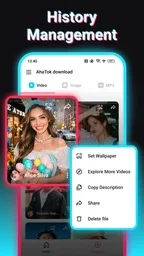
- Downloaded clips are convenient to access from your device.
- The app can be useful for keeping videos available without a connection.
What could be better
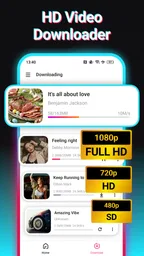
- Downloaded videos may not retain their original quality.
- Some videos may be unavailable because of privacy settings.
- Ads may interrupt the download experience.
- Downloaded content can use substantial device storage.
- Use of saved videos may be limited by copyright or creator permissions.





