


Snap News: Local & Alerts review
 Analysis by Appsdrops
I would approach Snap News: Local & Alerts as a way to check what people are following nearby, rather than as a replacement for every news source I already trust. Its appeal is the mix of current stories and local coverage: useful when I want a quick sense of what is happening around my community, but not necessarily enough for deep reporting or a carefully curated national briefing. For a first-time reader, the best way to judge it is to start with one practical question—what is worth knowing today?—and see whether the app helps answer it.
What to expect from a community-focused news app
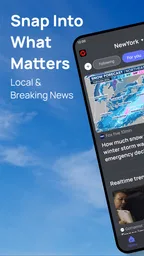
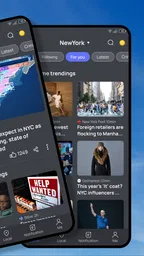
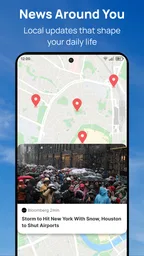
Snap News is a free news and magazines app from Build4world. The idea is straightforward: bring timely updates, popular stories, and local coverage together in one place. That combination can be more useful than a broad headline feed when a nearby issue matters to your day, such as a local event or a change affecting your area. The trade-off is that a feed with community and trending material may feel less like a traditional newspaper, where editors arrange a clear sequence of stories.
I would use it for a quick scan, not as my only source for an important claim. A headline can help me notice a developing subject, but I would still look for a full report and compare sources before sharing something consequential. That distinction matters especially with trending stories: popularity tells me what is attracting attention, not by itself what is most reliable or relevant.
The app has a 4.3 average from around 8,100 ratings, and it has passed 500,000 installs. Those figures suggest that it has found an audience, though they cannot tell me whether its coverage matches a particular reader’s neighborhood or interests. Its content rating is Everyone, and it is free, which makes trying it a low-commitment way to see whether the local angle suits your routine.
One useful expectation to set is that local coverage is only valuable when it connects with the place and topics you care about. If the stories you see feel distant or too general, the app may be less satisfying than a local newspaper’s own reporting or a specialized source. Conversely, if you usually miss smaller community updates while browsing national headlines, Snap News may give those stories a more natural place in your daily check-in.
Getting started without overthinking it
After installing, I would begin by opening the feed and observing what it presents before deciding how well it fits. That first pass gives you a simple baseline: are the stories recognizably relevant, and does the balance between current topics and local coverage feel useful? The app runs on Android from version 7.0 onward, so it can suit people using older supported devices as well as newer ones.
For a calmer first session, I would avoid treating every headline as something I need to read. Pick one story that looks relevant, open it, and consider whether the app gives you enough context to understand why it is appearing. If it does, you have found a practical role for the app. If it only gives you a headline-level impression, use it as a pointer to investigate further rather than as the final word.
A small but helpful habit is to separate “interesting” from “actionable.” A trending item might be worth knowing about without affecting your plans, while a local update could matter because you are heading across town or making a decision that day. Checking the location relevance before spending time on a story keeps a quick news visit from turning into an unfocused scroll.
I would also give the feed more than one visit before forming a firm opinion. News changes, and a single opening can be an unrepresentative snapshot. Try checking at a different point in your routine and notice whether you get a useful mix or repeatedly encounter material that does not fit. This is a practical test of fit, not a promise that the feed will adapt in a particular way.
Your first useful result: turn a headline into a decision
A realistic first success might happen before work: I open Snap News while having breakfast, spot a local story that could affect my plans, and read enough to decide whether I should check a fuller report. The win is not simply seeing a headline. It is reaching a sensible next step—adjusting a plan, looking for more context, or deciding the story does not need more attention.
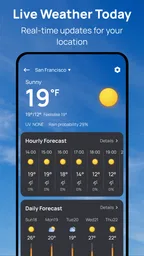
For example, if a community update appears relevant to a route I expect to take, I would verify the details with a source suited to that decision before changing course. That workflow uses the app as an early signal without asking it to serve as a live navigation or emergency service. It also keeps me from confusing a news feed with a dedicated tool designed for immediate, operational updates.
Another good use is a short end-of-day scan. Rather than chasing every popular topic, I would choose one local item and one broader story, then stop once I understand their basic significance. This works well for someone who wants a compact sense of the day without opening several separate apps. If the articles lead to questions that need depth, that is the moment to move to a specialist publication or a source with more detailed reporting.
The most important early judgement is whether the local angle earns a place in your routine. If you live or work in an area where community developments regularly affect your choices, a brief check may be worthwhile. If you mainly follow international affairs, business analysis, or a narrow subject, a dedicated publication will probably give you more depth and less distraction.
Where newcomers can misread the feed
“Trending” is easy to mistake for “important,” but the two are not interchangeable. I would read the label as a clue to what is attracting attention, then judge the story on its own merits. A widely discussed item can be entertaining or timely without being the one thing a local reader most needs to know; a less prominent community update may be more useful for a particular day.
It is also worth distinguishing local relevance from local completeness. A story connected to a community can make a feed feel closer to home, but that does not automatically mean it covers every angle, neighborhood, or follow-up. If a detail affects your safety, money, travel, or a major decision, seek confirmation from an appropriate source rather than relying on a brief feed entry.
Another common source of disappointment is expecting a personalized newspaper from the first glance. The most sensible approach is to evaluate the material that actually appears and decide whether it serves your needs. I would not assume that every reader will see the same local mix or that a particular topic will always be prominent; instead, I would treat relevance as something to judge through repeated, ordinary use.
The short name shown in the store is Snap News, while the full app name is Snap News: Local & Alerts. That distinction is worth knowing when you are searching for it or comparing it with other news apps. The current version is 1.2.7, and the app was released on January 23, 2025. Build4world is the developer, but the decision that matters more to a reader is whether the stories it surfaces are genuinely useful in their own daily context.
When another news option is the better fit
Compared with a conventional newspaper app, Snap News is most appealing when I want a quick mix of current and community-oriented material rather than a single publication’s reporting identity. A newspaper app may be better when I want consistent editorial priorities, named reporters, or a fuller account of one issue. A general-purpose news aggregator may work better for someone who wants to follow many subjects or compare a wide range of publishers in one place.
For neighborhood notices and immediate practical information, a dedicated local outlet or an official community source may also be a better companion. Snap News can help me notice a story, but I would not treat a general news app as a substitute for a source built to deliver authoritative instructions. The same goes for readers who need detailed financial, scientific, or political analysis: a broad feed is a starting point, not a specialist reading plan.
On the other hand, if your usual habit is to check headlines in spare moments and you often wish those headlines felt closer to home, the app has a clear reason to earn a try. Since it costs nothing to use, you can judge the value by whether it helps you find relevant coverage without adding another time-consuming routine. I would keep it only if the stories regularly answer a question I actually have.
Making it part of a sensible routine
My recommended next step is simple: use it for a few short visits, each with a purpose. One time, look for a local development; another time, scan the stories drawing broad attention. Notice whether you can move from headline to useful context without being pulled into a long, unfocused session. If the feed repeatedly gives you a worthwhile lead, it is doing a job that a generic headline list may not do as well for you.
To keep the app useful, I would pair it with one trusted source for deeper reading instead of asking it to do everything. When a story matters, compare the account with a relevant publication or official source; when it does not, move on. This small boundary makes a community-oriented feed easier to use responsibly and helps preserve the convenience that makes a quick news check appealing.
Overall, I see Snap News: Local & Alerts as a reasonable free option for readers who want local stories alongside the topics people are discussing. Its strongest case is practical discovery: a short visit may surface something nearby that would otherwise pass unnoticed. Its weaker case is depth and guaranteed relevance, so I would not choose it as my sole source for serious reporting or time-critical guidance. If you want a low-effort way to test whether community-focused news belongs in your routine, start with one local story and judge the app by what you can usefully do next.
What we like
- Personalized alerts can surface important updates quickly.
- Local coverage helps keep nearby events in view.
- A focused news feed makes headlines easy to scan.
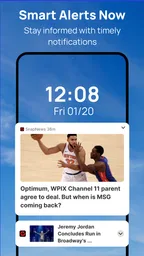
- News alerts can be useful when major stories break.
- The app offers a convenient way to follow current events.
What could be better
- Alert frequency may feel excessive for some readers.
- Local reporting quality can vary by area.
- A steady stream of headlines may encourage frequent checking.
- Some stories may require opening external pages for details.
- Personalized feeds may show a narrow range of viewpoints.





