







Skylight review
 Analysis by Appsdrops
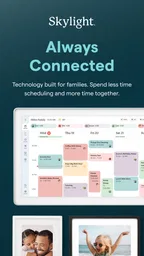
I like the idea behind Skylight: photos and family plans are most useful when they reach the people who need them without another group chat to monitor. This photography app is built to manage a Skylight Frame and a Skylight Calendar, so it is less of an all-purpose photo editor than a companion for sharing family moments and coordinating a household. That focus gives it a clear purpose, but also means it will not suit everyone looking for a general photo library.
Designed around a shared family display
In my view, the app makes the most sense when someone in the family owns a Skylight device and other relatives want a simple way to contribute. The person with the phone can use the app as a bridge between personal photos and a display intended for a shared space. That is different from keeping pictures in a private camera roll or sending them one at a time through a messaging app.
The developer is Skylight Frame, and the app sits at the intersection of photography and family organization. Its two-part purpose matters: a photo-sharing workflow and a calendar workflow are not the same thing, even when both support family life. I would choose it because I want photos and plans to be visible in a home, not because I need extensive editing, social features, or a replacement for every calendar service I use.
One practical distinction is that the app’s usefulness depends on the receiving Skylight device. If a relative does not have a compatible frame or calendar, there is no obvious reason for them to install this instead of using their existing photo-sharing or scheduling tools. Before inviting several family members, I would first make sure the household is actually going to use the display; otherwise, the extra app can become one more place to check.
Readability and navigation in a family routine
For a household app, clarity matters more than a long list of controls. I find the combined purpose easy to explain: use it to manage a family calendar and send photos to a Skylight Frame. That framing is helpful for relatives who are not interested in learning a complicated photography system. It gives them a concrete task rather than asking them to understand albums, cloud folders, or a new social network.
There is still a small learning curve in knowing which part of the experience is for which job. A family member who opens the app to share a picture may not be thinking about calendar management, and someone who only needs to coordinate appointments may have little interest in photo controls. I would introduce it with one action at a time: first show how to contribute a photo, then explain the calendar tools only if that person needs them.
A useful household setup is to agree on what belongs on the shared display. For example, relatives might send pictures from a weekend visit while the person managing the household calendar adds upcoming appointments. That division can keep the app from becoming a catch-all for every image and reminder. It is a small bit of organization, but it helps the shared screen feel intentional rather than noisy.
The app has an average rating of 4.0 from around 28,000 ratings, with roughly 11,000 written reviews. Those figures suggest that many people have tried it, but they do not tell me whether it will fit a particular family’s habits. The more important question is whether your household wants a dedicated shared display and whether its members will remember to contribute to it.
Different abilities, different ways of using it
I would not assume that a family app automatically works equally well for every person. The key advantage here is the shared-device approach: a relative can enjoy photos or see household plans on a Skylight display without needing to manage everything from a phone. That can be useful for someone who is less comfortable browsing a personal photo library or who prefers information to be available in a common room.
At the same time, the phone app still asks contributors to use a mobile interface. Anyone who finds small touch targets, scrolling, or switching between app sections tiring may need another family member to help with setup or routine contributions. I would test the basic task with the person who will actually use it, rather than assuming that a short explanation is enough. If they find the process awkward, assigning one willing relative to send photos may be more inclusive than expecting everyone to do it independently.
For sensory needs, the important question is not only whether a person can send an image, but also how they prefer to receive information. A shared display can make family photos and plans present in the room, which may be easier than remembering to open an app. But a person who prefers information only when they choose to view it may not want another always-visible source of activity. I would treat the display as a household choice and ask the people who share the space before making it central to family communication.
There is also a difference between visual access and practical access. A photo may be meaningful to one relative but hard to interpret for another, and a calendar entry can be easy to overlook if someone relies on a different reminder routine. I would not use the Skylight setup as the only route for urgent or essential information. For important appointments, keep the person’s preferred reminder method in place too.
Where it fits into a normal day
Imagine a family member visiting for the weekend and taking pictures with their phone. Instead of sending a long stream of images into a chat where they may get buried, they can use the app to contribute photos for the family frame. Meanwhile, the person coordinating the household can keep upcoming plans in the calendar side of the experience. The value is not merely that the pictures are transferred; it is that a shared display gives relatives a reason to notice and enjoy them together.
A useful tip is to make the first contribution a small, deliberate batch rather than trying to move every favorite photo at once. That gives the household a chance to see whether the display is used and what kinds of pictures people enjoy there. If it becomes part of the routine, family members can add more over time. If it does not, you have avoided turning setup into a large organizing project.
Another trade-off is that a family display is naturally more public than a private album. Before sending a picture, I would consider who can see the frame and whether the image is appropriate for a shared room. This simple pause is especially worthwhile when several relatives contribute; not everyone has the same assumptions about what belongs on display.
For calendars, I would think about who is responsible for keeping plans current. A shared calendar only helps when somebody updates it and family members know to consult it. It can reduce the friction of repeating routine information, but it should not be treated as self-maintaining. If the household already has a reliable calendar that everyone checks, moving plans into a second system may create duplication instead of saving time.
How it compares with familiar alternatives
Compared with a standard photo-sharing app, Skylight is more focused on getting family pictures onto a dedicated frame than on building a flexible online album. A conventional photo service is usually the better fit if you want broad storage, extensive sorting, or a place to browse a large collection from many devices. Skylight is more appealing when the destination matters: you want selected family moments to appear on a shared display.
Compared with a group chat, it can make photos feel less temporary. Chats are convenient for quick reactions and conversation, but a picture can disappear into a busy thread. A frame-oriented workflow offers a more visible endpoint. The exchange is that messaging is better for discussion and immediate replies, while this app is centered on managing the family display and calendar rather than replacing conversation.
Calendar apps are another meaningful comparison. If your main problem is coordinating work schedules, recurring events, or reminders across several services, a dedicated calendar tool may be a better match. Skylight’s appeal is the combination with a family display, not a claim that every household scheduling need belongs in one place. I would avoid maintaining two calendars unless the Skylight calendar serves a clearly defined purpose, such as a common view of family plans.
Practical limits and who should look elsewhere
The biggest limitation is the specialized setup. This is not a general camera app, and it is not a universal photo destination for relatives who do not use Skylight hardware. If you want to edit pictures, organize a large archive, or share with people across many platforms, a broader photo service will likely be more useful. If your household has no interest in a shared display, the app’s central advantage may not apply.
It is free to download, with in-app purchases ranging from $3.99 to $39.99 per item. I would check the purchase details in the app store before deciding what the household needs, rather than assuming every capability is included at no cost. That matters particularly when several family members are considering the same setup: agree on the intended use before anyone pays for an option that does not solve a real problem.
The app is rated for Everyone and has passed one million installs. It was released on October 5, 2018, and its current version is 2.32.0, with Android support from version 7.0. I see those details as useful context for someone checking basic compatibility, not as a reason by themselves to choose it. The right decision still depends on the family’s devices and whether a shared frame or calendar will genuinely be used.
To avoid confusion, I would decide who maintains the calendar, who is welcome to send photos, and what kind of content belongs on the shared screen. Those choices address common friction before it appears: duplicate schedules, a flood of pictures, or relatives unsure whether they are expected to participate. A little agreement makes the app more approachable for people with different levels of confidence and different routines.
A considered choice for inclusive family sharing
I would recommend Skylight to a family that already has a Skylight Frame or Calendar and wants a straightforward way to manage it from a phone. Its strongest point is the link between personal contributions and a shared household destination. That can help photos and plans reach relatives who do not want to keep up with multiple chats or remember to open another album.
I would be more cautious if one person would have to manage everything, if household members need different communication methods, or if the family already has a calendar everyone uses reliably. The app can support shared routines, but it cannot decide who updates information or make a mobile workflow comfortable for every contributor. Keeping another reminder channel available for essential plans is sensible, especially when family members have varied access needs.
Overall, I see it as a focused companion rather than a replacement for a photo library, messaging app, or full-featured calendar. The best reason to use it is specific: you want family photos and plans connected to a Skylight device in a shared space. If that describes your home, Skylight has a practical role and can make contributions feel more visible. If it does not, a familiar photo-sharing service or calendar will probably be simpler.
What we like
- The family calendar is easy to view on a large screen.
- Shared lists help keep household tasks in one place.
- Color coding makes family members' schedules easy to distinguish.
- The calendar can sync with supported online calendars.
- The companion app lets users manage updates remotely.
What could be better
- Many useful features require a paid subscription.
- The Skylight display requires a separate hardware purchase.
- Calendar syncing depends on compatible services and account access.
- A stable Wi-Fi connection is needed for updates and syncing.
- The large display may not suit smaller homes or limited counter space.





