
Simple Radio: Live AM FM Radio review
 Analysis by Appsdrops
I find Simple Radio most useful when I want a familiar station without having to keep a traditional radio nearby. It’s a music and audio app from Streema, Inc., built around listening to live radio rather than assembling a personal library of tracks. That makes it a different kind of companion from a streaming service: I choose a station and let its presenters, music, news, or sports coverage set the pace.
For a first-time listener, the appeal is easy to understand, but the best experience depends on knowing what live radio can and can’t do. You’re tuning into broadcasts, not selecting every song or controlling a show’s schedule. Once that distinction clicks, Simple Radio is an approachable way to bring familiar radio listening to a phone.
What to expect from live radio
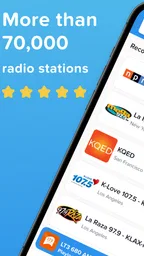
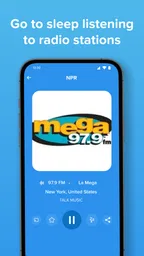
The app’s focus is access to live FM and AM stations, with music, news, and sports among the kinds of programming you can seek out. Its name is a fair description of the basic idea: find a station, start listening, and let the broadcast unfold. It doesn’t ask you to build playlists before you can enjoy it.
That simplicity is also a trade-off. A station’s playlist, presenters, adverts, and timing belong to the broadcast, so you shouldn’t expect the freedom to skip directly to a song or replay a particular segment as you might in an on-demand music app. I’d choose Simple Radio when I want company, local flavor, or live coverage; I’d choose a music service when I need precise control over what plays next.
There’s a practical difference between radio and a saved collection, too: a live station is a stream, not a file you’ve chosen to keep on your device. If you’re planning to listen while commuting or away from a reliable connection, it’s sensible to check that your connection is working before you leave. That small habit can prevent the frustrating surprise of expecting a broadcast to behave like downloaded music.
Simple Radio is free to install, with in-app purchases listed from $0.99 to $29.99 per item. I’d treat the free version as the place to find out whether its station-based approach suits me before considering any purchase. The app is marked for Teen audiences, so that age guidance is worth considering for younger listeners and families.
Its long-running popularity suggests that many people find this style of listening useful: it has a 4.7 average from around 959,000 ratings, and it has passed 50 million installs. Those figures don’t guarantee that a particular station will be available or to your taste, but they do put the app in a well-established corner of mobile radio rather than making it feel like an obscure experiment.
Make your first setup simple
After installing, I’d begin with one clear goal instead of trying to explore every kind of station at once. Pick something you already enjoy listening to—perhaps a familiar local broadcast, a news station, or sports coverage—and use that as your first search. A known station gives you a much better test of whether the app suits you than choosing randomly and hoping the programming clicks.
When a station starts, give it enough time to settle into its actual programming. Live radio can open with a presenter, a news update, or a song already in progress, so a few seconds of content may not tell you what the station is usually like. I find it more useful to listen through a short stretch and judge the station by its overall tone than to reject it based on its first moment.
If you’re unsure what to try, narrow the choice by purpose. A station for background listening during chores doesn’t need to be the same one you’d want for a commute or a match. Thinking in those terms turns browsing into a practical decision: “What do I want to hear right now?” is easier to answer than “Which station is best?”
One helpful first-session workflow is to test the app in the setting where you expect to use it. Start a station while you’re at home, then see whether its sound and program style work for you while doing something else. This checks the central promise—easy live listening—without requiring you to learn a complicated setup or commit to a particular station for the whole day.
Find a first meaningful listen
For me, the first real success isn’t simply getting audio to play; it’s finding a station I’d choose again. Try a broadcast tied to a current interest, such as a sports discussion when you want commentary or a news station when you want spoken updates. If the first choice feels wrong, switch to another kind of programming rather than assuming radio as a whole isn’t for you.
A realistic everyday use is putting on a station while preparing breakfast. You can listen to news or music without stopping to choose each track, and the broadcast gives the kitchen a sense of shared time rather than the carefully arranged feel of a playlist. If you’re heading out soon, though, don’t assume the stream will continue seamlessly through every change in your connection; test it before relying on it for an important journey.
Another useful approach is to match the station to your attention. Spoken programming can be a good fit when you’re doing routine tasks and want something to follow, while music radio may work better when you’d rather have sound in the background. That’s not a guarantee that every station will fit every activity, but it’s a more reliable way to browse than expecting one favorite to serve every mood.
When a station catches your interest, make a note of its name or remember the route you used to find it, so you can return to it without repeating a wide search. This is especially helpful if you’re sampling stations in different languages, regions, or formats. A little intentional browsing early on can make later sessions feel much more direct.
Common points of confusion
The biggest adjustment for people coming from music-streaming apps is accepting that live radio isn’t fully under their control. A presenter may be speaking when you tune in, a song may already be underway, and the next item depends on the station’s schedule. If you want a specific track on demand, that’s a sign to use a catalog-based music app instead of expecting a radio tuner to work like one.
It can also help to separate the app from the station. Simple Radio is the listening tool, while the broadcaster determines the programming and what’s on at a given moment. If a station’s content isn’t what you expected, trying a different station is usually a more useful response than judging the whole app by one broadcast.
Another easy mistake is treating a momentary pause as proof that a station has disappeared. Live streams rely on a working connection, so it’s worth checking your connection and trying the station again before abandoning it. In a weak-signal location, an on-demand app with content available offline may be a more dependable choice.
Because broadcasts are live, the right station can matter more than the number of choices you browse. For instance, someone who wants regional news may value a broadcaster with the right local focus, while a listener seeking a particular song may care more about a searchable music catalog. I’d approach station discovery with a clear purpose, then stop browsing once I’ve found something that fits.
Who will enjoy it—and who may not
I’d recommend Simple Radio to people who miss turning on a radio, like discovering stations, or want live news, music, and sports without building a playlist. It’s particularly appealing if you enjoy the element of surprise: the station chooses what comes next, and you can dip into a broadcast already in progress.
It’s less suitable if you need offline listening, precise control over song order, or a particular recording on demand. In those situations, a downloaded music library or a streaming service designed around albums and playlists is a better fit. Similarly, if you only want one specific local broadcast, it makes sense to check whether that station is available before making the app part of your daily routine.
Compared with the built-in radio on a conventional receiver, the phone-based approach is convenient because you can explore stations through an app instead of being limited to the controls and reception of a particular radio. Compared with music-streaming alternatives, the trade is clear: less control over each track, but more of the live programming and presenter-led character that playlists often lack. Neither approach is universally better; it depends on whether you want a broadcast or a selection you control.
What to try after the first session
Once you’ve found a station that works, use it in a repeatable situation: a morning routine, a cooking session, or a stretch of background listening. Repeating the same simple workflow helps you decide whether Simple Radio is genuinely useful to you, rather than confusing the excitement of browsing with a habit you’ll keep.
If you want to explore, change one thing at a time. Keep the activity the same but try another station, or keep the station and listen in a different setting. That makes it easier to learn what matters to you—programming, mood, or convenience—without opening a dozen options and losing track of which one you liked.
The app’s current version is 6.3.1, and it supports Android 6.0 and later. It was released on December 12, 2014, so it has been around long enough to become a familiar option for many listeners, while still receiving a current version number. I’d still judge it by how reliably it serves your own listening routine rather than by its age or reach alone.
My overall view is that Simple Radio does its best work when I treat it as a straightforward doorway to live broadcasts, not as a replacement for every audio app on my phone. Start with a station you already have a reason to hear, test it in a normal part of your day, and keep it if the live format adds something you enjoy. If control, offline access, or exact song selection matters most, another kind of audio app will suit you better.
What we like
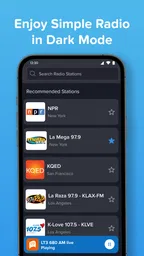
- Quick station search makes it easy to find familiar broadcasts.
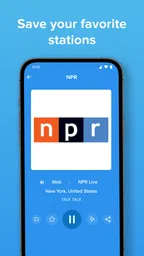
- Favorites provide convenient access to frequently played stations.
- Background playback lets you listen while using other apps.
- A sleep timer can stop playback automatically.
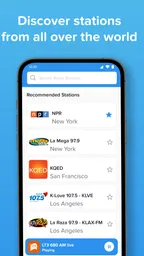
- The broad station selection includes local and international options.
What could be better
- Streaming requires a stable internet connection.
- Mobile data use can add up during extended listening.
- Some stations may be unavailable or have unreliable streams.
- Audio playback may include ads depending on the station or app plan.
- The interface can feel crowded with its large station catalog.





