





Screen Recorder - AX Recorder review
 Analysis by Appsdrops
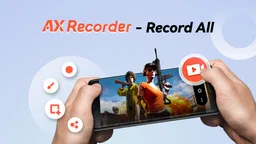
When a moment on your screen is worth saving, a recorder should make the job feel straightforward rather than turning it into a project of its own. Screen Recorder - AX Recorder is built around that simple creative task: capture what is happening on your device, including audio, and produce a video you can keep or share. Its focus on HD video and game recording makes it relevant to tutorials, gameplay clips, demonstrations, and other screen-based content.
A practical starting point for screen content
I see AX Recorder as a utility for creators who want to begin with what is already on their phone. Rather than setting up a camera to film a display, you can record the screen directly. That approach suits a quick walkthrough, a feature demonstration, or a game session where the action itself is the material you want to work with.
The app’s description highlights screen recording with audio, HD video, and game capture, while also emphasizing a no-lag experience. Those points speak to the essentials of this kind of tool: the recording should show the relevant activity clearly, preserve sound when it matters, and avoid distracting interruptions. I’d treat “no lag” as the app’s stated aim, not a guarantee for every device or recording scenario; performance can depend on what is running and the phone being used.
For someone new to making screen videos, the appeal is that the creative starting point is easy to understand. Decide what you want viewers to see, prepare that screen, and record the activity. That can lower the barrier to making a useful clip, whether the intended audience is a friend, a small online community, or someone following a set of instructions.
Where the app fits in a creator’s routine
AX Recorder belongs to the video player and editing space, but its clearest role is screen capture. It is not necessary to think of every recording as a polished production. A short clip can be valuable simply because it explains a setting, preserves a game moment, or demonstrates how an app behaves. For those jobs, a direct recorder can be more convenient than filming externally and trying to crop the result later.
The app is free to install, and its content rating is Everyone. It has been available since January 19, 2022, and its current version is 2.5.2.2. The stated minimum operating-system requirement is Android 6.0, so it is aimed at a broad range of Android devices that meet that baseline. In-app purchases are available at $14.99 per item, a detail worth keeping in mind if you prefer to avoid optional spending.
Making a recording with a clear purpose
A good screen recording starts before the record button. I’d first decide what the clip needs to communicate and remove anything irrelevant from the screen. For a tutorial, that means moving through the steps at a pace a viewer can follow. For gameplay, it means starting at a point where the action makes sense rather than asking the audience to sit through unnecessary setup.
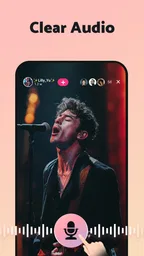
Audio can shape the result just as much as the image. If the goal is to preserve game sound or capture spoken explanation, it helps to think through what the listener should hear. A recording that includes sound is more useful when the audio supports the purpose rather than competing with it. AX Recorder’s audio focus makes it a natural option for those situations, although the final experience still depends on the device and the recording conditions.
HD video is another useful part of the app’s pitch. Clarity matters when a viewer needs to read interface text, follow a small on-screen change, or make sense of fast action. Even so, high-quality capture cannot replace good presentation. A clean sequence, deliberate pacing, and a clear objective often do more for a viewer than a long recording packed with unrelated activity.
Iteration without overcomplicating the process
Screen content often improves through small revisions. After making a first take, I’d watch it back and ask whether the important action is visible, whether the sound helps, and whether the clip starts and ends in sensible places. That review step can reveal an awkward pause or a confusing transition before the video is passed along. It is a simple habit, but it makes even a basic capture feel more intentional.
AX Recorder’s central purpose is recording, so I would approach it as one part of a broader creative workflow rather than assume that every editing need is handled inside the app. The source material can still be improved by planning the capture carefully: close unrelated screens, keep the sequence focused, and repeat a section if the first attempt is unclear. These choices give you a stronger starting file, regardless of how you later refine or publish it.
That workflow is especially useful for instructional clips. If a viewer needs to repeat a process, the recording should make each action easy to follow. A fast, messy capture may technically show the steps while still leaving the audience guessing. Recording with a teaching mindset—showing the relevant screen and allowing enough time for each change—turns the tool into part of a more thoughtful publishing process.
From capture to handoff
Once the recording is finished, the next question is what the video is for. A private clip may only need to be saved for later reference. A tutorial or gameplay highlight may be destined for a group chat, a social post, or another editing step. Thinking about the audience before capture helps you choose a useful length and avoid recording material that does not belong in the final handoff.
Because AX Recorder emphasizes recording HD video with audio, it can serve as the capture stage in a simple production chain: prepare the screen, record the activity, review the result, and then pass the clip on in whatever way suits your project. I would keep the original recording focused, especially if another person will edit or publish it. A tidy source file is easier to understand and work with than an extended, unfocused session.
For a creator who regularly explains mobile features, this kind of capture can make demonstrations more direct. For a player, it offers a way to preserve screen action as video rather than relying on memory. And for everyday users, it can be a handy means of showing someone exactly what happened on a device. The common thread is that the content begins on-screen and needs to reach another person clearly.
What the scale and cost suggest
AX Recorder has passed 10 million installs and holds an average rating of 4.6 from 142,000 ratings, alongside 1,300 reviews. That level of adoption suggests the app has found an audience among people looking for an accessible screen recorder. Ratings are only one part of choosing a tool, though; the best test is whether its recording approach matches your own device, content, and workflow.
The free entry point makes it approachable for trying a basic screen-capture routine, while the listed in-app purchases mean some items may involve additional cost. I’d check the app store details before making a purchase and decide whether any optional item is relevant to the way you work. There is no need to spend money simply to explore whether screen recording fits your creative plans.
A creator-focused verdict
AX Recorder is a straightforward option for turning on-screen activity into video. Its emphasis on audio, HD capture, and game recording gives it a clear purpose, and that clarity is a strength: it is easy to understand why someone making a tutorial, demonstration, or gameplay clip might want it. The app is most compelling when you need to capture what is happening on your device without adding a complicated production setup.
I’d recommend it to Android users looking for a screen recorder to support a practical content workflow, especially when direct capture is more useful than filming a display from the outside. It is also worth considering if you want to preserve a screen-based moment or create a simple visual explanation. As with any recorder, thoughtful preparation and a quick review of the finished clip are what turn raw capture into something ready to share.
Overall, Screen Recorder - AX Recorder makes sense as a focused recording tool rather than a promise of a complete video studio. Start with a clear purpose, capture only what the viewer needs, and treat the result as the first step toward delivery. For creators who want an accessible way to make screen videos, that practical approach is exactly where the app earns its place.
What we like
- Simple controls make recording easy to start and stop.
- Records gameplay and app activity without requiring root access.
- Built-in tools help trim recordings before sharing.
- Can capture audio alongside screen activity.
- Floating controls let you manage recordings while using other apps.
What could be better
- Some recordings may require storage permission and ample free space.
- High-resolution capture can use considerable battery power.
- Recorded video quality may vary across Android devices.
- Audio capture options can differ by Android version.
- The floating control may obstruct parts of the screen.





