




Rumble: Stream & Watch Videos review
 Analysis by Appsdrops
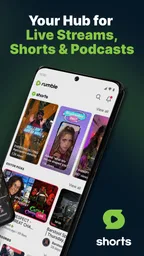
I tend to judge a video app less by how many clips it can put in front of me than by whether it gets me to something worth watching without a lot of friction. Rumble is built around live streams, short videos, and creators, so it suits a different mood from an app focused mainly on polished, algorithm-driven entertainment. It is free to install, but its mix of creator uploads and live viewing makes the experience depend heavily on what you choose to follow—and on the connection and device you bring to it.
Getting into a video without a long wait
Rumble is a video player and editing-category app from Rumble Inc, though its appeal here is primarily as a place to watch and share video. The practical expectation is straightforward: browse, choose a clip or live stream, and start watching. I would not treat it as a guaranteed instant-loading experience in every situation. Video performance depends on network conditions, the stream itself, and the phone, so a strong connection is the sensible choice for live viewing or longer sessions.
Its scale suggests there is a sizable audience to explore: it has passed 10 million installs, with an average rating of 3.7 from around 176,000 ratings. Those figures tell me the app has found a broad user base, but they are not a promise that every creator, feed, or playback session will suit a particular viewer. I would use the rating as a reason to approach it with realistic expectations, not as a substitute for trying the content that matters to me.
The quickest way to make the app feel more useful is to arrive with a purpose. If I open it looking for a specific creator or topic, I can spend my time watching rather than endlessly sampling whatever happens to appear. Following creators also gives the app a more personal shape over time. That is a more deliberate approach than treating the short-video feed as an automatic answer to boredom.
Short clips and live streams serve different moods
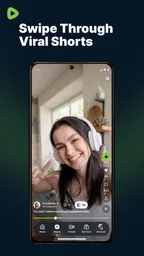
Short videos work well when I have a few spare minutes: waiting for a ride, taking a break, or looking for a quick update from a creator I already enjoy. Live streams ask for more attention. They can be a better fit when I want to follow something as it unfolds, but they are less convenient if I need to pause frequently or watch with an unreliable connection.
That difference is worth keeping in mind before choosing what to play. A short clip is easy to sample and leave; a live broadcast can reward staying with it, yet may be a poor choice when I only have a moment. I would not assume that every live stream offers the same viewing experience as a finished upload. The format itself brings more uncertainty about timing and the amount of content that will be useful to me.
How I would handle a heavier viewing session
The app’s most demanding everyday moment is likely to be a long stretch of video, especially when I move between clips and live streams. I would pay attention to whether playback remains comfortable and whether the phone begins to feel warm or sluggish, particularly on an older device or while other demanding tasks are running. That is practical advice rather than a claim about a measured performance result: video playback naturally asks more of a phone than reading text or browsing still images.
For a commute or a break between appointments, I would choose shorter viewing sessions and avoid relying on a live stream if I might lose signal. At home, a stable connection makes longer viewing a more reasonable choice. If playback stalls, I would first check the connection and try a different video before deciding the app itself is at fault. Comparing a short clip with a live stream can help separate a one-off stream issue from a broader connection or device problem.
There is also a useful attention trade-off. Short videos make it easy to keep watching one more clip, while live content can hold a session open for much longer than planned. I find it helps to decide what I came to see before opening the app, then follow a creator or choose a particular stream rather than browsing without an endpoint. That small habit makes the experience more intentional and can reduce unnecessary screen time.
Reliability depends on more than the app
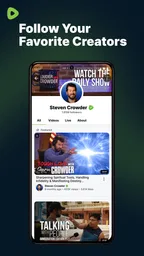
For me, a reliable video app needs more than a successful launch: I want to find a creator again, return to content that interests me, and recover sensibly if playback is interrupted. Rumble’s creator-following model gives viewers a practical way to build a repeatable viewing routine. When I find a channel I like, following it is more useful than hoping to encounter the same content by chance in a general feed.
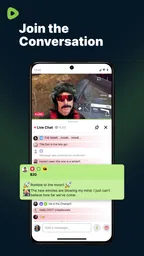
Live viewing is the clearest exception to that routine. A stream is happening in real time, so a weak connection can interrupt the experience in a way that is less disruptive for a short, already-recorded clip. If a broadcast pauses, I would try reconnecting or switch to another video rather than repeatedly tapping the same controls. That is a sensible recovery approach for streaming apps generally, and it avoids mistaking a temporary network problem for a permanent app failure.
Rumble is rated Mature 17+, which is important to consider before handing the phone to a younger viewer. I would not treat a video platform as a child-friendly default simply because it includes short clips. The age rating is a useful boundary for deciding whether the app belongs on a shared family device, and adults should make their own judgement about the creators and material they choose to watch.
Device limits and the cost of using it
Because video is the core activity, screen size, battery condition, and connection quality all affect how comfortable Rumble feels. A small or older phone can still be useful for quick clips, but extended viewing is more demanding than checking a feed briefly. If a device is already low on battery or struggling with other tasks, I would save a long stream for later rather than expect a smooth session under every condition.
The app is free, while in-app purchases range from $0.99 to $499.99 per item. That broad range makes it worth checking the purchase details before confirming anything, especially on a shared device. I would not assume that installing the app or watching casually requires a purchase, but I would also avoid treating every paid option as necessary to enjoy the basic act of browsing and viewing.
Rumble has been available since January 13, 2020, and has accumulated around 56,000 written reviews. That gives prospective users a substantial pool of public feedback to consult, although individual experiences can vary with devices, connections, and viewing habits. I would look for comments that match my own situation—such as the kind of phone I use or whether I care most about live content—rather than relying on one person’s report as a universal verdict.
Where it sits beside familiar video apps
Compared with general-purpose video platforms, Rumble’s combination of creator uploads, short clips, and live streams gives it a distinct reason to install: it is a place to follow creators and check what they are publishing, not simply a utility for playing a video file. If I mainly want a vast catalogue of professionally produced shows, a dedicated streaming service is a better fit. If I want a carefully curated music experience, a music app will be more focused. If I want to watch a creator’s live activity or explore their uploaded videos, Rumble is more directly aligned with that intention.
It is also different from a basic local video player. A local player is the better choice when I already have a file and want to watch it without browsing a creator feed. Rumble is useful when discovery and sharing matter, but that social, creator-led structure means I have to make choices about whose content to follow. Someone who dislikes feeds, prefers a tightly controlled catalogue, or wants an app that does only offline playback may find that structure distracting rather than helpful.
Who I would recommend it to
I would recommend Rumble to someone who already has creators they want to keep up with, enjoys browsing short videos, or likes the possibility of catching a live broadcast. It is especially convenient as a casual companion app: check a creator during a break, watch a short clip, and return later for a longer stream when the connection and schedule are better suited to it.
I would suggest skipping it if your main goal is a fixed library of films and series, a quiet offline player, or a highly predictable viewing session on a weak mobile connection. It may also be the wrong choice if you do not want to spend time sorting through creators and deciding what deserves your attention. The app’s format offers variety, but variety is not automatically a benefit for a viewer who prefers a small, curated selection.
My performance verdict is measured rather than absolute. Rumble brings together the kinds of video that are convenient in different settings, but the smoothness of a session depends on the stream, the connection, and the device doing the work. I would use short clips for quick gaps in the day, reserve live viewing for a steadier connection, and follow creators I genuinely want to revisit. With those expectations, it is a worthwhile free option for creator-focused video; without them, its open-ended browsing and the demands of extended streaming can make it feel less dependable or focused than a more specialized alternative.
What we like
- Browse video channels across news entertainment and gaming.
- Follow creators to keep their latest uploads easy to find.
- Share videos with friends from within the app.
- Live streams add a real-time viewing option.
- Personalized recommendations can help surface new creators.
What could be better
- Video quality may vary depending on the source upload.
- Some content may be unsuitable for younger viewers.
- Recommendations may take time to match your interests.
- Live streams can use substantial mobile data.
- The viewing experience may include advertisements.





