


Retake AI: Face & Photo Editor review
 Analysis by Appsdrops
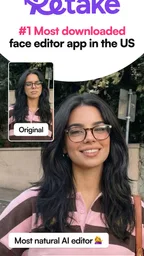
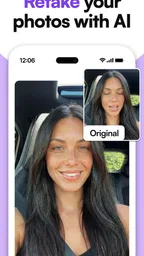
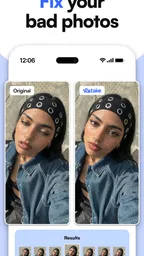
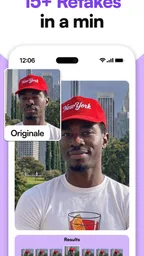
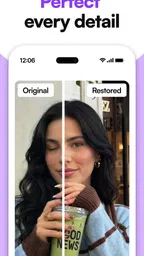
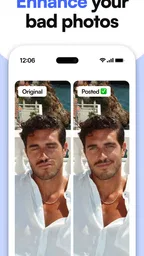
Some photos are worth keeping, but the face in them may not look quite the way I remember the moment. That is the problem Retake AI: Face & Photo Editor is built to address: it offers a way to fix, edit, and retouch faces in selfies and other photos. I see its appeal most clearly as a quick, practical stop between taking a picture and deciding whether it is ready to share. Rather than treating it as a full photography suite, I’d approach it as a focused face-editing app for people who want to improve a shot without turning the whole process into a project.
From a familiar photo to a first edit
The starting point is straightforward: choose a selfie or photo that could use a little attention. Maybe the lighting caught you at an awkward moment, or a face in a group picture doesn’t look as flattering as it did in person. The app’s stated purpose is to help you fix and retouch faces, so the natural expectation is a face-focused editing experience rather than a broad set of tools for every part of a photograph.
That focus is useful because it gives the app a clear job. When I open a photo editor, I don’t always want to spend time exploring a long list of unrelated adjustments. With Retake AI, the idea is easier to understand: bring in a picture, work on the face, and decide whether the result feels better. For casual users, that makes the app easier to place in a real routine—especially when the goal is a more presentable selfie rather than a carefully constructed image.
It also helps to begin with a realistic idea of what a retouch can do. Editing can change the impression a photo gives, but it doesn’t change the circumstances in which the photo was taken. I’d pick an image where the face is visible and the overall shot is already close to what I want. That gives a face editor a sensible starting point and makes it easier to judge whether the changes are helping or simply making the picture feel different.
A focused editing routine
My preferred workflow would be to select one photo, make a small adjustment, and pause to look at the whole image before continuing. Face editing is personal: a result that looks polished to one person may feel overdone to another. Taking a moment to compare the edited impression with the original helps keep the outcome aligned with the reason for opening the app in the first place.
The app’s description emphasizes fixing, editing, and retouching faces in selfies and photos. That gives a useful sense of its role, but it is not a promise that every picture will respond in the same way. Different shots have different expressions, angles, and lighting, and those differences affect how convincing any edit feels. I’d treat the process as an experiment with a clear stopping point: keep the result if it still looks like a photo I would actually want to share, and rethink it if the retouch becomes the first thing I notice.
That restraint matters more than piling on changes. A face edit should support the photo, not distract from it. If I’m preparing a casual profile image, for instance, I’d want the final picture to remain recognizable and suited to the setting. For a quick message to friends, I might be less concerned about a polished finish and more interested in making the image look a little closer to how I felt in the moment. In either case, the best outcome is the one that matches the intended use.
Moving from the edit to the next step
A photo rarely lives inside one app from beginning to end. The editing stage is only one part of the journey: first there is the original image, then the retouched version, and finally the place where I want to keep or share it. Thinking about those handoffs makes it easier to judge whether a focused editor fits my habits. If I only need to improve a selfie before passing it along, a dedicated face-editing app may be a convenient part of the routine.
The transition out of an editor also affects how useful it feels. I want to be able to look at the finished image in context and decide whether it is ready for the conversation, album, or social post I had in mind. Since the app is centered on face retouching, I’d think of it as a step in a broader photo workflow, not necessarily the place where I do every kind of image work. That distinction keeps expectations grounded and helps me choose the right tool for the job.
It can also prevent unnecessary editing. If the original image already works well, there may be no reason to change it. If it needs broader attention beyond the face, I would consider whether a more general photo editor better matches the task. Retake AI has a more specific promise, and that specificity is part of its appeal for anyone who knows exactly what they want to improve.
How the final image should feel
For me, a successful result is not simply a face that looks more polished. It is a photo that still feels appropriate and believable after editing. I’d check the image at ordinary viewing size, not just while concentrating on the face, and ask whether the change fits with the rest of the picture. The surroundings, expression, and overall mood still matter, even when the editing task is focused on one part of the image.
This is where a face editor can be useful without becoming a substitute for taking a good picture. It gives users another chance to work with a photo they like, while leaving the original moment intact. A quick retouch may help a selfie feel more ready to share, but the photo’s character still comes from the people and circumstances behind it. I prefer that balance: an edit should support the image rather than make it feel detached from its source.
People also have different comfort levels with retouching. Some want a subtle adjustment; others are happy to make a more noticeable change. I’d use that personal preference as the guide, rather than assuming that more editing automatically means a better result. A tool can make a change possible, but the user still decides whether that change belongs in the finished photo.
Where the flow can feel less smooth
The main limitation of a focused face editor is also easy to understand: it is designed around a particular kind of task. Someone looking for a complete photography workspace may find that a face-retouching app does not cover every step they want. I would not choose it expecting it to replace a general editing routine. Instead, I’d reach for it when the face is the part of the picture I specifically want to revisit.
There is also a judgment call in every retouch. A result can cross the line from flattering to unnatural, especially if I keep adjusting without stepping back to review the whole photo. That is not unique to this app; it is a common friction point with portrait editing. The practical solution is to work deliberately, check the image as a whole, and stop when the photo looks ready for its intended audience.
Another source of friction is simply the gap between expectation and the particular image being edited. A photo that looks clear and well-framed may be easier to evaluate than one where the face is difficult to see, but no editor can make every starting picture equally suitable. I’d test the app with the image I actually plan to use instead of assuming a single result will fit every selfie or group shot. That keeps the workflow honest and avoids treating a tool’s general purpose as a guarantee for every photo.
Who may find it worth trying
Retake AI is aimed at people who regularly take selfies or keep photos they would like to refine, especially when their main interest is the face rather than extensive scene editing. It is free to install, while optional in-app purchases are available, with listed item prices ranging from about two dollars to sixty dollars. I’d check the purchase details in the app store before choosing anything paid, and start with the free experience to see whether the editing approach suits my needs.
The app is rated for everyone and supports devices running Android 8.0 or newer. It has passed ten million installs and holds an average rating of 3.7 from around 58,000 ratings, with about 2,600 written reviews. Those figures suggest that it has reached a substantial audience, while the rating also makes clear that users’ experiences are not uniformly enthusiastic. I’d treat that as a reason to try it for a specific photo task rather than assume it will be a perfect fit for every editing style.
Deep Flow Apps released it on September 29, 2023, and its current version is 4.2.3. In practical terms, what matters most to me is less the version label than whether the app’s face-focused approach matches the kind of pictures I actually edit. The store summary puts the promise plainly: be your best in every shot by fixing, editing, and retouching faces in selfies and photos. That is a clear pitch, and it gives potential users a simple way to decide whether the app belongs in their toolkit.
A useful stop between camera and sharing
My overall impression is that Retake AI: Face & Photo Editor makes the most sense as a focused, approachable option for revisiting a face in a photo. Its appeal is the directness of the idea: start with a selfie or picture, retouch the face, then judge whether the final image is ready to move on. For users who want that specific kind of help, it can fit neatly into the path from taking a photo to sharing it.
I would keep expectations practical, work in small steps, and judge each result by whether it still feels like the picture I wanted to keep. The app’s audience size shows that face editing is a familiar need, but personal taste remains central to the experience. If you want a dedicated way to fix and retouch faces rather than a general-purpose photography studio, it is worth trying. If your needs go well beyond portraits and selfies, a broader editor may suit your workflow better.
In the end, the best use for this app is a simple one: take a photo you already like, make the face-focused changes you genuinely want, and stop when the image feels right. That makes Retake AI an easy-to-understand option for casual photo touch-ups, with the caveat that the quality of the experience depends on both the starting picture and your own sense of what looks natural.
What we like
- AI retouching makes quick portrait edits easy.
- Background tools help subjects stand out.
- The interface is accessible for casual users.
- Edits can refresh older photos.
- A range of effects supports different looks.
What could be better
- Some features may require a paid subscription.
- AI results can look artificial on close inspection.
- Processing may take longer on older devices.
- The app may request access to personal photos.
- Output quality can vary with lighting and image resolution.





