




Recovery Photo Ultra review
 Analysis by Appsdrops
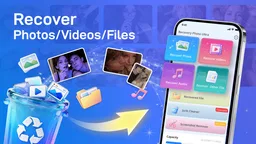
When a photo disappears, the first instinct is often to install a recovery tool and start tapping. I’d slow down for a moment with Recovery Photo Ultra: it is a free Android tools app from hk3072072, aimed at recovering photos, videos and files, but a recovery app can only help when the device still has something recoverable to find. That distinction matters more than a one-tap promise. I see this as a practical tool to try after checking the obvious places, not a guarantee that every deleted item can come back.
Getting past the first hurdle
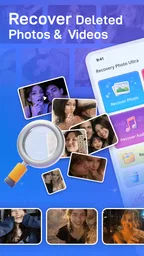
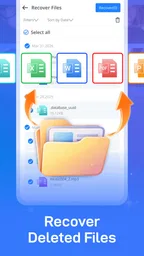
The app’s appeal is easy to understand. It focuses on a stressful, specific problem rather than asking you to learn a complicated file-management system. Its short store description is “Recovery Photo,” and the app’s broader purpose covers other files as well as images. In principle, that makes it useful when you have lost a picture, a video, or a document and want one straightforward place to begin looking.
The first friction is usually not the interface; it is expectation. People may assume that installing a recovery app after a deletion will restore the original file in full. In reality, recovery depends on what remains on the device and what has happened since the loss. If new photos, downloads, or app data have been saved, they may occupy storage that once held deleted content. My practical advice is to avoid unnecessary downloads and recording until you have made a recovery attempt.
Another common sticking point is deciding what “lost” means. A picture missing from a gallery may still be in a recently deleted folder, a cloud backup, a messaging conversation, or another album. Those locations are often a better first check than scanning the phone. Recovery Photo Ultra is most worth trying when ordinary browsing has not turned up the item and you want a dedicated tool to look for what may remain accessible.
The app has a 4.0 average from around 5,100 ratings, with about 268 written reviews. Those figures suggest a useful but not universally effortless experience: recovery results can vary with the device and the circumstances of deletion. I would treat user ratings as context rather than a promise that your particular file will be found.
Simple checks before you begin
Before opening a recovery tool, confirm that you are looking in the right place. Check the gallery’s trash or recently deleted area, the file manager’s recycle folder if it has one, and any cloud photo service you use. For an image received in a chat, revisit the conversation or its media section. These checks are quick, preserve your options, and can succeed even when a recovery scan cannot.
Then make sure you are working on the phone where the file was stored. If the photo was on a removable card, a different device, or a cloud account, searching the current phone’s internal storage may not address the problem. This sounds obvious, but it prevents a frustrating cycle of repeated scans on the wrong location.
Recovery Photo Ultra is listed for Android 7.0 and later, so checking the phone’s operating-system version is a sensible first setup step. The current version is 1.13. The app is rated for Everyone, and it has more than a million installs. That broad reach makes it easy to consider, but neither the install count nor the age rating says anything about whether a particular deleted file is still recoverable.
On first use, read each screen carefully and allow only the access needed to carry out the task you chose. I would avoid rushing through prompts simply because the situation feels urgent. If a screen does not make clear what you are being asked to do, pause and review it rather than guessing. This is good practice with any file-recovery utility, especially one being used on personal photos or documents.
A careful recovery workflow
My preferred approach is to make one deliberate attempt rather than repeatedly changing settings or launching scans without a plan. Start with the most important missing item, note its type and roughly when you last saw it, and let the app search. If it presents possible results, inspect them before restoring anything. A thumbnail or filename may help identify the right item, but check the actual recovered file afterwards; a result that looks promising is not useful if it opens incorrectly or is incomplete.
A realistic example is deleting a family photo while clearing space before a trip. I would first check the gallery’s recently deleted section and any backup service, then stop taking extra pictures until I had tried recovery. If Recovery Photo Ultra finds a candidate, I would save it somewhere easy to locate and open it immediately. That final check matters: it distinguishes a usable recovery from a file entry that merely appears in a results list.
For several missing items, prioritize rather than trying to restore everything at once. Recover the irreplaceable photos or documents first, verify them, and then continue. This gives you a clearer sense of whether the app is finding meaningful results and reduces confusion when a scan returns many candidates. It is also sensible to keep recovered items separate from the folders you are reviewing, so you can tell what came back and avoid accidentally deleting it during cleanup.
One useful trade-off is that a broad recovery search can feel reassuring, but a long or crowded result list can make it harder to identify the file you actually need. Think in terms of a specific event, approximate date, or file type while reviewing candidates. If the app offers ways to narrow results, use them cautiously; if it does not, careful visual checking is safer than restoring a large batch on faith.
Do not interpret a blank result as proof that the file never existed. It may have been permanently removed, overwritten, stored somewhere the app is not searching, or held in a backup rather than on the phone. Conversely, finding an item does not mean every detail has been preserved. Open recovered photos and videos, and test documents with an appropriate viewer before relying on them.
When the problem is somewhere else
Recovery software is not the right fix for every missing-file problem. If a photo is absent because you switched accounts, changed phones, or are viewing a filtered album, the issue may be access or organization rather than deletion. Check that the gallery is showing all relevant folders and that you are signed into the account where the image was backed up. A recovery scan cannot substitute for locating the correct account or storage location.
For a file stored on an SD card or another device, use a recovery method suited to that storage rather than assuming an app on the phone can inspect it. If the phone has been reset, damaged, or is behaving unpredictably, repeated app attempts may not be the safest route. In those situations, a backup, the original storage medium, or help from a qualified repair professional may be more appropriate, particularly when the files are important.
There is also a privacy consideration. Photos and documents can be personal, so I would use a recovery tool only on a device I own or am authorized to manage. Avoid sharing sensitive files just to test whether recovery worked, and keep any restored material in a location you control. These are sensible habits regardless of which app you choose.
Compared with manually checking folders, Recovery Photo Ultra offers a dedicated recovery attempt in one app, which can save time when routine searches come up empty. Compared with restoring from a backup, though, it is not necessarily the better first choice: a backup may provide a cleaner, more complete copy, while a recovery tool depends on what remains available locally. I would use the simplest source most likely to hold the original, then move to the next option if it fails.
Who should try it, and who should wait
I would recommend trying this app to someone who has checked the gallery and backups, knows the file was on the Android phone, and wants a focused next step. It is also a reasonable option for a less technical user who prefers a dedicated recovery tool over manually exploring storage folders. Because it is free, trying it does not require an upfront purchase, though free access alone should not be mistaken for guaranteed results.
I would not make it the first move for someone whose photos are already backed up, whose files were stored on another device, or whose phone is showing signs of storage trouble. In those cases, restoring from the known source or protecting the device may be more important than running a scan. I would also avoid relying on any recovery app as the only safeguard for irreplaceable pictures; regular backups are a better prevention strategy than trying to recover files after the fact.
Recovery Photo Ultra is a tools app developed by hk3072072, and its straightforward purpose is a genuine advantage: it gives Android users a focused place to attempt recovery of photos, videos and files. Its 1.13 version, broad adoption, and Everyone rating make it approachable for a general audience, but the quality of the outcome will still depend on where the item was stored and whether its data remains available.
My practical verdict: keep it in mind as a measured recovery attempt, not as a safety net. Check trash folders and backups first, stop adding unnecessary data after a deletion, review any results carefully, and verify restored files before depending on them. If you go in with those expectations, this free app is worth considering when a missing file is genuinely hard to locate; if the problem is an account, backup, or damaged-storage issue, another route is likely to serve you better.
What we like
- Simple interface makes photo recovery easy to navigate.
- Scans device storage for deleted image files.
- Previewing found photos can help identify files to restore.
- Can be useful when no backup is available.
- Recovery can be attempted directly on the device.
What could be better
- Recovery results depend on whether deleted data has been overwritten.
- Not every scanned photo can be restored successfully.
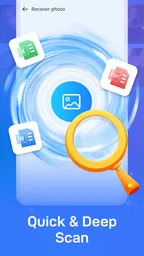
- Deep scans may take time on devices with large storage.
- Recovered files may not retain their original quality.
- The app may require broad access to device storage.





