







Readink – Stories & Books review
 Analysis by Appsdrops
I’d describe Readink as a romance-first reading app with a clear appeal: it brings stories in romance, mafia, and fantasy together in one place for readers who prefer ongoing, dramatic fiction to browsing a general-purpose library. My experience of this kind of app is that the biggest question is not simply whether there are stories to read, but whether its reading rhythm, story selection, and purchase model suit your habits. Readink is most promising when you enjoy dipping into serial fiction regularly; it is less compelling if you want a quiet, one-time purchase of a complete book.
Getting past the first reading hurdles
Readink is a free Books & Reference app developed by Readink, with a Mature 17+ age rating. It has an average rating of 4.6 from around 90,000 ratings, and more than a million installs. Those figures suggest a sizeable audience, but they don’t tell you whether a particular story will hold your attention. I’d treat them as a reason to explore, not as a guarantee that every title will be a fit.
The first useful check is your own reading preference. The app’s focus on romance, mafia, and fantasy is specific, not a broad promise of every book genre. If you want emotionally heightened plots, relationship tension, or fantasy settings, that focus can make browsing feel more direct than opening a general ebook reader. If you mainly read nonfiction, classics, or practical reference books, Readink is unlikely to replace your usual library app.
A common source of frustration with serialized reading is expecting a complete novel to be available immediately. Before settling into a story, look at how its chapters are presented and whether the reading path makes sense to you. This small pause helps distinguish a story you want to follow over time from one you would rather finish in a single sitting. It also makes it easier to decide whether the app’s pacing suits your routine.
When a page or chapter doesn’t behave as expected, I’d start with simple checks rather than assuming the story itself is at fault: confirm that the app is current, close and reopen it, and try the same step again. Readink’s current version is 3.4.7, and it requires Android 7.0 or later. Those details are worth checking if you are setting it up on an older device or troubleshooting an issue after an update.
Make the first session work for your routine
I recommend beginning with a short reading session and one story that clearly matches your taste. That gives you a practical test of the reading experience without committing to a long backlog or spending time sampling titles that are outside the app’s core genres. If you’re unsure between romance and fantasy, choose based on the kind of mood you want rather than trying to judge the whole catalog at once.
For a commute or a short break, decide in advance how much time you want to spend reading. Serial stories can make “one more chapter” tempting, and a small time limit helps you tell whether the format fits a busy day. If you have only a few minutes, a story with a clear stopping point is more convenient than one you’re reluctant to pause at a cliffhanger.
One useful habit is to note the story title and where you left off if you switch between devices or take a longer break. I wouldn’t assume that every reading detail will be obvious when you return; keeping a simple mental or written marker can prevent time lost searching for the right place. This is especially helpful when you sample several stories before choosing one to follow.
Recover your place without making the problem worse
If your reading progress seems to have disappeared, first check that you have reopened the same story and are looking at the chapter you last read. Then close and reopen the app and allow the screen to settle before tapping repeatedly. Rapidly retrying a stalled action can make it harder to tell whether the app registered it, particularly when you are moving through chapters or responding to an in-app prompt.
If a chapter appears unavailable or an action doesn’t complete, step back and try again once. Avoid making a purchase just to test whether the screen will respond. Readink offers in-app purchases, with listed items ranging from $0.49 to $239.99 each, so it is sensible to check the amount and what you are buying before confirming anything. Free to install does not mean every reading option or item will necessarily be free.
That price range is broad enough that I’d approach spending deliberately. Decide what a story is worth to you before buying anything, and don’t let a cliffhanger turn an impulsive tap into an expense you didn’t intend. If you prefer predictable costs, a reader that sells complete books individually or a subscription service with clearly understood terms may be a more comfortable alternative.
When you do encounter a problem, note what you were doing immediately beforehand: opening a story, changing chapters, or returning after leaving the app. That gives you a clearer way to retry the action and, if needed, explain the issue to support. It also helps separate a one-off interruption from a repeatable problem, rather than treating every slow response as evidence that your reading progress is gone.
Know when the trouble may be elsewhere
Not every delay points to Readink. A weak or changing internet connection can interrupt actions in many reading apps, so if a screen stalls, try again when your connection is steady. If other apps are also struggling, restarting Readink alone may not solve the underlying issue. Likewise, a device with limited free space or an older operating system can make apps less reliable, which is why checking the Android requirement is a useful first step.
It also helps to separate app problems from story expectations. A plot that takes time to develop, a chapter ending that feels abrupt, or a genre that isn’t your taste is not a technical fault. Give a story a fair sample, but don’t feel obliged to continue just because you have already read several chapters. Moving to another title is often the better fix when the issue is simply that the writing or pacing isn’t working for you.
Readink was released on March 9, 2022, and its current version is 3.4.7. If you are having trouble, checking whether your installed version is current is a sensible basic step. I’d also restart the device if the app repeatedly behaves strangely after reopening it. These are ordinary troubleshooting steps, not a promise that every issue has the same cause.
How it compares with other ways to read
Compared with a general ebook reader, Readink’s advantage is its concentrated identity: romance, mafia, and fantasy readers can start in a focused environment instead of searching across unrelated categories. The trade-off is equally clear. Readers who want wide genre coverage, a collection of reference material, or a carefully managed personal library may be better served by a broader ebook platform.
Compared with buying a complete novel, a serial-reading experience can make it easier to sample a story in smaller stretches and return to it over time. It can also make costs less predictable if you choose paid items as you go. I’d use Readink for browsing and following the kinds of dramatic fiction it emphasizes, while keeping a conventional ebook store or library app for books I want to own or borrow as complete works.
The app’s 5,200 reviews offer another useful perspective alongside its large rating count, but written opinions are most helpful when they describe the kind of reader they come from. A complaint about purchase pacing matters more to someone who wants free, complete books than to a reader happy to pay for selected stories. When judging whether Readink fits, focus on comments about the reading style and spending experience that match your own priorities.
Who will enjoy it, and who should pass
I’d recommend Readink to readers who actively seek romance, mafia drama, or fantasy and enjoy returning to stories in stages. It can fit a lunch break, a commute, or a few quiet minutes before bed, especially if you choose a title in advance and keep track of where you stopped. The focused genres make it easier to know what kind of reading experience you are opening the app for.
I’d suggest skipping it if you want a broad nonfiction collection, prefer books that are complete from the moment you start, or dislike the possibility of optional in-app spending. The Mature 17+ rating is also an important consideration for younger readers and families choosing reading apps. It is not a label to overlook simply because the app is free to install.
My practical verdict is that Readink is best approached as a focused home for serial romance and fantasy reading, not as an all-purpose book library. Start with one story, test whether the chapter rhythm suits your day, and be deliberate about any paid choices. If those habits match how you like to read, the app’s specialization is a real advantage; if they don’t, a conventional ebook reader will likely feel simpler and more predictable.
What we like
- Offers a broad selection of stories across multiple genres.
- Personalized recommendations can help readers discover new titles.
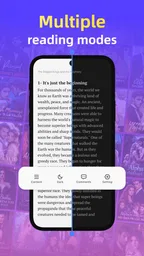
- Adjustable reading settings make text easier to read.
- Progress tracking helps you pick up where you left off.
- Offline access lets you read without an internet connection.
What could be better
- Some books may require a paid subscription or purchase.
- The catalog may vary depending on your region.
- New users may need time to learn the app's navigation.
- Reading availability offline may depend on prior downloads.
- Recommendations may not always match your reading preferences.





