
PureTune: Offline Music review
 Analysis by Appsdrops
I tend to value an offline music player most when it removes small travel hassles: a weak signal, a data limit, or the need to keep a streaming app connected. PureTune: Offline Music is built around that straightforward use case. It is a free Music & Audio app from Flores, and its appeal is easy to understand: have music ready when connectivity is inconvenient, then play it on the go. My overall view is that it makes sense for listeners who want a simple offline option, but it should not be mistaken for a full streaming service or a tool that can supply a music library by itself.
What to expect when you open it
The practical promise here is less about discovering new music and more about being able to listen without relying on mobile data. That distinction matters. If you already have audio available on your device and want a player for a commute, workout, or trip, an offline-focused app can be a useful fit. If you expect to search a large online catalog and start playing anything immediately, you may be happier with a streaming service instead.
I would approach the first session with one simple question: can I get the tracks I actually want into a listening-ready state before I leave home? An offline player is only convenient once that preparation is done. Set aside a few minutes to check that the music you intend to use is accessible in the app, then try playing it with connectivity turned off. That small test is more useful than discovering on a train platform or at the gym that your intended listening routine depends on a connection.
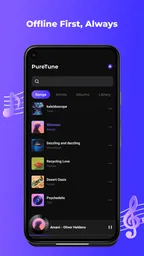
The title signals the central use case, while the short store name is simply PureTune. I would not infer a long list of advanced controls from that concise presentation. The best way to judge it is by whether it handles your own music comfortably and reliably, rather than by expecting features associated with bigger services.
Speed is about readiness, not just opening time
For an app in this category, speed has two parts: how quickly it becomes usable and how little friction there is between choosing a track and hearing it. I cannot responsibly assign it a launch time or claim that it performs faster than another player. In everyday use, though, the key question is whether your offline listening is prepared before you need it. A quick start cannot compensate for a library that is not ready when the network disappears.
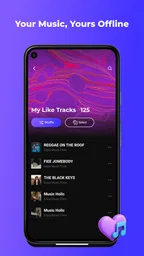
My practical tip is to build a small, dependable listening selection rather than trying to organize everything at once. Choose the tracks you will use for a particular purpose, such as a run or a flight, and check them in advance. This gives you a useful fallback even if you later decide to spend more time arranging a larger collection. It also makes it easier to notice whether a track is missing before you are counting on it.
For a commute, I would test the routine at home: open the app, start a track, lock the screen if that is how you normally listen, and then repeat the test with the phone offline. That is not a claim about a special feature; it is a straightforward way to find out whether your own setup behaves as expected. If that routine feels smooth, the app is doing the most important job for this particular listener.
Where it fits during demanding days
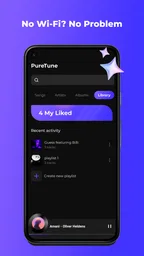
Offline playback is especially appealing when listening needs to continue through changing conditions. A gym session is a good example: you may move between rooms, keep your phone in a pocket or bag, and prefer not to depend on a stable data connection. A prepared set of music can make that routine less fiddly. Similarly, on a journey, having tracks ready can spare you from using mobile data or dealing with patchy reception along the way.
There is a trade-off: preparation shifts effort to before the session. If you regularly change your mind about what to hear, or want a fresh playlist every day, an offline-first routine may feel less spontaneous than streaming. I would use PureTune for a deliberately chosen set of music, not as my only answer to every listening mood. Keep a familiar selection for the situations where reliability matters, and use a connected service when exploration is the priority.
One useful workflow is to make separate choices for different contexts before you head out: energetic tracks for exercise, calmer listening for travel, and a few dependable favorites for situations where you do not want to browse. The benefit is not a claimed app feature; it is that a smaller, purpose-built selection is easier to check and less likely to leave you searching when you should be listening. This is particularly helpful if you have limited time before leaving.
Heavy use also means thinking about the phone itself. Music playback competes for battery with navigation, messaging, and other tasks, so I would avoid treating any music app as a way to eliminate battery drain. Offline listening can reduce dependence on a data connection, but it does not make a phone immune to battery limits. For a long outing, start with a charged device and keep your music plan realistic, especially if you also need the phone for directions or safety.
Reliability means testing your own routine
An offline player is most valuable when it behaves predictably at the exact moment you need it. I would check more than whether a track starts once: try a few different items from the music you plan to use, close and reopen the app, and repeat the test without a connection. That gives you a better sense of whether your chosen routine is dependable than a quick look at the interface. It is a modest check, but it can prevent a frustrating surprise later.
If playback does not go as expected, I would first separate an app issue from a preparation issue. Confirm that the particular audio is available to the app, make sure the phone is not simply out of battery, and try again under the same offline conditions. For the first few uses, keep an alternative listening option available until you know how your own library and device behave together. That is sensible caution, not a suggestion that failures are inevitable.
PureTune has an average rating of 4.0 from around six thousand ratings, and it has passed five million installs. Those figures suggest that many people have tried it, but they cannot tell me whether it will suit your specific music collection or phone. I would treat the rating as a useful broad signal, then make the decision based on the simple test that matters most: does it play what you want when you are offline?
Its current version is 1.1.1. I would keep the app updated through the app store and check that your offline routine still works after any change to the app or device. For a tool whose main purpose is ready-to-play music away from a connection, that occasional check is more valuable than assuming a setup will remain unchanged indefinitely.
Device fit and who should choose something else
The minimum operating system is Android 8.0, so compatibility is a practical first check before installing. The app is rated Everyone, which indicates an audience suitable for general users, but the age rating does not answer whether its listening approach matches your needs. I would focus on your device’s available space and the music you want to keep accessible: an offline collection needs room on the phone, and a large library may require more organization than a small travel selection.
I cannot claim that PureTune uses a particular amount of memory, battery, or storage, or that it is lighter than competing apps. Those demands can depend on the device and the amount of audio involved. A sensible approach is to begin with a small selection and see how it fits your available storage. If space is tight, avoid filling the phone with tracks you rarely play; keep the music that solves a real listening problem and remove what no longer earns its place.
Compared with a typical streaming app, the choice is about priorities. Streaming is better when you want broad discovery, quick access to an online catalog, or frequently changing recommendations. An offline player is more attractive when you value having selected music available without using data. Compared with a phone’s basic built-in player, PureTune is worth considering if its offline-oriented approach suits how you listen; if your existing player already handles your music well, switching may not improve your routine enough to justify another app.
I would skip it if your main expectation is to find new songs online, build a constantly changing listening queue, or avoid managing music before a trip. I would also hesitate if you do not have audio ready to play and do not want to prepare a collection. In those cases, a streaming service is likely a more natural fit. On the other hand, people who already know what they want to hear and often find themselves without reliable reception are the clearest audience for this kind of app.
My verdict for everyday listening
Flores presents PureTune as a free app, and the lack of a purchase price makes it easy to try if your device meets the Android requirement. With its focus on offline listening, I see it as a practical companion for people who want music ready for travel or exercise, rather than as a replacement for every music service. Its usefulness depends on doing a little preparation and checking that the music you rely on is available before you head out.
My recommendation is to test it with one realistic situation first: prepare a small set for your next commute or workout, then try the same listening routine with mobile data off. If it feels straightforward and plays the music you chose, you have a good reason to keep it in your toolkit. If you prefer discovering songs on demand or want a service to handle the catalog for you, choose a connected alternative instead. For prepared, no-data listening, it is a sensible option; for effortless discovery, it is not the tool I would reach for.
What we like
- Designed for listening to music without an internet connection
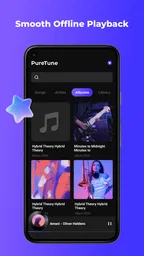
- A focused player can make local music easy to browse
- Useful for avoiding mobile data use during playback
- Keeps music playback separate from streaming services
- Works well for users who prefer owning audio files
What could be better
- You need to supply your own music files
- No streaming catalog is included
- Available features may vary by device
- Local storage space limits how much music you can keep
- Music library setup may take time for larger collections





