

Pocket Casts - Podcast App review
 Analysis by Appsdrops
Finding a good podcast app is about more than pressing play. I want an easy way to keep up with new episodes, save shows I care about, and pick up where I left off without turning listening into a chore. Pocket Casts takes that everyday approach: it lets me stream, download, and organize podcasts in one place, with a clean workflow that suits both casual listening and a well-established routine.
A listening routine that stays manageable
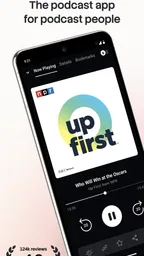
At its simplest, the app gives me a home for the podcasts I follow. I can browse my collection, choose an episode, and start listening, or download episodes when I’d rather have them ready in advance. That combination is practical: streaming works well when I’m connected, while downloads make it easier to plan ahead and listen when connectivity is less convenient.
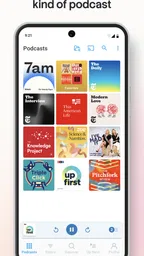
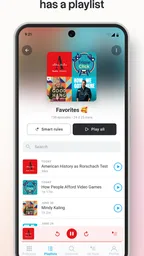
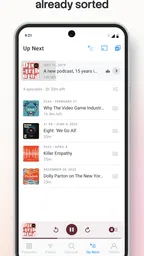
Organization is just as important as playback for anyone whose queue grows quickly. Instead of treating every episode as a separate task to remember, I can use the app as a central place to keep track of shows and decide what I want to hear next. That makes Pocket Casts useful for listeners who rotate between a few regular favorites and people who subscribe to a broader mix of topics.
Start with a simple baseline
My preferred way to settle into a podcast app is to begin with a short, realistic listening list. I add the shows I already know I enjoy, then use that collection as the starting point for a daily or weekly routine. There’s no need to build a complicated system from day one. A tidy set of familiar shows makes it easier to see what’s available and choose an episode without getting lost in a crowded queue.
From there, I decide how I usually listen. If I tend to play episodes as soon as I find them, streaming keeps the process direct. If I know I’ll be away from a reliable connection, downloading relevant episodes ahead of time is the sensible option. The app supports both patterns, so I can adapt it to the day rather than forcing every listening session into one method.
A repeatable habit helps more than elaborate organization. I might check my followed shows at a regular point in the day, choose an episode for a walk or commute, and leave the rest for later. The point is not to listen to everything immediately. It’s to make the next good episode easy to find, while keeping the collection useful instead of overwhelming.
Settings worth a deliberate look
When I install any podcast app, I take a moment to explore its settings rather than assuming the initial setup is perfect for me. I look for the choices that affect how I browse, manage my listening, and use downloads. That small review can make an app feel more natural, especially if I’m moving from another podcast player or changing how I listen.
It’s also worth thinking about how much of my listening happens online versus offline. Downloads are useful when I want episodes ready in advance, but they work best as part of an intentional routine: I choose what I’m likely to hear rather than saving every episode just in case. Streaming, meanwhile, is a straightforward way to play something I’ve just found. Keeping those two habits in balance helps me stay organized without overthinking it.
Audio apps can present plenty of options, and it’s tempting to adjust everything at once. I find it more useful to change one preference, use the app for a while, and then decide whether another adjustment would genuinely help. This keeps the setup personal without turning the settings screen into a project. It also makes it easier to notice which choices improve my everyday experience and which ones I can simply leave alone.
Faster patterns for everyday listening
Once the basics are comfortable, small habits make the app feel quicker. I keep my regular shows easy to reach, make a deliberate choice about what I want to hear next, and download episodes when I know I’ll need them offline. Those steps reduce the time spent searching and deciding, which matters when I only have a few minutes before heading out or starting another task.
Another useful pattern is to separate discovery from listening. When I’m in the mood to explore, I can focus on finding something new; when I’m ready to press play, I can choose from the shows I already follow. Mixing those activities can make a collection feel busy, so treating them as separate moments keeps the experience calmer. The app’s organizing role supports that kind of routine without requiring a complicated personal catalog.
I also try not to let an unfinished queue become a source of guilt. Podcasts are meant to fit around real life, not the other way around. If I’m no longer interested in an episode, I move on. If a show is especially relevant, I make it part of my regular listening. A little attention to what I actually enjoy keeps my collection more useful than blindly trying to catch up on everything.
Shortcuts can contribute to a faster routine when they’re available through the device or the way I use the app, but I avoid relying on imagined controls or undocumented tricks. The dependable gains come from knowing where my shows are, choosing downloads ahead of time, and keeping a consistent listening pattern. That may sound modest, but it’s exactly the kind of repeatable workflow that saves friction over time.
Where experienced users should keep expectations grounded
A capable podcast app can make listening smoother, but it cannot decide which shows deserve my attention or make a crowded collection automatically meaningful. Organization works best when I periodically review what I follow and keep the list aligned with my interests. If I subscribe to everything I might someday enjoy, browsing can become a chore no matter how polished the app feels.
Likewise, streaming and downloads solve different situations rather than replacing one another. Streaming is convenient when I’m ready to play an episode; downloading is helpful when I want one available offline. I get the most from the app by choosing between them deliberately, not by assuming that every episode needs the same treatment. A sensible routine also means remembering that downloaded material is something to manage, not an unlimited substitute for planning.
Experienced listeners may want a highly customized system, but the best approach is to build around what the app actually offers in day-to-day use. I focus on the core strengths—streaming, downloading, and organizing—then develop habits around them. That keeps expectations realistic and avoids wasting time hunting for a feature simply because another app happens to offer it.
The app is free to get started with, and in-app purchases are available. I’d treat any purchase decision as a personal choice based on how I use the app and what I want from it, rather than assuming I need to pay to establish a basic listening routine. Its approachable core makes it easy to try the workflow first and decide later whether additional options matter to me.
A mature option with a clear purpose
Pocket Casts is a strong podcast app for listeners who value a steady, organized routine. Its appeal is easy to understand: I can stream episodes, download them for later, and keep my shows together in one place. Those fundamentals cover the everyday needs that make a podcast player worth keeping, while leaving room for me to shape a personal listening habit instead of following a rigid system.
The app has been around since March 6, 2011, and its standing among listeners is reflected in an average rating of 4.8 from around 124,000 ratings. It has over one million installs, with about 20,000 written reviews. Those figures suggest a well-established audience, though what matters most to me is whether the app fits the way I actually listen.
For a first-time podcast listener, the straightforward workflow is a comfortable place to begin. For an experienced listener, the value comes from using the same basics consistently: keep a sensible collection, decide when to stream or download, and make the next episode easy to find. The Teen content rating is another detail families may want to keep in mind when considering the app.
My verdict is that this is a polished choice for anyone who wants to spend more time listening and less time sorting things out. It doesn’t need an elaborate personal system to be useful; a few repeatable habits are enough to make it feel organized. If your ideal podcast app is one that brings streaming, downloads, and show management together in a dependable everyday workflow, Pocket Casts is well worth a look.
What we like
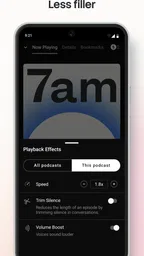
- Playback speed controls help you listen at your preferred pace.
- Silence trimming can shorten pauses in episodes.
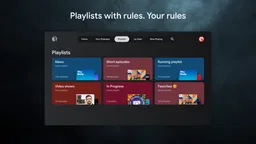
- Episode filters make it easier to organize listening queues.
- Audio effects can improve speech clarity.
- Cross-device syncing keeps your listening progress up to date.
What could be better
- Some advanced features may require a paid subscription.
- The large feature set can feel overwhelming to new users.
- Podcast discovery may not suit every listener's tastes.
- Syncing depends on a reliable internet connection.
- Availability and pricing can vary by platform and region.





