


Pie: Free Events, Cool People review
 Analysis by Appsdrops
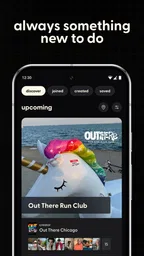
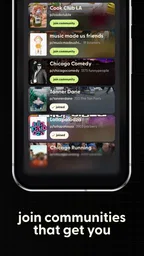
I’d approach Pie as an event-discovery app with a social angle, rather than another calendar or ticket wallet. Its focus is helping me find things to do and people to meet, which makes it most appealing when I want ideas for going out but do not yet have a particular venue or event in mind. That open-ended starting point is also the app’s main trade-off: it is useful for discovery, but it is not a substitute for the practical planning tools I rely on once plans are settled.
What using Pie feels like
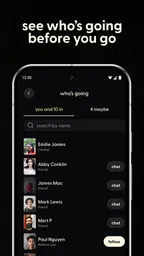
Pie is a free Events app from pie, and its purpose is easy to grasp: connect places to go with opportunities to meet people. I see that as a different starting point from searching a map for nearby venues or asking friends to choose from a group chat. Those methods can work, but they often leave me doing the work of turning a vague “let’s do something” into a concrete plan.
The app has an average rating of 4.6 from around 150 ratings, with about 30 written reviews and over 10,000 installs. That gives a prospective user some reassurance that it has reached an audience, while still suggesting a smaller community than the biggest general-purpose social or event platforms. For an app where other people’s activity matters, that distinction is worth keeping in mind: usefulness can depend as much on what is happening around you as on the app itself.
I would try Pie when I’m open to a new activity and would welcome meeting people along the way. I would not expect it to be the best tool for every outing. If I already know the show, restaurant, or class I want, a dedicated booking service or the venue’s own information may get me to the important details more directly. Pie’s value is strongest earlier, when I am still deciding what kind of plan sounds appealing.
Quickness is about finding a useful starting point
For an events app, perceived speed is not only a matter of how quickly a screen appears. The more important question is whether I can move from “I have a free evening” to a worthwhile possibility without a lot of hunting. Pie’s concept is built around that discovery moment, so I would judge it by how readily its offerings help me choose a direction, not just by how responsive a button feels.
I would keep my first visit focused: browse with a loose idea of the kind of outing I want, then check whether the choices feel relevant to my situation. That is a better test than opening the app while expecting it to produce a perfectly tailored plan immediately. Event discovery is naturally more useful when I can make a small decision—such as whether I want something social, casual, or more structured—rather than asking one app to solve every part of an evening.
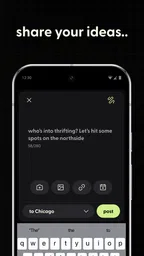
One practical tip is to use Pie as an idea generator before turning to maps, messages, or a booking service. That order can save time: first decide whether an event or social outing appeals, then use the appropriate tool to sort out logistics. It also avoids treating an event-discovery app as though it must replace every other service involved in a plan.
Busy moments call for a simple workflow
The app’s social and event focus is most relevant when I am coordinating around a real-life constraint: a free night, a change of plans, or the wish to do something outside my usual routine. In those moments, I would use Pie to explore possibilities first and make the practical checks separately. That split is useful because deciding what sounds fun and confirming the exact logistics are different jobs.
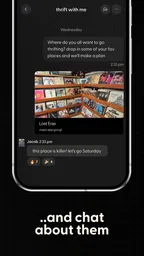
For example, if I finish work and realize I have an open evening, I could look through Pie for an activity that feels more inviting than staying home. If something catches my eye, I would then check the location and timing and message the people I plan to meet through whichever channel we already use. This keeps the app’s role clear: it can help kick-start the idea, while I still make sure the plan fits my schedule and the group.
A less obvious trade-off with social discovery is that a promising event does not automatically make a plan easy. I still need to think about whether I am comfortable going, whether the timing works, and whether I want to meet new people in that setting. I would treat the app as a way to widen my options, not as a guarantee that every suggestion will suit my mood or make coordination effortless.
Reliability depends on more than the app opening
I would separate technical reliability from the reliability of discovery. An app may be available on my phone, but the quality of an event-oriented experience also depends on whether its local options feel useful to me. Since Pie is centered on going out and meeting people, its appeal can vary with location, timing, and how much I want to socialize. I would test it during the kind of week when I am actually looking for plans, rather than deciding from a single quick browse.
For a reliable personal workflow, I would not make Pie the only place I keep confirmed plans. Once I have decided to attend something, I would save the key details in the calendar or messages I normally use. This is not a criticism unique to Pie; it is a sensible distinction between discovering an outing and keeping an appointment. It also gives me a fallback if I need to find the plan later without retracing my browsing.
If the first round of browsing does not turn up an appealing option, I would try again when my plans or mood change rather than repeatedly refreshing in the hope that a perfect choice appears. The app’s concept is strongest when I am flexible. If I need a specific event at a precise time, I would go straight to a service focused on that event or its organizer instead.
Device fit and who should give it a try
Pie is rated for teens, runs on Android 7.0 or later, and its current version is 5.36.0. It was released on November 20, 2024. Those details make it straightforward for Android users to judge basic compatibility, but the more important personal question is whether an event-and-people discovery app fits how they like to make plans.
I would recommend trying it if you often want to get out but find yourself short of ideas, or if meeting new people is part of what makes an event attractive. It may also suit someone who has moved to a new area or simply wants to break out of a familiar routine, provided they are comfortable exploring social options rather than relying only on friends’ recommendations.
I would skip it if I mainly need a dependable calendar, a comprehensive venue directory, or a direct way to buy tickets for a particular event. Those needs call for tools designed around schedules, local search, or transactions. Likewise, if I prefer to socialize only with people I already know, the app’s people-meeting angle may not be a reason to keep it installed. An events-focused app is not automatically useful just because I enjoy attending events.
Performance verdict: promising for discovery, not a planning hub
Because Pie’s strongest job is helping me consider where to go and whom I might meet, I would assess it by whether it gives me a worthwhile reason to leave home. I would not judge it by an assumed battery impact, data use, or exact loading speed; those can vary by device and circumstances. A sensible first test is to browse briefly on the kind of day when I genuinely want an outing, then see whether the options make choosing easier.
The app is free, so trying it does not require a purchase. Still, “free” does not mean it should become my default for every part of event planning. I would keep a separate calendar for commitments and use venue or booking tools when I need precise logistical details. That division of labor is likely to make the experience more dependable and less frustrating.
My overall take is that Pie is worth a look for people who want social event discovery to be part of deciding what to do. Its smaller visible audience means I would set realistic expectations about how much local activity will match my tastes, and its purpose is narrower than a full planning toolkit. If you are curious, install it when you have an open evening and use it to explore possibilities; if you need a guaranteed, tightly organized itinerary, a calendar, map, or event-specific service is the better fit.
What we like
- Discover local events that may not appear on mainstream platforms.
- The free focus makes browsing and joining events more approachable.
- Event listings can help you find activities beyond your usual routine.
- Meeting attendees in person can make it easier to build local connections.
- A community-based format can make event discovery feel more social.
What could be better
- The number of events may be limited in areas with few users.
- Event details depend on organizers keeping listings accurate.
- Some events may have limited spots or require advance planning.
- Connecting with strangers may not suit every user's comfort level.
- The app's usefulness can vary depending on your location.





