

Piano - music & songs games review
 Analysis by Appsdrops
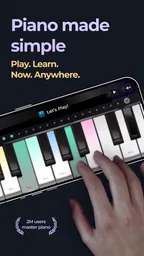
I’d describe Piano as a low-friction way to try playing melodies on a phone, rather than a replacement for a real keyboard or a structured music course. It is a music and audio app from MWM - AI Music and Creative Apps, and its appeal is easy to understand: you can open a piano interface and start experimenting without first buying an instrument. In my view, it is most useful when you want a casual musical break or a convenient first step toward learning where notes sit.
What you get without paying
The app is free to download, so you can try it before deciding whether it belongs in your routine. It has in-app purchases, with individual items priced from $0.99 to $89.99. That range is wide enough that I’d treat optional spending as a separate decision, not as part of the basic promise of a free piano app. Check what a purchase includes in the app store before paying, especially if you are comparing it with a physical keyboard or a lesson service.
That distinction matters because a free starting point can be worthwhile even if you never buy anything. If all you want is to tap out a tune while waiting for a friend, the initial download may be enough to test whether touchscreen playing feels enjoyable. If you are looking for a complete, long-term learning plan, though, don’t assume that installing it alone gives you everything you would expect from a paid course or a teacher.
The app is rated for Everyone, which makes it broadly approachable for families as well as adults who are curious about music. That rating is about age suitability, not a promise that every optional purchase will suit every household. If a child will use it, I’d review purchase settings together and make clear that exploring the piano and buying add-ons are different things.
Where the value comes from
The practical value is immediacy. A full-size instrument takes space and costs money; a phone is already close at hand. Piano turns spare minutes into an opportunity to explore a melody, try a rhythm, or simply see whether you enjoy making notes rather than only listening to music. That convenience is the strongest reason I’d recommend giving it a try.
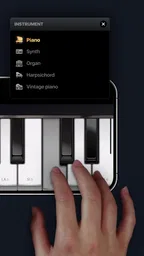
It can also help a beginner get comfortable with the visual idea of a keyboard. Before moving to a real piano, you can experiment with the relationship between neighboring keys and notice how a tune changes when you move higher or lower. This is useful as a first encounter, but it should not be confused with developing reliable hand position or technique: a touchscreen does not give the same physical feedback as piano keys.
For a realistic everyday example, imagine you have ten minutes before a commute or while dinner is in the oven. You can use that short window to work out a fragment of a familiar melody by ear. I find this kind of small, low-pressure practice more inviting than promising myself an hour of study and then not starting. The phone format is especially good for experimenting, not for pretending that a brief session is equivalent to a lesson.
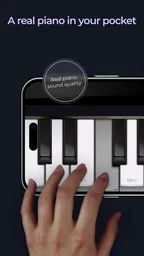
There is a useful trade-off in that portability. A touchscreen makes it easy to begin, but the playing surface is constrained by the device. If your goal is to practise two-handed parts, build finger independence, or develop a consistent sense of touch, a physical keyboard is the better tool. I’d use the app to spark curiosity or reinforce simple note exploration, then move to an instrument when the limits become frustrating.
What to expect from the playing experience
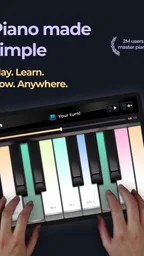
The name Piano tells you the central idea, but it is worth setting expectations carefully: this is an app built around playing piano on a mobile device, not a substitute for every part of learning music. A phone can make trying a sequence of notes approachable, yet its compact screen can make precise, extended practice awkward. How comfortable it feels will depend partly on your device and how you prefer to play.
One practical tip is to decide what you want from a session before opening it. “Find the opening notes of this tune” is a manageable goal; “learn piano” is not. A narrow target helps you tell whether the app is helping, and it keeps casual exploration from turning into frustration when your fingers cannot move as freely as they would on a larger keyboard.
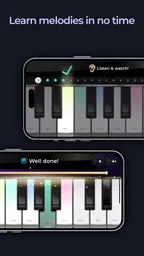
Another useful approach is to treat the app as an ear-training prompt rather than a complete lesson. Try matching a short melody you already know, then pause and listen to whether the notes move up, down, or stay near the same pitch. That simple exercise draws value from having a piano at hand without assuming that the app teaches music theory or provides a particular curriculum.
If you are comparing it with other options, the key difference is convenience versus physical feel. A real digital piano or keyboard gives you larger keys and a more natural setup for sustained practice, but requires equipment and space. A general music-learning course may offer a more deliberate progression, while this app is easier to pick up for an unplanned few minutes. For someone who mainly wants to compose on a computer, a desktop music tool may be a better fit than tapping notes on a phone.
The trade-offs I would consider first
The biggest limitation is inherent to playing an instrument through a screen: touch is not the same as pressing keys. If you already play piano, you may find the mobile format too cramped for serious practice. If you are new, it can introduce the keyboard without teaching the physical habits that matter when you sit at an acoustic or digital piano. I would not use it as the sole measure of whether you are progressing as a pianist.
Cost is another point to approach deliberately. The free download lowers the barrier to trying it, but the presence of purchases means the experience may invite spending as you explore. With items ranging from $0.99 to $89.99, I would inspect each option and ask whether it solves a need you already have. The mere availability of a purchase does not make it necessary, and I would not pay simply because I hoped an add-on would turn a casual app into formal instruction.
There is also a difference between being able to play notes and learning songs in a dependable way. If your main question is whether the app will teach a specific repertoire, provide a certain lesson sequence, or suit a particular instrument setup, make that decision based on the features you can see in your own version rather than assuming those capabilities. The current version is 3.65.00, and the app supports devices running version 7.1 or later; compatibility is worth checking before you plan to rely on it.
For parents, I’d make the purchase boundary explicit before handing over the phone. For an adult beginner, I’d set a modest goal and judge the app by whether it makes you want to return, not by whether it replaces a teacher. For an experienced player, I’d see it as a portable novelty or sketchpad for ideas, not the place to refine technique.
Who is most likely to enjoy it
I think Piano is best suited to curious beginners, casual music fans, and people who want an easy way to experiment when they do not have a keyboard nearby. It may also work well for someone testing whether the act of playing notes is enjoyable before making a bigger commitment. The app has a 4.7 average from around 333,000 ratings, and it has passed 10 million installs, which suggests a large audience has found a reason to try it. Those figures can offer context, but your own goal should decide whether it fits.
It is less compelling for anyone who wants structured, measurable piano study as their main route to progress. If you need full-size keys, nuanced touch, a teacher’s feedback, or a carefully planned course, choose a real instrument or a learning option designed around that need. The phone version may still be a convenient supplement, but it is not the one tool I’d rely on for those goals.
The app was released on September 25, 2019, and its broad age rating makes it easy to consider for different kinds of users. I would still distinguish “easy to access” from “right for everyone”: a person who dislikes touchscreen controls or wants a more serious practice environment may quickly outgrow the format. The best match is someone who values convenience more than realism.
My verdict on trying it
I’d try Piano if I wanted a free, portable way to play around with melodies and see whether a piano interface interests me. Its strongest value is that it makes musical exploration feel available in ordinary spare moments, without requiring a separate instrument to get started. I would keep purchases optional, define a small purpose for each session, and avoid expecting the app to deliver the feel or discipline of a physical piano.
In short, this is an easy recommendation for casual curiosity and a cautious one for serious study. Downloading it costs nothing, while optional purchases deserve a closer look before you spend. If a quick musical diversion or a first taste of piano is what you want, it is worth trying; if your priority is proper technique or a complete learning path, put your money and practice time toward an instrument or a more structured alternative instead.
What we like
- Practice familiar tunes with a piano-style keyboard.
- Simple controls make it approachable for beginners.
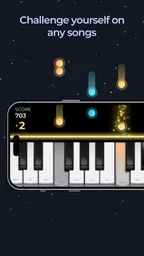
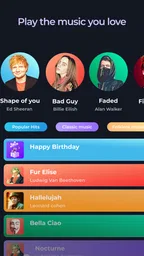
- Song-based play offers a clear goal for each session.
- Short rounds work well for quick practice breaks.
- Visual feedback helps guide note timing.
What could be better
- Fast note sequences may frustrate new players.
- Touchscreen controls can feel imprecise on smaller phones.
- Some songs or features may require in-app purchases.
- Gameplay may become repetitive over longer sessions.
- An internet connection may be needed for some content.





