
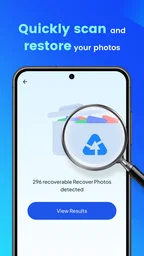



Photo Recovery review
 Analysis by Appsdrops
When a photo disappears, the first instinct is often to search every folder and hope it turns up. Photo Recovery is built for the next step: trying to bring deleted images back through a focused recovery app rather than sorting through a general file manager. I like that clear purpose, but I would treat it as a chance to check for recoverable files—not as a promise that every lost picture can be restored.
A focused tool for recovering photos
This is a free productivity app from Ahmeed yoonis, with a straightforward aim: help users look for deleted files, particularly photos. Its focused approach is useful when you have a specific picture in mind and want to make a recovery attempt without first learning a complicated desktop utility. The app is rated for Everyone, so its intended audience is broad, though the task itself is most relevant to people who manage photos on an Android device.
The central capability matters because deleted does not always mean recoverable. A file may still be present in a device location or backup, or it may have been overwritten or removed in a way that leaves nothing for a recovery tool to find. I would open the app soon after noticing a photo is gone, avoid taking lots of new pictures in the meantime, and check the results carefully. That is a sensible recovery workflow, not a guarantee.
The app’s name is more specific than the broad idea of “restore deleted files.” If your priority is a missing image, that focus can make the task feel less intimidating than using a general storage utility. If you need to restore documents, messages, or a complete device backup, though, a photo-oriented app should not be your only plan. Look first in the device’s own recently deleted area and any cloud or computer backups you already use.
What the recovery focus changes
A photo recovery search is most useful when it narrows your attention to a concrete problem: a picture vanished, and you want to know whether a recoverable copy remains. Instead of treating the phone as a single undifferentiated pile of storage, you can approach the task as a check for image files. The practical benefit is less about clever presentation and more about having one obvious place to start.
That focus also encourages a useful distinction between finding and restoring. Seeing an image in a recovery result is not the same as having safely saved it somewhere you can find again. I would verify the preview or file identity before acting, then make sure the recovered copy is stored in a location that is easy to reach. If the app does not make a result clear, avoid assuming that a similar-looking thumbnail is the exact photo you meant to retrieve.
There is a trade-off in keeping the job narrow. A dedicated photo tool may suit a lost-camera-roll problem better than a broad file manager, but it will not replace a proper backup system. Recovery is reactive: it starts after something goes wrong. Regular copies to a second location are more dependable for protecting irreplaceable pictures in the first place.
How I would approach a recovery attempt
I would begin by checking the phone’s gallery or file manager for a trash or recently deleted folder. That is often the least disruptive route because it may let you restore an image without scanning the device. If the picture is not there, I would then use Photo Recovery as a targeted second check. This order helps avoid spending time on a wider search when a simple, reversible restore may already be available.
Before starting, I would pause unnecessary photo taking, downloads, and large file transfers. The reason is practical: when storage space is reused, older deleted data can become harder or impossible for recovery software to locate. This does not mean every new file will erase the missing photo, but minimizing extra activity is a prudent step while you are trying to recover it.
After the search, I would judge results by usefulness, not by volume. A long list of candidates can look reassuring while still making it difficult to identify the original. Look for a recognizable image and check whether the recovered copy is accessible after the process. If a result is blurry, incomplete, or not the right shot, do not treat it as a successful recovery just because it appeared on screen.
One small but important workflow tip is to avoid saving a recovered picture into the same crowded location without checking it afterward. A separate folder or another storage destination makes it easier to confirm the file is there and distinguish it from duplicates. It also reduces the chance of overlooking the recovered version among existing images. This is a sensible housekeeping step for any recovery attempt, even when the app’s main job is simply to find photos.
Where it fits beside familiar alternatives
Compared with a phone’s built-in deleted-items folder, a recovery app is a second line of investigation, not necessarily the best first choice. The built-in option is easier when the photo is still waiting there, while a dedicated recovery tool becomes relevant when that route does not solve the problem. A cloud photo service or a computer backup may be better still if the missing image was already copied elsewhere.
Compared with desktop recovery software, a phone app is convenient: you can start the search on the device where the picture disappeared. But convenience should not be confused with broader capabilities. If the images are especially important, the phone has suffered physical damage, or the loss involves many kinds of files, I would consider a computer-based recovery process or professional help rather than relying on a single mobile app.
The right choice depends on what happened. For one accidentally deleted snapshot, checking the device’s trash and then trying this app is a proportionate response. For a whole gallery that vanished after a device problem, I would first look for backups and avoid repeatedly experimenting with storage. Each extra attempt can consume time without improving the odds, so it is worth choosing a careful path early.
A realistic use case—and its limits
Imagine deleting a picture while clearing space, then realizing later that it was the only clear shot of a receipt, a handwritten note, or a family moment. I would first stop taking new pictures, inspect the gallery’s deleted-items area, and then try Photo Recovery if the image is not there. If it appears, I would restore it and immediately check that it opens from its new location. This sequence is more useful than repeatedly searching the whole gallery by date and hoping to spot it.
The same approach is less suitable if the phone has been heavily used since the deletion or if the image was removed long ago. Recovery depends on whether usable file data remains, so an app cannot make a missing copy reappear out of nothing. A result that does not include the right image is a real possibility. I would avoid spending money or making important decisions based on an assumption that recovery is certain; the app itself is free, but the value of the attempt depends on what can still be found.
Another limitation is the difference between a photo being missing and a photo being backed up. If your goal is to restore a complete set of images after changing phones or resetting a device, a backup service is usually the more appropriate tool. Photo Recovery is better framed as a targeted attempt to locate deleted pictures on the device, rather than a substitute for migration, synchronization, or archival storage.
Who is most likely to find it useful
I would recommend trying it to someone who has just deleted a particular photo, has already checked the obvious gallery folder, and wants a simple next step on Android. It may also suit people who rarely use desktop tools and prefer to start recovery on the phone itself. The app has an average rating of 4.2 from around 4,600 ratings, with roughly 192 written reviews, and it has more than a million installs. Those figures suggest it has found an audience, but they cannot tell you whether your particular deleted file is still recoverable.
The current version is 5.4.0, and it runs on Android 7.0 or later. That makes checking the device requirement worthwhile before installing, especially if you use an older phone. Since the app is free, trying it does not require paying for the download; still, I would pay attention to the actions the app asks you to take and review recovery results before deciding what to keep.
I would skip it as a primary solution if you need guaranteed recovery, are dealing with damaged hardware, or want to restore a broad device backup. It is also not the answer to preventing future losses. For important photos, keep a separate backup and verify that it contains files you can actually open. That small habit is more valuable than hoping any recovery tool can rescue an image after storage has been reused.
My take
Photo Recovery is best approached as a focused, free recovery attempt—not as insurance. Its appeal is that it gives a user with a missing photo a clear place to begin after checking the phone’s own deleted-items folder. I would use it promptly, keep activity on the device to a minimum, and confirm any recovered image rather than trusting a search result at a glance.
For a recent accidental deletion, that is a reasonable and convenient workflow. For a full library loss or a picture with no recoverable data left, backups or a more specialized recovery route are the better options. My recommendation is therefore practical but measured: keep the app in mind for a specific missing-photo problem, while relying on regular backups for the pictures you cannot afford to lose.
What we like
- Can restore deleted photos from device storage.
- A scan can reveal images missing from the gallery.
- Recovered images can be saved to a chosen folder.
- The interface makes basic recovery steps easy to follow.
- Useful for checking for recently deleted pictures.
What could be better
- Recovery results depend on whether deleted data was overwritten.
- A scan may take time on devices with large storage.
- Some recovery features may require payment.
- The app may show ads during use.
- It cannot guarantee recovery of every deleted photo.





